
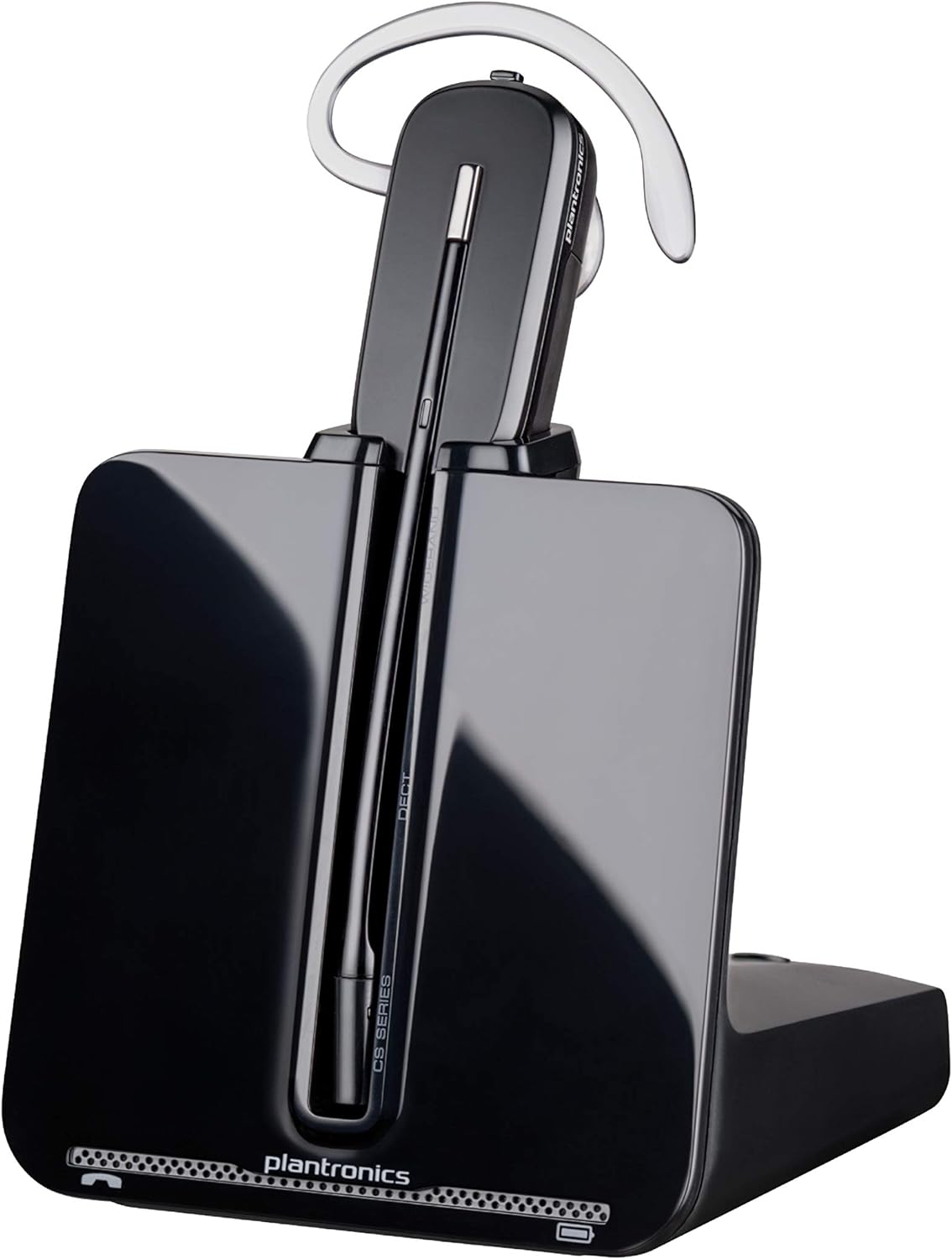
Poly CS540 Wireless DECT Headset - Mono.
The Plantronics CS540 Wireless DECT Headset is a high-quality, versatile headset designed for office and desk-centric workers who want a simple-to-set-up, simple-to-use wireless h…
Manual and instructions
Instruction-focused content generated from the current product data and source context.
Plantronics CS540 Wireless DECT Headset User Manual
Table of Contents
- Package Contents
- Headset Assembly
- Connecting to Desk Phone
- Adjusting Wearing Styles
- Charging the Headset
- Basic Call Functions
- Troubleshooting Tips
- Frequently Asked Questions
1. Package Contents
- CS540 Wireless DECT Headset
- Base
- Telephone Interface Cable (TIC)
- Power Supply
- Earloops and Earbuds (various sizes)
- Headband
- User Guide
2. Headset Assembly
Choose the wearing style that suits you best (over-the-ear, over-the-head, or behind-the-head). Attach the desired earloop or headband to the headset. If using the earloop, select the appropriate size earbud and attach it to the earloop.
3. Connecting to Desk Phone
- Place the base on a flat surface near your desk phone.
- Connect the power supply to the base and plug it into an electrical outlet.
- Connect the Telephone Interface Cable (TIC) to the port on the back of the base labeled "TEL."
- Connect the other end of the TIC to the headset port on your desk phone.
- Adjust the compatibility switch on the bottom of the base if necessary. Refer to your desk phone's user manual for compatibility settings.
4. Adjusting Wearing Styles
You can wear the CS540 headset in three different styles:
- Over-the-ear: Attach the earloop and earbud to the headset. Place the earloop over your ear and insert the earbud into your ear canal.
- Over-the-head: Attach the headband to the headset. Place the headband over your head and adjust the microphone to be near your mouth.
- Behind-the-head (sold separately): Attach the behind-the-head accessory to the headset. Place the accessory behind your head and adjust the microphone to be near your mouth.
5. Charging the Headset
Place the headset in the base's charging cradle. The charging indicator light will turn solid green when the headset is fully charged. It takes approximately 3 hours to fully charge the headset, providing up to 7 hours of talk time.
6. Basic Call Functions
- Answer/End a call: Press the call control button on the headset.
- Volume adjustment: Use the volume buttons on the headset to increase or decrease the volume.
- Mute: Press the mute button on the headset to mute/unmute the microphone.
7. Troubleshooting Tips
- If the headset is not charging, ensure the power supply is properly connected to the base and the electrical outlet.
- If you cannot hear the caller, adjust the volume using the volume buttons on the headset.
- If the caller cannot hear you, ensure the microphone is positioned close to your mouth and unmuted.
- If the headset is not connecting to the desk phone, check the compatibility switch on the base and refer to your desk phone's user manual for the correct setting.
- If you experience audio issues or static, move closer to the base or check for sources of interference such as other electronic devices or metal objects.
8. Frequently Asked Questions
- What is the range of the CS540 headset?
- The roaming range is up to 120 meters (400 feet) from the base.
- How long does the battery last on a single charge?
- The headset provides up to 7 hours of talk time per charge.
- Can I use this headset with my computer or mobile phone?
- The CS540 is designed to connect to desk phones only. It does not support connections to computers or mobile phones.
- Is the behind-the-head wearing style included?
- No, the behind-the-head accessory is sold separately.
Frequently asked questions
Q: What is the Plantronics CS540 Wireless DECT Headset?
A: The Plantronics CS540 Wireless DECT Headset is a convertible wireless headset that connects to desk phones via an included cable. It is ideal for office and desk-centric workers using desk phones.
Q: What kind of audio performance does the CS540 headset have?
A: The CS540 headset features a noise-canceling microphone that keeps background noise out of your call.
Q: What is the talk time and roaming range of the CS540 headset?
A: The CS540 headset has a roaming range of up to 120 m/400 ft and can talk all day with up to 7 hours of talk time per charge.
Q: What are the specifications of the CS540 headset?
A: The brand is Poly (Plantronics + Polycom), the manufacturer is Plantronics, and the model number is 84693-01. The product dimensions are 6.5 x 1.25 x 6.48 inches, and it weighs 1.04 pounds. It can be shipped within the U.S. and to select countries outside of the U.S. It requires one Lithium Polymer battery.
Q: Can the CS540 headset connect to a PC and be used with Skype and other computer software?
A: Yes, but you will need to purchase the Plantronics APU - 75 hook switch adapter and install the Plantronics Hub software.
Q: Does the CS540 headset support Yealink T2 series phones?
A: No, it is not compatible with Yealink T2 series phones, but you can choose WH63 wireless headset from Yealink store.
Q: Does the CS540 headset come with an over-the-ear piece? Is it comfortable?
A: Yes, it comes with a monoaural lightweight convertible that can be worn either over-the-ear, over-the-head, or behind-the-head (sold separately). However, some users have reported discomfort with the over-the-ear piece due to the sharp plastic digging into their ear.
Q: How well does the CS540 headset cancel noise?
A: The CS540 headset features a noise-canceling microphone that reduces background noise interruptions, ensuring excellent audio quality and easing listener fatigue.
Q: Does the CS540 headset pick up static from wireless networks?
A: There have been no reports of static from wireless networks or anything else while using the CS540 headset.
Q: Can the CS540 headset be used with Yealink T2 series phones?
A: Yes, it can be used with Yealink T2 series phones, but for call control features, you might need an adapter from Yealink.
Q: Will the CS540 headset work with any corded desk phone?
A: The CS540 headset system and lifter will work with 98% of corded desk phones. For further assistance, you can contact Plantronics at 1-800-683-5715.
Q: Can the CS540 headset and lifter answer calls remotely?
A: Yes, when you press the button on your ear/head piece to answer the phone, it lifts the handset on the desk phone until you end the call, then it hangs up the handset.
Q: Can the earpiece of the CS540 headset be switched to the other ear?
A: Yes, you can switch the earpiece by flipping the mouthpiece from back to front after putting it in your other ear.
Specifications
Structured product details pulled from the latest available product data.
| Brand | POLY |
|---|---|
| Manufacturer | Poly |
| Model Number | 84693-01 |
| Category | All Departments > Electronics > Headphones, Earbuds & Accessories > Headphones & Earbuds > Earbud Headphones |
| Color | Black |
| Material | Polyurethane (PU) |
| Weight | 1.15 pounds |
| Dimensions | 6.5 x 1.25 x 6.48 inches |
| First Available | January 20, 2011 |
| Noise Control | Sound Isolation |
| Headphones Jack | No Jack |
| Model Name | Poly CS540 - Convertible Wireless Headset |
| Connectivity Technology | Wireless |
| Wireless Communication Technology | Bluetooth |
| Included Components | Wireless Headset,User Manual,Adapter,Charging Base |
| Age Range (Description) | Adult |
| Specific Uses For Product | Office, Desk-centric |
| Compatible Devices | Desk phones |
| Control Type | Call Control, Volume Control, Touch Control |
| Cable Feature | Without Cable |
| Item Weight | 1.2 Pounds |
| Water Resistance Level | Not Water Resistant |
| Customer Package Type | Standard Packaging |
| Unit Count | 1.0 Count |
| Style | 2011 Version |
| Control Method | Touch |
| Number of Items | 1 |
| Battery Life | 6 Hours |
| Audio Driver Type | Dynamic Driver |
| Bluetooth Version | 5.3 |
| Carrying Case Color | Black |
| Earpiece Shape | Over-the-ear |
| Hardware Interface | Bluetooth |
| UPC | 017229134768 197497173833 |
| Supports Bluetooth Technology | Yes |
| Special Feature | Hands Free, Convertible, Noise Cancelling |
| Global Trade Identification Number | 00017229134768 |
| Product Dimensions | 6.5 x 1.25 x 6.48 inches |
| Item Weight | 1.15 pounds |
| ASIN | B005HS5MKS |
| Item model number | 84693-01 |
| National Stock Number | 5965-01-626-3151 |
| Batteries | 1 A batteries required. |
| Customer Reviews | 4.3 4.3 out of 5 stars (4,283) 4.3 out of 5 stars |
| Best Sellers Rank | #1,923 in Earbud & In-Ear Headphones #8,368 in Computer Accessories & Peripherals |
| Is Discontinued By Manufacturer | No |
| Special features | Hands Free, Convertible, Noise Cancelling |
| Other display features | Wireless |
| Form Factor | On Ear |
| Department | Electronics |
| Language | English |
| Date First Available | January 20, 2011 |
| Ear Placement | Over Ear |
| Form Factor | Over-the-ear, Over-the-head, One-Ear |
| Impedance | 140 Ohms |
Use this page carefully
ProductReviewGPT pages are AI-assisted summaries. When a source document is available, it should take priority over the generated summary for important operating, warranty, safety, or compliance details.