
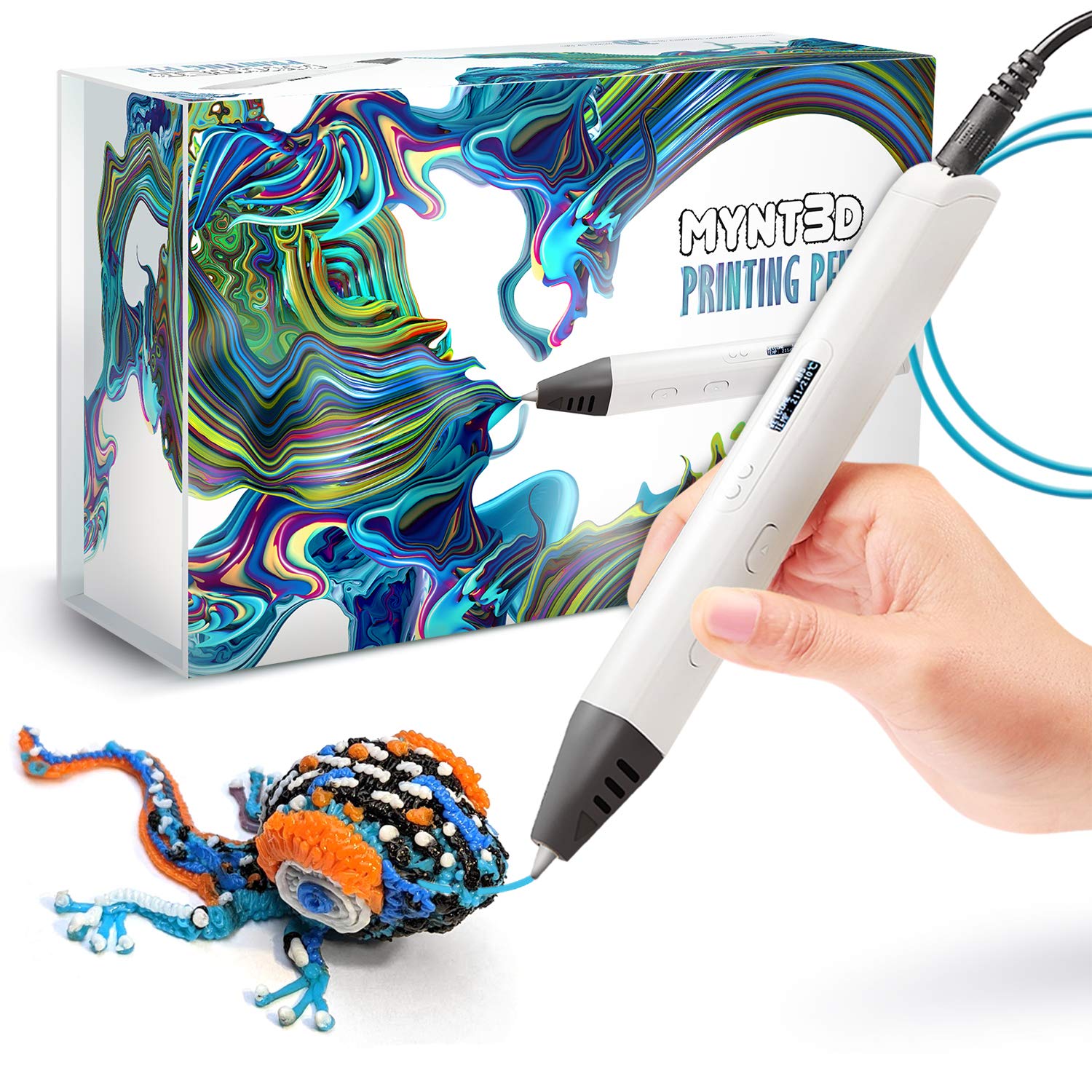
MYNT3D Professional 3D Pen with OLED Display
The MYNT3D Professional Printing 3D Pen with OLED Display is a cutting-edge tool that brings your creative ideas to life in three dimensions. This professional-grade 3D pen featur…
Manual and instructions
Instruction-focused content generated from the current product data and source context.
MYNT3D Professional 3D Pen User Manual
Getting Started
- Unbox your 3D pen: Carefully remove the MYNT3D Professional 3D Pen and included accessories from the packaging.
- Power up: Connect the A/C adapter to your 3D pen and plug it into an electrical outlet. The power cord attaches at the top end of the pen.
- Insert filament: Insert one end of the PLA plastic filament into the feeding hole at the top of the pen.
- Adjust temperature: Turn on the 3D pen and use the OLED display to adjust the temperature in 1-degree increments from 140 to 230°C, depending on the material you're using.
Basic Operation
- Begin drawing: Once the desired temperature is reached, press the forward button to start extruding the filament.
- Control speed: Adjust the speed of the filament extrusion using the sliding switch for optimal control during your project.
- Continuous feed: Double-click the "forward" button if you require a continuous feed of filament.
- Finish drawing: Release the forward button to stop the filament feed. Use precision wire snips to trim any excess filament for a clean finish.
Troubleshooting Tips
- Pen not extruding: Ensure that the filament is properly inserted and the pen is heated to the correct temperature for the material in use.
- Unbalanced pen: Try suspending the power cord above your workspace to prevent it from affecting the balance and control of the pen.
- Clogged nozzle: If you suspect a clog, unload the filament and use the included cleaning tools to clear any blockage. Always clean the nozzle while it's still warm.
- Pen not heating: Verify that the pen is properly connected to the power supply and that the outlet is functioning. If the problem persists, contact MYNT3D customer service.
- Power issues: If the pen shuts off unexpectedly, check the power connection and ensure the pen is not in sleep mode due to inactivity.
Frequently Asked Questions (FAQ)
Can I use the 3D pen without it being plugged in?
No, the MYNT3D Professional 3D Pen requires a power source to operate and must be connected to the A/C adapter at all times during use.
How do I switch between different colors of filament?
To switch colors, unload the current filament by pressing the unload button and then insert the new color filament into the feeding hole. Double-click the forward button to begin feeding the new filament until it starts extruding, ensuring a smooth transition between colors.
What materials can I use with this 3D pen?
The MYNT3D Professional 3D Pen is compatible with both ABS and PLA plastic filaments. Adjust the temperature accordingly to match the material specifications.
Is the MYNT3D Professional 3D Pen suitable for children?
While the pen is user-friendly, the extruder can get quite hot. It is recommended that children use the pen under adult supervision to prevent burns or injuries.
What should I do if my 3D pen stops working after a month?
If your 3D pen stops working within the warranty period, contact MYNT3D customer service for assistance. Keep your proof of purchase and warranty information handy for reference.
How can I prevent the filament from sticking to the pen nozzle?
Regularly clean the nozzle with a brush while it's hot to remove any excess filament. This will help maintain a clean extrusion path and prevent sticking.
This example user manual and FAQ section is formatted in HTML and provides clear, concise instructions for using the MYNT3D Professional 3D Pen, along with troubleshooting tips and answers to common questions. The style and structure are designed for easy reading and navigation.Frequently asked questions
**MYNT3D Professional Printing 3D Pen FAQ**
1. **What is included in the MYNT3D Professional Printing 3D Pen kit?**
The kit includes the 3D pen, 3 colors of PLA plastic filament, A/C adapter, and a slim, ergonomic pen with a 1-year limited warranty.
2. **Is the temperature adjustable on the MYNT3D Professional Printing 3D Pen?**
Yes, the temperature is adjustable in 1-degree increments from 140 to 230 degrees Celsius for optimal fine-tuning.
3. **What are some key features of the MYNT3D Professional Printing 3D Pen?**
- Adjustable feed for regulating speed and flow
- Large OLED display for monitoring material temperature
- Quick heating capability
- Speed adjustment for detailed work
4. **How easy is it to use the MYNT3D Professional Printing 3D Pen?**
Users have reported that the pen is lightweight, quick to heat, and easy to control. The adjustable settings make it suitable for both beginners and experienced users.
5. **Can I use the MYNT3D Professional Printing 3D Pen without it being plugged in?**
The instruction manual mentions a way to use the pen without it having to be plugged in, providing flexibility in usage.
6. **What filament types are compatible with the MYNT3D Professional Printing 3D Pen?**
The pen is compatible with PLA plastic filament, offering versatility in creating various projects.
7. **Is the MYNT3D Professional Printing 3D Pen suitable for beginners?**
Yes, this pen is recommended for beginners as it offers ease of use and control. It allows users to experiment and create various designs.
8. **Does the MYNT3D Professional Printing 3D Pen come with troubleshooting resources?**
Yes, there are troubleshooting and idea videos available on Mynt3D's YouTube channel to assist users in getting started and addressing any issues they may encounter.
9. **Where is the MYNT3D Professional Printing 3D Pen manufactured?**
The pen is manufactured in China, offering quality craftsmanship and reliable performance.
10. **What warranty coverage does the MYNT3D Professional Printing 3D Pen come with?**
The pen comes with a 1-year limited warranty, ensuring customer satisfaction and support in case of any manufacturing defects or issues.
Source documents
Official manuals and related source files discovered for this product.


Specifications
Structured product details pulled from the latest available product data.
| Brand | MYNT3D |
|---|---|
| Manufacturer | MYNT3D |
| Model Number | MP012-WH |
| Category | Industrial & Scientific > Additive Manufacturing Products > 3D Printing Pens |
| Dimensions | 7.99 x 5.2 x 2.6 inches; 11.99 ounces |
| First Available | February 9, 2016 |
| Is Discontinued By Manufacturer | No |
| Product Dimensions | 7.99 x 5.2 x 2.6 inches; 11.99 ounces |
| Item model number | MP012-WH |
| Date First Available | February 9, 2016 |
| ASIN | B01BLQ24IW |
| Best Sellers Rank | See Top 100 in Industrial & Scientific |
Use this page carefully
ProductReviewGPT pages are AI-assisted summaries. When a source document is available, it should take priority over the generated summary for important operating, warranty, safety, or compliance details.