
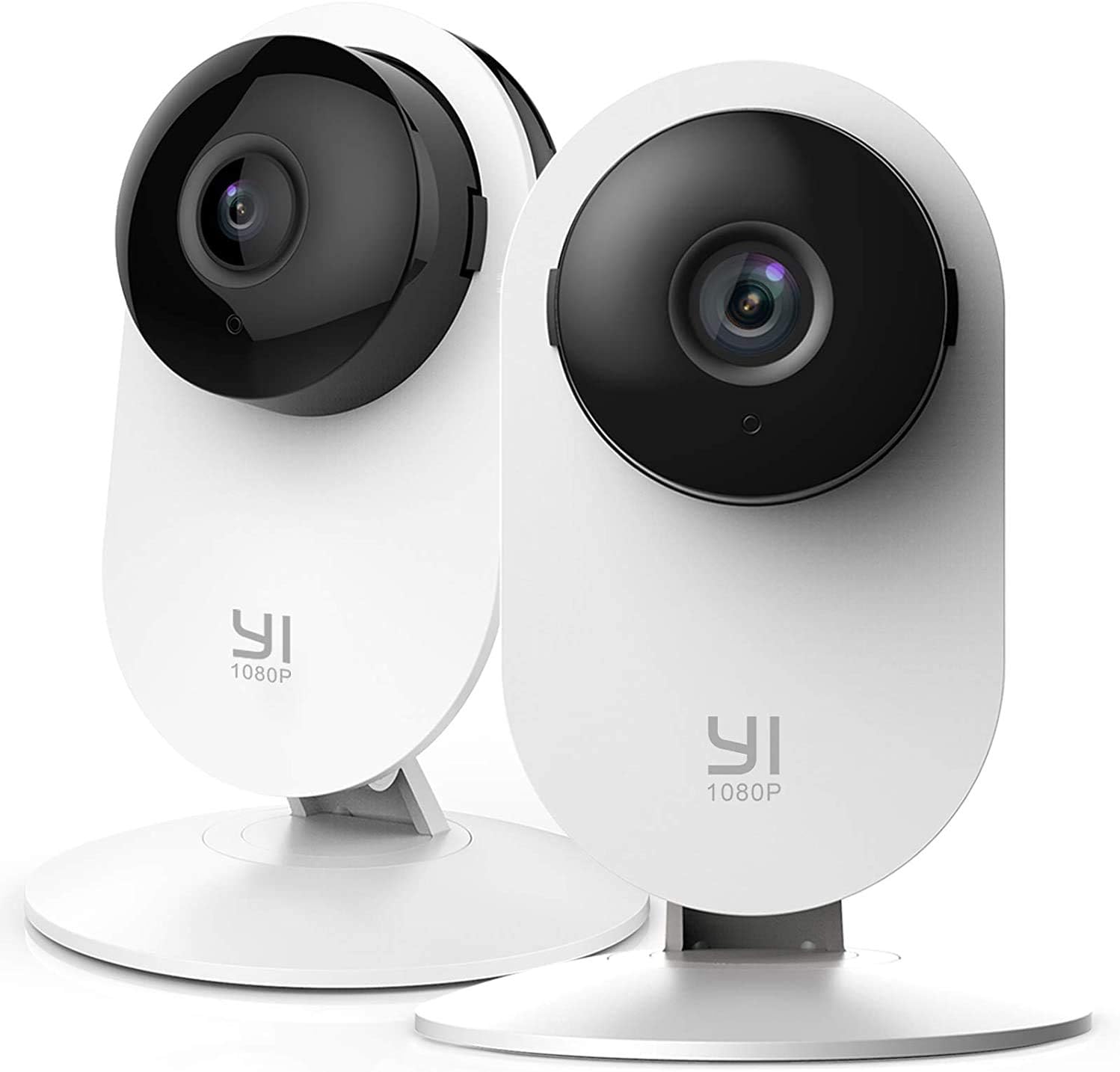
YI 2pc Security Home Camera - 1080p WiFi Baby Monitor with Night Vision & Motion Detection.
The YI 2pc Security Home Camera Baby Monitor is a smart indoor nanny IP cam that offers 1080p WiFi connectivity and night vision capabilities. This two-piece set is designed to gi…
Manual and instructions
Instruction-focused content generated from the current product data and source context.
YI 2pc Security Home Camera Baby Monitor User Manual
Table of Contents
- Package Contents
- Installation
- Setting Up the Camera
- Using the YI Home App
- Working with Alexa and Google
- Cloud Storage and Local Backup
- Troubleshooting Tips
- Frequently Asked Questions
1. Package Contents
- 2 x YI Security Home Camera
- 1 x User Manual
2. Installation
Place the YI Security Home Camera on a flat surface or mount it on a wall using the provided mounting accessories. Ensure the camera is positioned in a location with a strong Wi-Fi signal and a power source nearby.
3. Setting Up the Camera
- Download the YI Home App on your smartphone or tablet.
- Connect your device to your Wi-Fi network.
- Launch the YI Home App and sign up for a new account or log in to your existing account.
- Tap the "+" icon to add a new camera.
- Follow the on-screen instructions to connect the camera to your Wi-Fi network.
- Once connected, the camera will be accessible through the app.
4. Using the YI Home App
The YI Home App allows you to access your camera anytime and anywhere. You can set up Home/Away mode, share your camera with up to 5 family members or friends, and view up to 9 live feeds on the PC app. The app also features baby crying detection and motion detection with customizable activity zones.
5. Working with Alexa and Google
The YI Security Home Camera is officially Alexa compatible and works with any screen-based Alexa device. Use the Alexa Skill to turn on your camera or view its live feed with a simple voice command. The camera also works with Google.
6. Cloud Storage and Local Backup
The camera supports YI Cloud to avoid the risk of losing footage from a microSD memory card. It ensures all recorded video is safe, secure, and protected with the most efficient compression and highest protection of data. Local backup supports up to 64GB Class10 microSD cards with FAT32 format.
7. Troubleshooting Tips
- If the camera is not connecting to Wi-Fi, ensure your Wi-Fi network is functioning properly and the camera is within range.
- If you're not receiving notifications, check the app settings to ensure notifications are enabled.
- If the camera feed is not displaying on your Alexa device, make sure the Alexa Skill is properly set up and connected to your camera.
- If the camera is not recording, check your cloud storage subscription or local storage to ensure there is available space.
8. Frequently Asked Questions
- Is this camera suitable for outdoor use?
- No, this camera is designed for indoor use only.
- What is the maximum range of the camera's Wi-Fi connectivity?
- The range depends on your Wi-Fi network's strength and any obstacles between the camera and the router. For optimal performance, place the camera close to the router or use a Wi-Fi extender.
- Can I view the camera feed on my computer?
- Yes, you can view up to 9 live feeds using the YI Home PC app.
- Does the camera support two-way audio communication?
- Yes, the camera features a built-in microphone and speaker for two-way audio communication.
Frequently asked questions
Product Name: YI 2pc Security Home Camera Baby Monitor
Product Description:
The YI 2pc Security Home Camera Baby Monitor is a smart indoor nanny IP cam that comes in a pack of two. It features 1080p WiFi Smart technology, night vision, 2-way audio, motion detection, and pet cat dog cam. This camera works with Alexa and Google devices and can be accessed via the YI Home App.
Features:
- Optional 24/7 emergency response service
- Works with Alexa and Google devices
- Activity alerts with baby crying detection and motion detection features
- YI Home App for mobile access
- Cloud storage with support for up to 64GB Class10 microSD cards with FAT32 format
Specifications:
- Brand: YI
- Manufacturer: YI Technology
- Model Number: 2AFIB-YYS2016
- Product Dimensions: 4.3 x 5.9 x 4.3 inches
- Item Weight: 9.6 ounces
- ASIN: B01CW4ASS0
- Customer Reviews: 4.3 out of 5 stars53,189 ratings
- Indoor/Outdoor Usage: Indoor
- Connectivity Technology: Wireless
- Room Type: Living Room
- Form Factor: Dome
FAQ:
Q: Does the company or anyone have access to the video other than me on the app? I have heard you have to agree before camera will work?
A: Yes, the company may have access to your camera at any time, and they can record you when they wish to do so. If you want to record yourself, you can either install an SD card or pay the Yi people to "record" the live feed and let you watch it on their servers.
Q: Must be able to turn off audio recording, not just during playback. Can this be done?
A: Yes, you can turn on or off both video and audio recording from the phone app. You can also independently turn each camera on or off and turn on or off the blue light on the camera indicating it is recording.
Q: When I put the app on my phone, it wants a code that I don't have, and I can't go any further. Did you have this problem?
A: A QR code should pop up on the app when you go to pair the camera with your phone. The app generates that for you. It's a digitized looking box (black and white) that's the "code."
Q: Can I put 2 extra cameras in my basement?
A: Yes, you can install multiple cameras on the same account.
Q: Is there more than a 4-camera system available to buy? Is there 7 days storage in the cloud for free?
A: There may be larger packages available, but you can always buy multiple packages or single cameras. As far as cloud storage goes, yes, there is seven days of free storage.
Q: Can I use this 4-pack of cameras in different places with different IP addresses?
A: Yes, you can. You can view all cameras on the app even if they are in different locations with different IP addresses.
Q: What size of SD card does the camera use?
A: The camera uses a microSD card and supports memory from 4GB to 126GB.
Q: Does this camera take a picture when motion is detected?
A: Yes, this camera records when motion is detected, and you will be alerted once motion has been detected. You can turn on the Motion Detection feature via the YI Home App by following these steps:
1. Launch the YI Home App
2. Select the specific camera and tap Settings or the gear icon.
3. Under Smart Detection, tap Settings.
4. Toggle on the Motion Detection or Human Detection.
5. Set the Sensitivity Level at High.
6. Set the Alert Frequency at High.
7. Ensure that the Alert Schedule is set to 24/7.
Specifications
Structured product details pulled from the latest available product data.
| Brand | YI |
|---|---|
| Manufacturer | YI Technology |
| Model Number | YYS.2016 |
| Category | Electronics > Camera & Photo > Video Surveillance > Surveillance Cameras > Dome Cameras |
| Color | White |
| Weight | 9.6 ounces |
| Dimensions | 4.3 x 5.9 x 4.3 inches |
| First Available | August 22, 2018 |
| Compatible Devices | Smartphone,Desktop,Tablet |
| Power Source | Corded Electric |
| Connectivity Protocol | Wi-Fi |
| Controller Type | Amazon Alexa,Google Assistant |
| Mounting Type | Wall Mount |
| Video Capture Resolution | 1080p |
| Number of Items | 2 |
| Number of Channels | 2 |
| Wireless Communication Technology | Wi-Fi |
| Frame Rate | 15 fps |
| Wattage | 2.5 watts |
| Item dimensions L x W x H | 4.3 x 5.9 x 4.3 inches |
| Batteries Required? | No |
| Item Weight | 0.6 Pounds |
| Low light technology | Night Color |
| Alert Type | Motion Only |
| Light Source Type | LED |
| Video Capture Format | AVI |
| Unit Count | 2.0 Count |
| International Protection Rating | IP65 |
| Control Method | Voice |
| Product Dimensions | 4.3 x 5.9 x 4.3 inches |
| Item Weight | 9.6 ounces |
| ASIN | B01CW4ASS0 |
| Item model number | YYS.2016 |
| Customer Reviews | 4.0 4.0 out of 5 stars 11,936 ratings 4.0 out of 5 stars |
| Best Sellers Rank | #1,230 in Dome Surveillance Cameras |
| Is Discontinued By Manufacturer | No |
| Date First Available | August 22, 2018 |
| Recommended Uses For Product | Baby Monitoring,Indoor Security,Pet Monitoring,Outdoor Security |
| Connectivity Technology | Wi-Fi |
| Special Feature | 2 Way Audio,Night Vision,Human Detection,Motion Sensor,Barking Detection,Cry Detection,HD Resolution |
| Indoor/Outdoor Usage | Indoor |
Use this page carefully
ProductReviewGPT pages are AI-assisted summaries. When a source document is available, it should take priority over the generated summary for important operating, warranty, safety, or compliance details.