
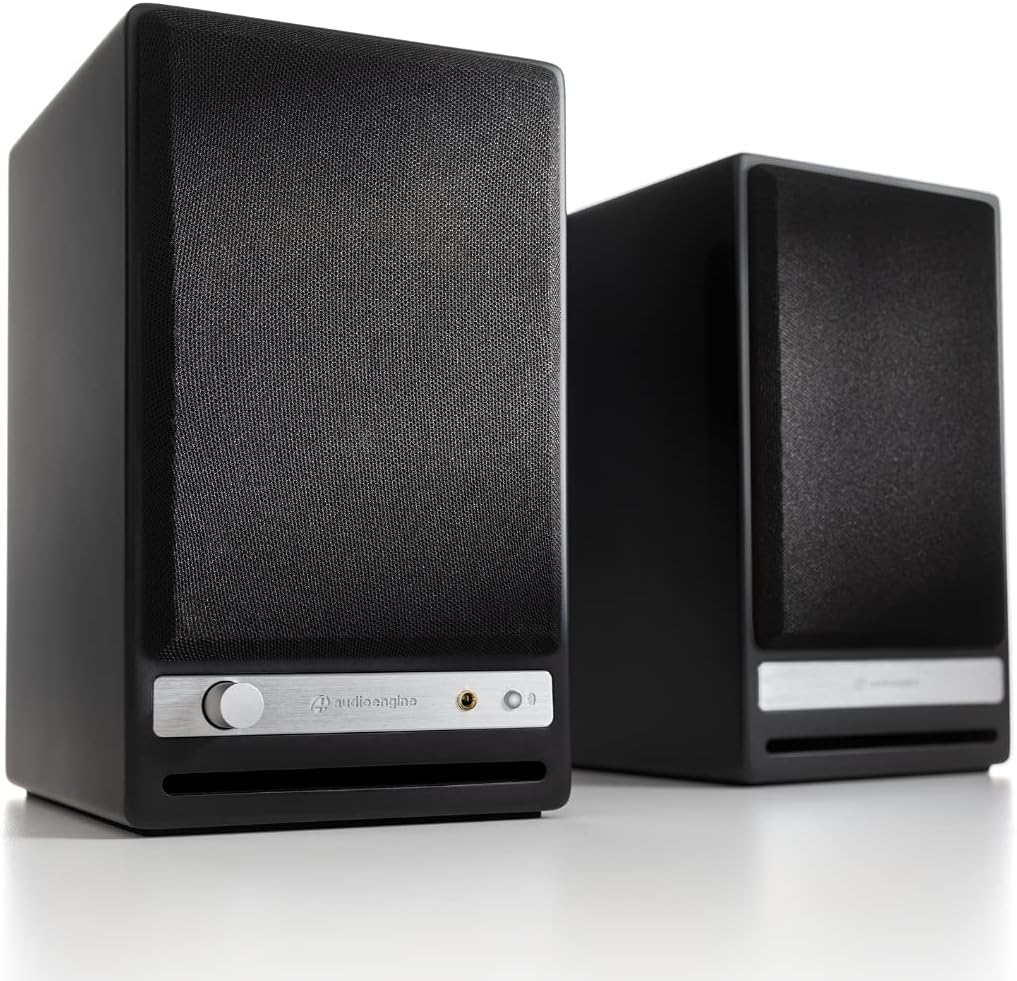
Audioengine HD3 Wireless Speaker - 60W Bookshelf Stereo (Black)
The Audioengine HD3 Wireless Speakers are a compact yet powerful addition to any home music system. With custom Audioengine components including aramid fiber woofers and silk twee…
Manual and instructions
Instruction-focused content generated from the current product data and source context.
Audioengine HD3 Wireless Speaker User Manual
Table of Contents
- Package Contents
- Setting Up Your Speakers
- Connecting Your Devices
- Using the Front Panel Controls and Inputs
- Troubleshooting Tips
- Frequently Asked Questions
1. Package Contents
- 1x Pair of Audioengine HD3 Powered Speakers with antenna
- 1x 2m 16AWG Speaker Wire
- 1x Power Supply & AC Power Cable
- 1x 1.5m, 3.5mm Mini-Jack Audio Cable
- 1x 1.5m USB cable
- 2x Microfiber Speaker Bags and Power Supply Bags
- 1x Setup Guide
- 1x Brochure
2. Setting Up Your Speakers
- Remove the speakers and all accessories from the packaging.
- Place the speakers on a stable surface, preferably at ear level and at least 6 inches away from the wall for optimal audio performance.
- Connect the included speaker wire between the left and right speakers. Ensure the red terminals on both speakers are connected, and the black terminals on both speakers are connected.
- Plug the power supply cable into the back of the left speaker and connect the other end to an AC outlet.
- Attach the Bluetooth antenna to the left speaker.
- Turn on the power switch located on the back of the left speaker.
3. Connecting Your Devices
The HD3 speakers can be connected to various devices using Bluetooth, USB, RCA, or 3.5mm inputs.
Bluetooth Connection
- Enable Bluetooth on your device (smartphone, tablet, or computer).
- Select "Audioengine HD3" from the list of available devices to pair.
- Once paired, start playing audio from your device.
USB Connection
- Connect the included USB cable to the USB input on the back of the left speaker.
- Connect the other end of the USB cable to your computer or other USB audio source.
- Start playing audio from your device.
RCA & 3.5mm Inputs
- Connect your audio source (turntable, CD player, etc.) to the RCA or 3.5mm input on the back of the left speaker using the appropriate cable.
- Start playing audio from your device.
4. Using the Front Panel Controls and Inputs
The front panel of the left speaker features a volume control knob and a headphone jack.
Volume Control
Rotate the volume knob clockwise to increase the volume and counterclockwise to decrease the volume.
Headphone Jack
Plug your headphones into the 3.5mm headphone jack on the front panel. The speakers will be muted automatically when headphones are connected.
5. Troubleshooting Tips
- If you experience no sound or low volume, ensure the power switch is turned on and the volume control is set to an appropriate level.
- Check all cable connections between the speakers and your audio source.
- If you experience Bluetooth connection issues, move your device closer to the speakers and ensure there are no obstructions between them.
- For USB connection issues, try using a different USB port on your computer or restart your computer.
- If you experience audio distortion, reduce the volume on your audio source and adjust the volume using the speaker's volume control.
6. Frequently Asked Questions
What devices can I connect to the HD3 speakers?
You can connect any device with Bluetooth, USB, RCA, or 3.5mm outputs, such as smartphones, tablets, computers, TVs, CD/DVD players, and game consoles.
Do I need a separate receiver or amplifier for the HD3 speakers?
No, the HD3 speakers have built-in power amplifiers, so no separate receiver or amplifier is needed.
Can I use the HD3 speakers with a subwoofer?
Yes, the HD3 speakers have a subwoofer output that can be connected to a subwoofer, such as the Audioengine S8.
What is the Bluetooth range of the HD3 speakers?
The HD3 speakers have a Bluetooth range of up to 100 feet.
What is the warranty for the HD3 speakers?
Audioengine offers a 3-year transferable warranty for the HD3 speakers, along with US-based customer support.
Frequently asked questions
Q: What is Audioengine and what is their goal?
A: Audioengine is an independent speaker company based in Austin, TX. Their goal is to build speakers that sound great, are easy to set up and use, and make people want to listen to music every day.
Q: What are the features of the Audioengine HD3 Wireless Speakers?
A: The HD3 Wireless Speakers feature high-fidelity Bluetooth aptX HD with extended 30 meter range and 24-bit upsampling DAC, USB Audio, 3.5mm & RCA inputs, built-in Headphone Amplifier (OPA2134) that drives any high performance headphones, Mac or PC plug-n-play - no drivers required, 60W Peak Output + RCA Subwoofer Passthrough (for Subwoofers such as the Audioengine S8).
Q: What devices do the Audioengine HD3 Wireless Speakers work with?
A: The HD3 Wireless Speakers work with Mac, PC, tablets, or smartphones, all operating systems (Windows, MacOS, Linux, iOS, Android), all audio player apps and music streaming services (iTunes, Youtube, Spotify, Pandora, etc.), any product with Bluetooth, mini-jack or RCA outputs, or USB audio and all Audioengine digital-to-analog converters and wireless audio adapters.
Q: What is included in the box with the Audioengine HD3 Wireless Speakers?
A: The box includes a pair of Audioengine HD3 Powered Speakers with antenna, 2m 16AWG Speaker Wire, power supply & AC Power Cable, 1.5m 3.5mm Mini-Jack Audio Cable, 1.5m USB cable, two Microfiber Speaker Bags and Power Supply Bags, Setup Guide and Brochure.
Q: What is the warranty for the Audioengine HD3 Wireless Speakers?
A: All Audioengine products come with a 3-year transferable warranty.
Q: Can I connect both a turntable and CD player to these speakers?
A: Yes, you can connect both of those sources. If both the turntable + CD player only have RCA OUTs, pick up a male RCA-to-3.5mm male adapter cable to have both connected to the speaker at the same time. For ALL turntables, you need a phono preamp either built-in to the turntable or external or the records will barely be audible at max volume.
Q: Does the box come with red and white stereo wires?
A: No, the HD3 speakers do not include a set of RCA cables.
Source documents
Official manuals and related source files discovered for this product.


Specifications
Structured product details pulled from the latest available product data.
| Brand | Audioengine |
|---|---|
| Manufacturer | Audioengine |
| Model Number | HD3-BLK |
| Weight | 7.26 pounds |
| Dimensions | 5.51 x 4.13 x 7.09 inches |
| First Available | October 27, 2016 |
| Product Dimensions | 5.51 x 4.13 x 7.09 inches |
| Item Weight | 7.26 pounds |
| ASIN | B01M8NUP1A |
| Item model number | HD3-BLK |
| Customer Reviews | 4.6 out of 5 stars407 ratings4.6 out of 5 stars |
| Best Sellers Rank | #29,782 in Electronics |
| Is Discontinued By Manufacturer | No |
| Date First Available | October 27, 2016 |
| Connectivity Technology | Wireless, Bluetooth, USB |
| Speaker Type | Bookshelf |
| Recommended Uses For Product | For Computers, For Smartphones or Tablets, For DVD Players |
| Is Waterproof | FALSE |
Use this page carefully
ProductReviewGPT pages are AI-assisted summaries. When a source document is available, it should take priority over the generated summary for important operating, warranty, safety, or compliance details.