
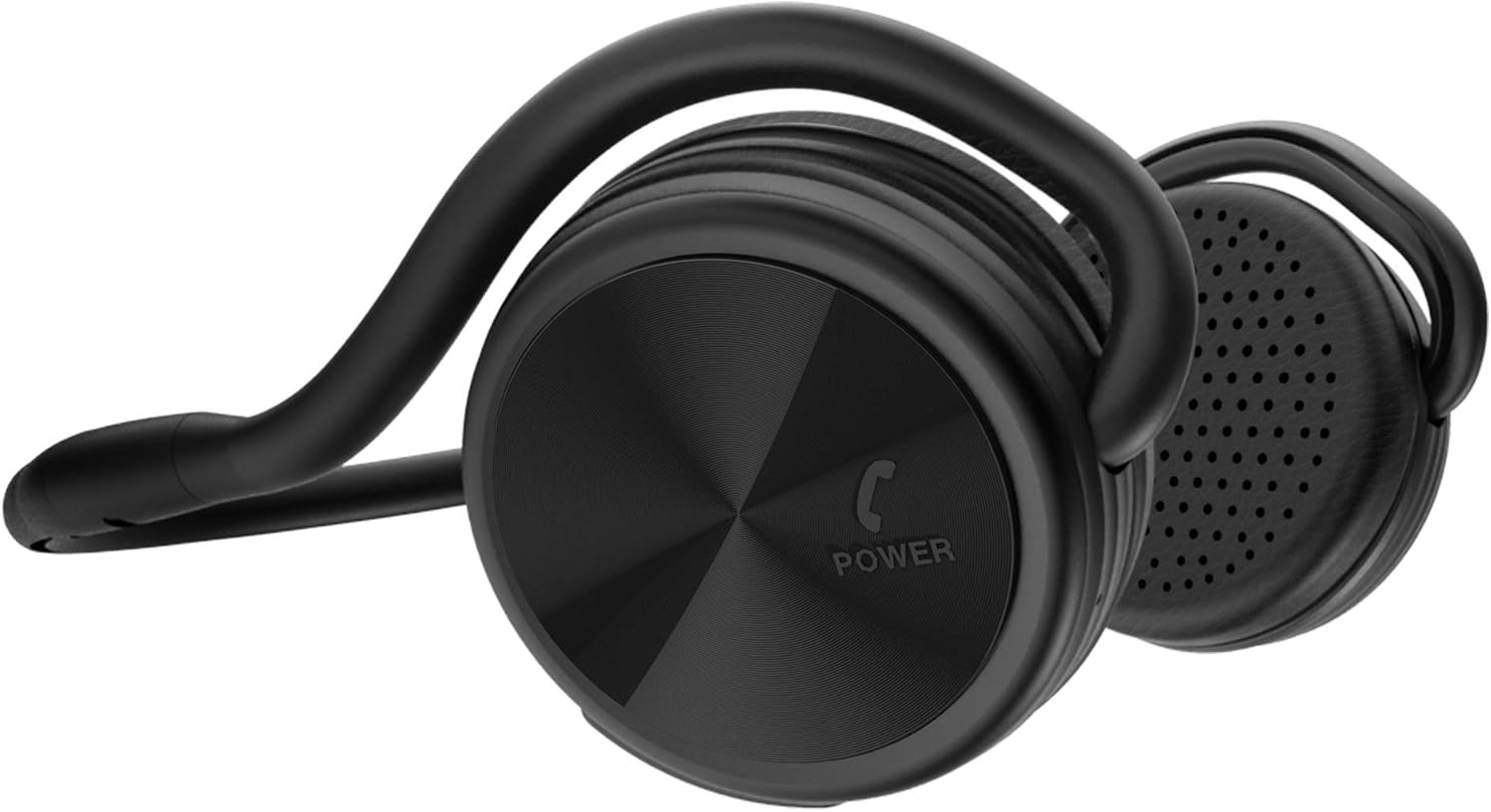
BESIGN SH03 Bluetooth Sports Headphones - 25 Hours Music Time
The BESIGN SH03 Bluetooth Sports Headphones are a perfect fit for anyone who loves to listen to music while working out or on-the-go. The latest Bluetooth 4.1+EDR technology provi…
Manual and instructions
Instruction-focused content generated from the current product data and source context.
BESIGN SH03 Bluetooth Sports Headphones User Manual
Package Contents
- 1 x SH03 Bluetooth Headphones
- 1 x USB Charging Cable
- 1 x User Manual
- 1 x Travel Pouch
Product Features
- Bluetooth 4.1+EDR technology for lower power consumption and wider compatibility
- Ergonomic design for a perfect and comfortable fit
- Up to 25 hours of music time and 30 hours of talking time on a single charge
- 36mm drivers deliver crisp and clear audio
- Built-in microphone with CVC6.0 noise cancellation for hands-free phone calls
- Behind-the-head design for comfort and foldable arms for protective storage and easy portability
Getting Started
Charging the Headphones
Before using the headphones for the first time, fully charge the battery. Connect the USB charging cable to the charging port on the headphones and to a USB power source. The LED indicator will turn red while charging and will turn off when fully charged.
Pairing with a Bluetooth Device
- Ensure your Bluetooth device is within 3 feet (1 meter) of the headphones.
- Power off the SH03 headphones if they are currently on.
- Press and hold the multifunction button for 6 seconds until the LED light flashes blue and red alternately, indicating that the headphones are in pairing mode.
- On your Bluetooth device, enable Bluetooth and search for available devices.
- Select "SH03" from the list of available devices to begin the pairing process. Once successfully paired, the LED indicator on the headphones will flash blue.
Basic Operations
Power On/Off
To power on the headphones, press and hold the multifunction button for 3 seconds. The LED indicator will flash blue. To power off the headphones, press and hold the multifunction button for 3 seconds. The LED indicator will flash red.
Play/Pause Music
Press the multifunction button once to play or pause the music.
Adjusting Volume
Press the "+" button to increase the volume and the "-" button to decrease the volume.
Next/Previous Track
Press and hold the "+" button for 2 seconds to skip to the next track. Press and hold the "-" button for 2 seconds to return to the previous track.
Answering/Ending a Call
Press the multifunction button once to answer an incoming call. Press the multifunction button again to end the call.
Rejecting a Call
Press and hold the multifunction button for 2 seconds to reject an incoming call.
Redialing the Last Number
Double press the multifunction button to redial the last number called.
Frequently Asked Questions
1. I can't connect the SH03 to my smartphone. What should I do?
Make sure the SH03 headphones are in pairing mode (LED light flashing blue and red alternately) before attempting to connect. If the headphones are not in pairing mode, follow the pairing instructions in the user manual.
2. How do I make the SH03 enter pairing mode?
With the SH03 powered off, press and hold the multifunction button for 6 seconds until the LED light flashes blue and red alternately. The headphones are now in pairing mode.
3. I can't use the SH03 with my computer. What should I do?
Check if your computer's Bluetooth supports the A2DP profile (Wireless Audio transmitting). If not, you will need to purchase a Bluetooth USB adapter that supports A2DP.
Frequently asked questions
Product FAQ:
Q: What is the battery life of the BESIGN SH03 Bluetooth Sports Headphones?
A: The headphones offer up to 25 hours of music time or 600 hours of standby time with a full charge.
Q: Is the sound quality of the headphones good?
A: Yes, the headphones feature the latest Wireless Bluetooth 4.1 Technology with A2DP stereo music, clear sound, and powerful audio driver for balanced audio and crystal clear sounds with dynamic base performance.
Q: Does the headphones have noise cancellation technology?
A: Yes, the built-in microphone has CVC6.0 noise cancellation technology that lets you get high-quality, hands-free phone conversation with clear voice even in noisy environments like inside a gym and running/cycling on the road.
Q: How comfortable are these headphones?
A: The headphones feature an ergonomic design that is a perfect fit for your ear, and stays in place no matter how vigorous your exercise. Memory foam ear cushions provide an immaculate fit.
Q: Can these headphones be used with non-Bluetooth enabled devices like a TV?
A: Yes, you can order a Bluetooth transmitter from Amazon market as long as your TV has a 3.5mm or Optical output connector. Our BE-TX and BE-RTX could match your request. Any further assistance, you could contact us via e-mail: [email protected].
Q: Are these headphones compatible with all Bluetooth-enabled smartphones?
A: Yes, this SH03 is compatible with all Bluetooth-enabled smartphones.
Q: Is there a way to order fabric covers for these headphones?
A: No, we have stopped the fabric earpad supply as the fabric earpad sweat resistance and sound quality is not as good as the present Protein leather earpad.
Q: Can these headphones be used while running?
A: Yes, even while running or doing vigorous exercise, these headphones will stay on and not fall off.
Specifications
Structured product details pulled from the latest available product data.
| Brand | BESIGN |
|---|---|
| Manufacturer | BESIGN |
| Model Number | SH03 |
| Category | Electronics > Headphones, Earbuds & Accessories > Headphones & Earbuds > On-Ear Headphones |
| Color | Black |
| Material | memory foam |
| Weight | 3 ounces |
| Dimensions | 5.91 x 4.72 x 0.98 inches |
| First Available | July 7, 2017 |
| Headphones Jack | USB |
| Model Name | SH03 |
| Connectivity Technology | Bluetooth only |
| Wireless Communication Technology | Bluetooth |
| Included Components | SH03 Headphones/USB charging cable/Manual/Travel Pouch |
| Age Range (Description) | Adult |
| Specific Uses For Product | Sports and Exercise |
| Recommended Uses For Product | Calling, Running |
| Compatible Devices | Smart Phone, Tablet, PC( Bluetooth andio transmission enabled) |
| Control Type | Noise Control |
| Cable Feature | Without Cable |
| Item Weight | 85 Grams |
| Unit Count | 1.0 Count |
| Control Method | Touch |
| Number of Items | 1 |
| Battery Life | 25 Hours |
| Audio Driver Type | Dynamic Driver |
| Bluetooth Version | 5.0 |
| Earpiece Shape | Angular shape with possible hook |
| UPC | 611677349172 |
| Input Device Interface | Bluetooth |
| Supports Bluetooth Technology | Yes |
| Special Feature | wireless |
| Product Dimensions | 5.91 x 4.72 x 0.98 inches |
| Item Weight | 3 ounces |
| ASIN | B073S582XZ |
| Item model number | SH03 |
| Batteries | 1 Lithium Polymer batteries required. (included) |
| Customer Reviews | 4.0 4.0 out of 5 stars 5,884 ratings 4.0 out of 5 stars |
| Best Sellers Rank | #99,935 in Electronics (See Top 100 in Electronics) #1,038 in On-Ear Headphones |
| Is Discontinued By Manufacturer | No |
| Date First Available | July 7, 2017 |
| Ear Placement | On Ear |
| Form Factor | Foldable |
| Noise Control | Active Noise Cancellation |
Use this page carefully
ProductReviewGPT pages are AI-assisted summaries. When a source document is available, it should take priority over the generated summary for important operating, warranty, safety, or compliance details.