
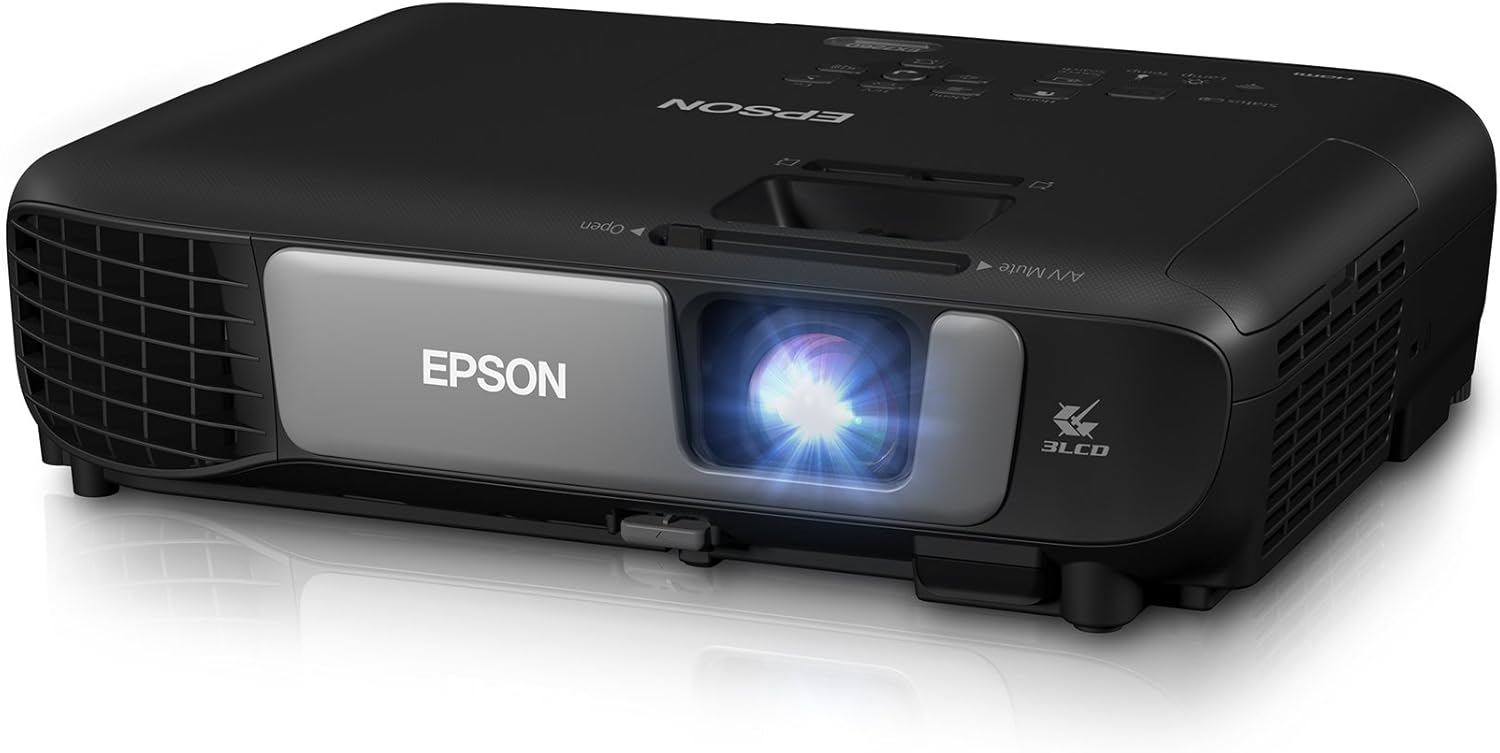
Epson Pro EX7260 Wireless 3LCD Projector - 3600 Lumens
The Epson Pro EX7260 WXGA 3,600 lumens color brightness (color light output) 3,600 lumens white brightness (white light output) wireless HDMI MHL 3LCD projector is a high-quality,…
Manual and instructions
Instruction-focused content generated from the current product data and source context.
Epson Pro EX7260 WXGA 3LCD Projector User Manual
Table of Contents
- Package Contents
- Setting Up the Projector
- Connecting to Devices
- Wireless Connectivity
- Projecting Content
- Troubleshooting Tips
- Frequently Asked Questions
1. Package Contents
- Pro EX7260 projector
- Power cable
- Computer cable (VGA)
- USB cable
- Soft carrying case
- User Manual CD
- Quick Setup Sheet
- Projector remote control
- Batteries
2. Setting Up the Projector
- Place the projector on a flat, stable surface or mount it to the ceiling using a compatible ceiling mount.
- Connect the power cable to the projector and plug it into an electrical outlet.
- Press the power button on the projector or the remote control to turn on the projector.
- Adjust the focus and zoom rings on the projector lens to achieve a clear image.
- Use the vertical keystone slider to correct any image distortion.
- For horizontal keystone correction, use the "Easy Slide Correction" feature in the projector menu.
3. Connecting to Devices
The Epson Pro EX7260 projector supports various input sources, including HDMI, MHL, VGA, and USB. Choose the appropriate cable to connect your device to the projector.
4. Wireless Connectivity
- Enable Wi-Fi on your laptop, tablet, or smartphone.
- Connect your device to the projector's Wi-Fi network. The network name and password can be found in the projector's menu.
- For mobile devices, download and install the Epson iProjection app.
- For laptops, install the Epson EasyMP Network Projection software from the User Manual CD.
- Launch the app or software on your device and select the projector to start projecting wirelessly.
5. Projecting Content
- Select the input source on the projector or remote control (HDMI, MHL, VGA, USB, or wireless).
- Play the content on your device and adjust the volume using the projector remote control.
- Use the projector's menu to access additional settings, such as aspect ratio, color mode, and audio output options.
6. Troubleshooting Tips
- If the projector is not turning on, check the power cable connection and ensure it is plugged into a working electrical outlet.
- If the image is blurry, adjust the focus and zoom rings on the projector lens.
- If the image is distorted, use the vertical and horizontal keystone correction features.
- If the projector is not connecting wirelessly, check the Wi-Fi settings on your device and ensure it is connected to the projector's network.
- If the audio is not working, check the volume settings on your device and the projector, and ensure the correct audio output is selected in the projector's menu.
7. Frequently Asked Questions
- Q: Can I connect my smartphone or tablet to the projector?
- A: Yes, you can connect your smartphone or tablet to the projector using an MHL-enabled cable or by using the wireless connectivity feature.
- Q: Is the projector compatible with ceiling mounts?
- A: Yes, the Epson Pro EX7260 projector is compatible with tabletop and ceiling mounts.
- Q: Can I project content from streaming devices like a Firestick?
- A: Yes, you can connect streaming devices to the projector using an HDMI cable or an MHL-enabled cable, depending on the device.
- Q: How long does the projector lamp last?
- A: The projector lamp can last up to 10,000 hours, depending on usage and settings.
- Q: Does the projector have built-in speakers?
- A: Yes, the Epson Pro EX7260 projector has a built-in speaker. For better audio quality, you can connect external speakers using the audio output options in the projector's menu.
Frequently asked questions
Product FAQ:
Q: What is the brightness of the Epson Pro EX7260 projector?
A: The Epson Pro EX7260 projector has 3,600 lumens of equal color and white brightness.
Q: What is the resolution of the Epson Pro EX7260 projector?
A: The Epson Pro EX7260 projector has WXGA resolution (1280 x 800), which offers 2x more resolution than SVGA for projecting HD presentations and video.
Q: Can I connect my laptop, tablet, or smartphone wirelessly to the Epson Pro EX7260 projector?
A: Yes, you can project from your laptop, tablet, or smartphone without plugging into the projector using quick wireless connectivity.
Q: Can I share HD videos directly from my smartphone, tablet or streaming device with the Epson Pro EX7260 projector?
A: Yes, the Epson Pro EX7260 projector supports MHL-enabled devices for mirroring and charging.
Q: Does the Epson Pro EX7260 projector have an audio output?
A: No, the Epson Pro EX7260 projector does not have an audio output.
Q: Is it possible to mount the Epson Pro EX7260 projector to a ceiling?
A: Yes, it is possible to mount the Epson Pro EX7260 projector to a ceiling by changing settings to have the picture right side up.
Q: How long do the lamps last in the Epson Pro EX7260 projector?
A: The lamps in the Epson Pro EX7260 projector can last up to 10,000 hours.
Q: Does the Epson Pro EX7260 projector come with a LAN module?
A: Yes, the Epson Pro EX7260 projector comes with a LAN module.
Q: Is this model full color?
A: Yes, the Epson Pro EX7260 projector has high color brightness and high white brightness for accurate, vivid color in well-lit rooms.
Source documents
Official manuals and related source files discovered for this product.
Specifications
Structured product details pulled from the latest available product data.
| Brand | Epson |
|---|---|
| Manufacturer | Epson |
| Model Number | Pro EX7260 |
| Category | Electronics > Video Projectors |
| Color | Black |
| Weight | 5.5 pounds |
| Dimensions | 9.9 x 11.9 x 3.6 inches |
| First Available | January 23, 2018 |
| Product Dimensions | 9.9 x 11.9 x 3.6 inches |
| Item Weight | 5.5 pounds |
| ASIN | B077T7Y9Z2 |
| Item model number | Pro EX7260 |
| Customer Reviews | 4.6 out of 5 stars 205 ratings 4.6 out of 5 stars |
| Best Sellers Rank | #756 in Video Projectors |
| Is Discontinued By Manufacturer | No |
| Date First Available | January 23, 2018 |
| Connectivity Technology | MHL, Ethernet, HDMI |
| Display resolution | 1280 x 800 |
| Display Type | LCD |
| Item Dimensions LxWxH | 9.9 x 11.9 x 3.6 inches |
| Mounting Type | Tabletop Mount |
| Included Components | USB cable, Quick Setup Sheet, User Manual CD, Soft carrying case, Computer cable |
| Brightness | 3600 Lumen |
| Wattage | 270 watts |
| Included Components | USB cable, Quick Setup Sheet, User Manual CD, Soft carrying case, Computer cable (VGA), Power cable, Pro EX7260 projector, Batteries, Projector remote control See more |
Use this page carefully
ProductReviewGPT pages are AI-assisted summaries. When a source document is available, it should take priority over the generated summary for important operating, warranty, safety, or compliance details.