
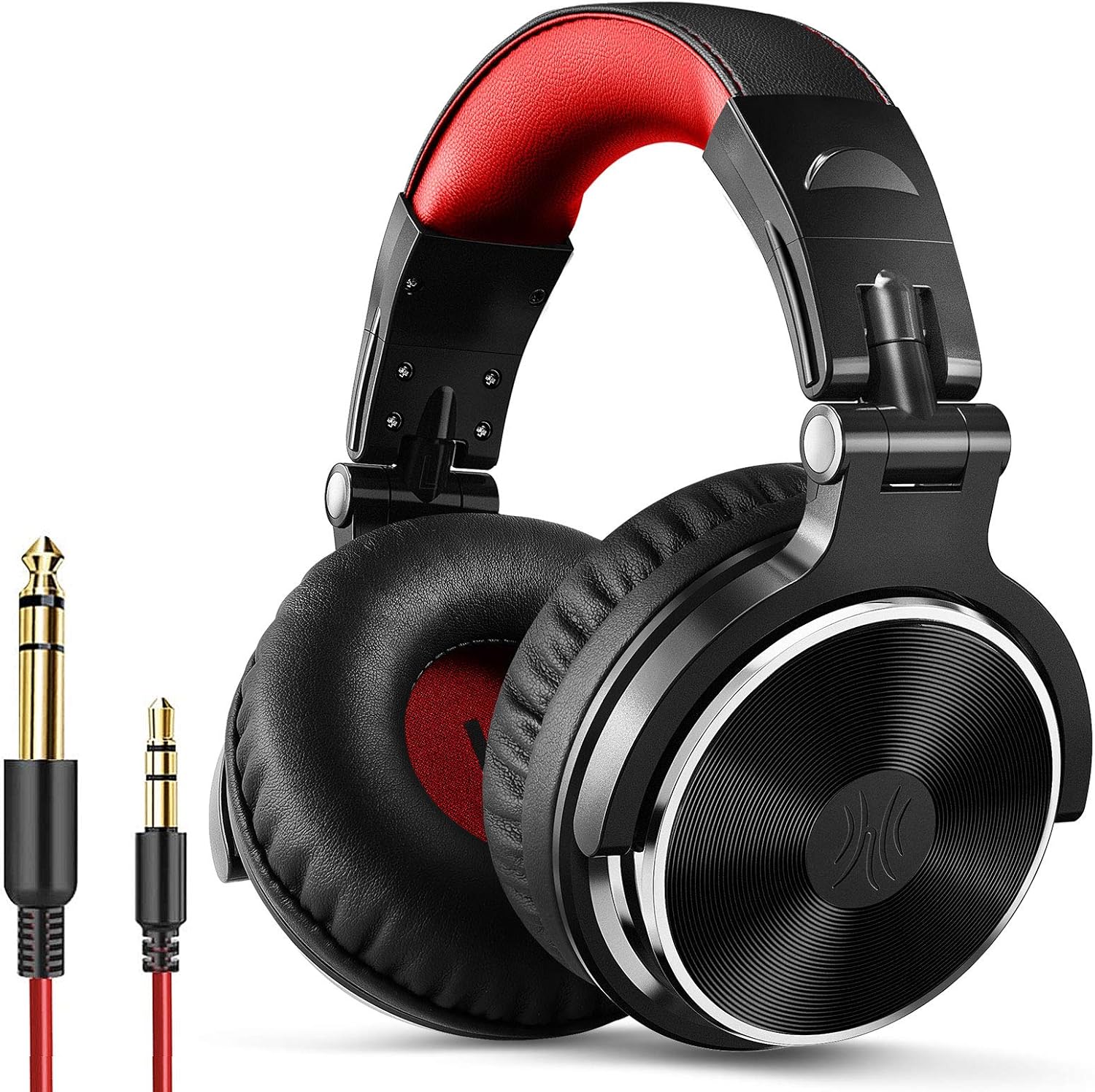
OneOdio PRO Over Ear Headphone with Mic and Shareport (Red)
The OneOdio Over Ear Headphone is a high-quality wired headphone with a dynamic bass sound that is perfect for DJs and audiophiles. With a 50mm neodymium driver, it reproduces all…
Manual and instructions
Instruction-focused content generated from the current product data and source context.
OneOdio Over Ear Headphone User Manual
Package Contents
- OneOdio Over Ear Headphones
- 6.35mm to 3.5mm Red Coiled 9.8ft Cable
- 3.5mm to 3.5mm Black 4ft Cable with Mic
- User Manual
Getting Started
- Adjust the headband to fit your head size by gently pulling or pushing the ear cups.
- Rotate the ear cups to find the most comfortable angle.
- Choose the appropriate cable for your device: 6.35mm to 3.5mm cable for mixers and DJ equipment, or 3.5mm to 3.5mm cable with mic for smartphones and computers.
- Connect one end of the chosen cable to the headphone and the other end to your device.
- Adjust the volume on your device to a comfortable level.
Single-Side Monitoring
To use the headphones for single-ear monitoring, simply swivel one ear cup 90° outward. This feature is useful for DJs and audio engineers who need to monitor audio with one ear while listening to the environment with the other.
Shareport Function
The Shareport function allows you to daisy-chain multiple headphones together by connecting the 3.5mm end of a cable to the unused port on the first headphone, and then connecting the other end to the second headphone. This is useful for group listening or monitoring sessions.
Using the Built-In Microphone
When using the 3.5mm to 3.5mm cable with a built-in microphone, make sure it is connected to both the headphone and your device. The microphone is located on the cable, and can be used for phone calls, online meetings, or gaming.
Storage and Maintenance
When not in use, fold the headphones flat and store them in a protective case or pouch. Keep the headphones away from extreme temperatures, moisture, and direct sunlight. Clean the ear cushions and headband with a soft, dry cloth as needed.
Troubleshooting Tips
- No sound or low volume: Check the cable connections and ensure the volume on your device is set at an appropriate level. If the issue persists, try using a different cable or audio source.
- Sound only in one ear: Check the cable connections and ensure they are fully inserted. If the issue persists, try using a different cable or audio source. If the problem still exists, the headphone may be faulty and require replacement.
- Microphone not working: Ensure you are using the 3.5mm to 3.5mm cable with a built-in microphone and that it is properly connected to both the headphone and your device. Check your device's audio settings to make sure the correct input is selected.
- Uncomfortable fit: Adjust the headband and ear cups to find the most comfortable fit. The soft padded ear cushions and adjustable headband are designed for long-lasting comfort.
Frequently Asked Questions
Can I use these headphones with my smartphone or computer?
Yes, the OneOdio Over Ear Headphones can be used with any device that has a 3.5mm or 6.35mm audio jack. Use the included 3.5mm to 3.5mm cable with a built-in microphone for smartphones and computers.
Are these headphones suitable for gaming?
Yes, the OneOdio Over Ear Headphones can be used for gaming. The built-in microphone on the 3.5mm to 3.5mm cable allows for clear communication during online gaming sessions.
Do these headphones have noise-canceling features?
The OneOdio Over Ear Headphones do not have active noise-canceling features. However, the soft padded ear cushions provide passive noise isolation for an immersive listening experience.
Can I use these headphones for DJing and audio mixing?
Yes, the OneOdio Over Ear Headphones are designed for various professional audio applications, including DJing, audio mixing, mastering, and monitoring. The 6.35mm to 3.5mm cable is suitable for connecting to mixers and DJ equipment.
How do I clean and maintain my headphones?
Clean the ear cushions and headband with a soft, dry cloth as needed. Store the headphones in a protective case or pouch when not in use. Keep the headphones away from extreme temperatures, moisture, and direct sunlight.
Frequently asked questions
Product FAQ:
Q: What is the sound quality of OneOdio Studio Pro-10 headphones?
A: The OneOdio Studio Pro-10 headphones have a dynamic bass sound with large 50mm neodymium driver that reproduces all your music's dynamics and delivers controlled bass that DJs and audiophiles need. It is ideal for DJ digital mixer, mixer panel, turntable, monitoring in recording studios, radio, film production, video, electronic news gathering--and virtually any application where high quality sound is required.
Q: Are OneOdio Studio Pro-10 headphones comfortable to wear?
A: Yes, the OneOdio Studio Pro-10 headphones are designed for monitor headphone comfort and noise isolation. The soft padded ear cushions and adjustable and stretchable headband make them comfortable to wear even for long working sessions.
Q: Does OneOdio Studio Pro-10 come with an adapter?
A: No, the OneOdio Studio Pro-10 comes with a long DJ-style 9.8-foot cord that easily reaches from the TV or stereo to your chair. A standard-sized 6.35mm plug and a 3.5mm plug are included. They both are completely detachable, you can plug in the mixer you want to use.
Q: Can I use OneOdio Studio Pro-10 headphones for single-ear monitoring?
A: Yes, the OneOdio Studio Pro-10 headphones have 90° swiveling ear cups for single-ear monitoring anytime; self-adjustable and flexible headband delivers a fatigue-free listening experience that can last for hours, ideal for mastering and mixing.
Q: Do these headphones work with all devices?
A: Yes, these headphones work with all devices that have 3.5 or 6.35mm audio jack.
Q: Is there a carry pouch included with OneOdio Studio Pro-10 headphones?
A: Yes, OneOdio Studio Pro-10 headphones are now equipped with a black pouch, you can put the folded headphones in. If the buyer who bought after October finds that there is no pouch in the package, you can contact us at [email protected], and our customer service will send a pouch for you.
Q: Can I buy just the cable for OneOdio Studio Pro-10 headphones?
A: Yes, you can buy 3.5 to 6.35mm red audio cable ASIN: B06XBLQJRV or 3.5 to 3.5mm audio cable ASIN: B07VGWG7JP separately.
Q: Are replacement ear pads available for OneOdio Studio Pro-10 headphones?
A: No, replacement ear pads are not available for OneOdio Studio Pro-10 headphones.
Q: Can I use OneOdio Studio Pro-10 headphones with a bass guitar amplifier input?
A: No, you cannot plug headphones directly into the amp's input jack. You need to look on your amp (usually on the back) for line-out/headphone jack. If it does have a headphone jack, any headphones that have both 1/8" inch & 1/4" inch plugs will work.
Q: Will OneOdio Studio Pro-10 headphones work with a Turtle Beach replacement mic?
A: No, they will not work with a replacement mic, but we have these headphones' gaming version which has a boom mic that can be used for gaming or other applications that require a built-in microphone.
Specifications
Structured product details pulled from the latest available product data.
| Brand | OneOdio |
|---|---|
| Manufacturer | OneOdio |
| Model Number | PRO |
| Color | Red |
| Weight | 10.6 ounces |
| Dimensions | 7.09 x 5.51 x 3.94 inches |
| First Available | April 25, 2018 |
| Product Dimensions | 7.09 x 5.51 x 3.94 inches |
| Item Weight | 10.6 ounces |
| ASIN | B07G748HKJ |
| Item model number | PRO |
| Customer Reviews | 4.5 out of 5 stars12,749 ratings4.5 out of 5 stars |
| Best Sellers Rank | #79 in Over-Ear Headphones |
| Is Discontinued By Manufacturer | No |
| Date First Available | April 25, 2018 |
| Connectivity Technology | Wired |
| Model Name | Pro-10 |
| Form Factor | Over Ear |
| Model Name | Pro-10(red) |
Use this page carefully
ProductReviewGPT pages are AI-assisted summaries. When a source document is available, it should take priority over the generated summary for important operating, warranty, safety, or compliance details.