
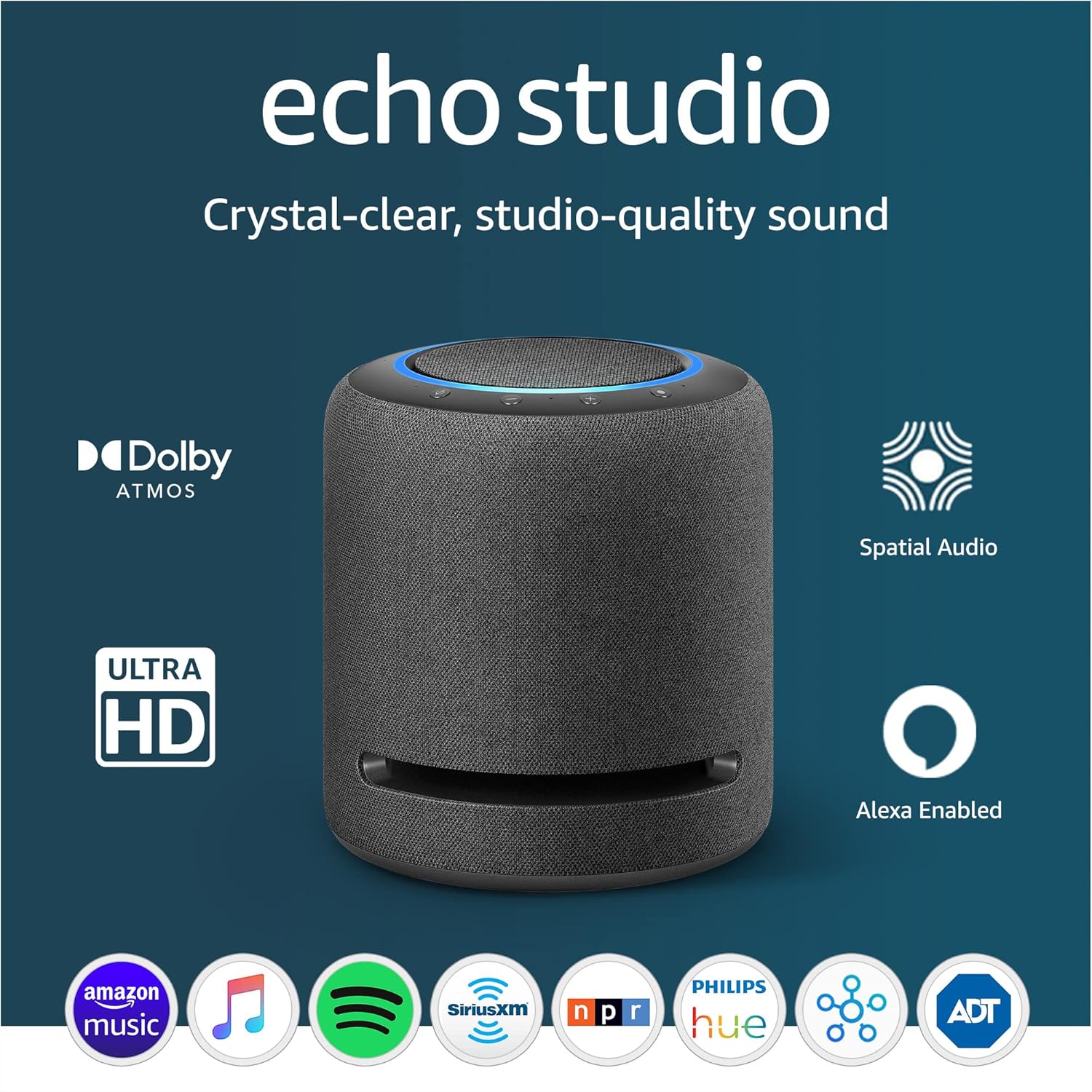
Amazon Echo Studio - Dolby Atmos Smart Speaker
Introducing the Echo Studio, Amazon's best-sounding smart speaker ever. With its powerful audio capabilities and advanced technology, this speaker is designed to deliver an immers…
Manual and instructions
Instruction-focused content generated from the current product data and source context.
Echo Studio User Manual
Getting Started
- Unboxing: Carefully remove the Echo Studio and the power cable from the box. Also, find the Quick Start Guide for reference.
- Placement: Place your Echo Studio in your desired location, ideally on a stable surface away from any potential spills or moisture.
- Power Connection: Connect the power cable to the Echo Studio and then plug it into an electrical outlet.
- Turning On: The Echo Studio will light up and start the initialization process. Wait for Alexa to greet you and indicate that the device is ready for setup.
Device Setup
- Download the Alexa app on your smartphone or tablet from the App Store or Google Play Store.
- Open the Alexa app and sign in with your Amazon account.
- Follow the on-screen instructions to connect the Echo Studio to your Wi-Fi network.
- Once connected, you can ask Alexa to play music, set alarms, provide news updates, and more.
Using Echo Studio
- Playing Music: Voice command Alexa to play music from supported streaming services like Amazon Music, Apple Music, Spotify, etc.
- Smart Home Control: Use voice commands to control Zigbee-compatible smart home devices.
- Privacy Features: Press the microphone off button to disconnect the microphones for privacy.
Troubleshooting Tips
- If the Echo Studio does not turn on, make sure the power cable is properly connected and the outlet is functioning.
- If Alexa is not responding, check your internet connection and try rebooting your router.
- For audio quality issues, adjust the equalizer settings in the Alexa app or ensure the device is placed away from walls and corners for better sound distribution.
- If you have trouble with stereo pairing, ensure both Echo Studios are registered to the same Amazon account and are on the same Wi-Fi network.
- When experiencing Bluetooth connectivity issues, try unpairing and repairing your device within the Alexa app.
Frequently Asked Questions (FAQs)
How do I connect my Echo Studio to my Fire TV?
You can wirelessly connect your Echo Studio to your Fire TV Cube by selecting the Echo Studio as your preferred speaker in the Fire TV settings.
Can I use a wired connection for audio input?
Yes, Echo Studio has a combination 3.5 mm mini-optical Toslink input for wired audio connections.
How can I improve the sound quality?
Use the Alexa app to adjust the equalizer settings, and ensure the Echo Studio is placed in an open space for automatic room adaptation to optimize sound output.
Is there a subscription fee for using music streaming services?
While some services like Spotify offer free tiers, accessing high-definition audio streaming may require a subscription to the respective service.
What should I do if the device is not responding to voice commands?
Check to see if the microphone is turned on. If the light ring is red, press the microphone button to reactivate it. Additionally, ensure your Echo Studio is within range of your Wi-Fi network.
How do I maintain my privacy with Echo Studio?
The Echo Studio is designed with multiple layers of privacy protection. You can use the microphone off button to disconnect the mics, and you can view and delete your voice recordings through the Alexa Privacy Hub.
Frequently asked questions
Q: What is the Echo Studio?
A: The Echo Studio is a smart speaker with powerful sound quality and Dolby Atmos technology. It features five speakers that produce bass, midrange, and high frequencies for an immersive audio experience.
Q: What can I do with the Echo Studio?
A: You can use the Echo Studio to play music, ask questions, read the news, and control compatible smart home devices using Alexa voice commands.
Q: Which music streaming services are supported by the Echo Studio?
A: The Echo Studio supports popular music streaming services such as Amazon Music, Apple Music, Spotify, Tidal, Deezer, Pandora, SiriusXM, iHeartRadio, and TuneIn. With Amazon Music HD, you can access a vast library of lossless audio and select songs in spatial audio formats like Dolby Atmos.
Q: Does the Echo Studio adapt to different room acoustics?
A: Yes, the Echo Studio automatically analyzes the acoustics of your space and adjusts playback to optimize sound output for any room.
Q: Can I control Zigbee-compatible devices with the Echo Studio?
A: Yes, the Echo Studio has a built-in Zigbee smart home hub that allows you to control Zigbee-compatible devices using Alexa voice commands.
Q: Can I use the Echo Studio as an intercom system?
A: Yes, you can use your Alexa devices as an intercom system with features like Drop In and Announcements to communicate with any room in your house.
Q: How does the Echo Studio protect my privacy?
A: The Echo Studio is designed with multiple layers of privacy controls. It has a mic off button and offers features like wake word technology and the ability to view and delete your voice recordings. Amazon is committed to protecting your personal information and does not sell it to others.
Q: What are the specifications of the Echo Studio?
A: The Echo Studio has a size of 8.1" in height and 6.9" in diameter, with a weight of 7.7 lb. It features three 2" audio speakers and a peak output of 330W. The supported audio formats include FLAC, MP3, AAC, Opus, Vorbis, Dolby Digital, Dolby Digital Plus, Dolby Atmos, Sony 360 Reality Audio/MPEG-H. It has dual-band Wi-Fi connectivity and built-in Zigbee smart home hub.
Q: What is included in the box when purchasing the Echo Studio?
A: The Echo Studio comes with the speaker itself, a power cable, and a Quick Start Guide.
Q: Can I connect the Echo Studio to my Fire TV?
A: Yes, the Echo Studio can connect wirelessly as the audio output for Fire TV Cube.
Q: Is the Echo Studio available in different colors?
A: The Echo Studio is currently available in black, although there may be a gray option advertised on Amazon's website.
Q: How do I set up the Echo Studio?
A: Setting up the Echo Studio involves connecting it to your Wi-Fi network. You can use Amazon Wi-Fi simple setup to easily connect smart devices to your network. The Amazon Alexa app is compatible with Fire OS, Android, and iOS devices and can be used for setup.
Q: What warranty and service options are available for the Echo Studio?
A: The Echo Studio comes with a 1-year limited warranty and service included. U.S. customers have the option to purchase an extended warranty for 1 year, 2 years, or 3 years separately.
Q: Does the Echo Studio receive software security updates?
A: Yes, this device receives guaranteed software security updates for at least four years after it is last available for purchase as a new unit on Amazon's websites.
Q: What is Amazon Sidewalk?
A: Amazon Sidewalk is a shared network that can simplify Echo device setup and help your device reconnect to your Wi-Fi router when you update your password or network name. It uses a small portion of your internet bandwidth to provide these services and is enabled on your device by default, but you can disable it at any time.
Q: Can I pair multiple Echo Studios together for stereo sound?
A: Yes, you can pair two Echo Studios together to create a stereo sound experience.
Specifications
Structured product details pulled from the latest available product data.
| Brand | Amazon |
|---|---|
| Size | 8.1” height x 6.9” diameter (206 mm x 175 mm). |
| Weight | 7.7 lb (3.5 kg). Actual size and weight may vary by manufacturing process. |
| Audio | Three 2” (51 mm) midrange speakers, one 20 mm tweeter, one 5.25” (133 mm) woofer with bass aperture to maximize bass output. |
| Amplifier | 24-bit DAC; 100 kHz bandwidth. |
| Supported audio formats | FLAC, MP3, AAC, Opus, Vorbis, Dolby Digital, Dolby Digital Plus, Dolby Atmos, Sony 360 Reality Audio/MPEG-H; includes support for CD Quality (16-bit) and Hi-Res (up to 24-bit). |
| Supported music streaming services | Amazon Music, Apple Music, Spotify, Tidal, Deezer, Pandora, SiriusXM, iHeartRadio, TuneIn. |
| Automatic room adaptation | Analyzes the acoustics of the room and continuously adjusts audio filters during music playback to optimize sound output regardless of placement (requires device is not muted). |
| Spatial audio processing technology | Spatial audio processing technology is a digital audio processing technology that produces a more forward sound with greater width, clarity, and presence that envelops the listener. |
| Audio input | Combination 3.5mm (analog) or mini-TOSLINK (optical) line in. |
| Fire TV compatibility | Connects wirelessly as the audio output for Fire TV Cube 1st Gen or 2nd Gen, Fire TV Stick 4K, Fire TV 3rd Gen, Fire TV Omni Series, Fire TV 4-Series. Set up audio system using the Alexa app. Learn more about compatibility. |
| Wifi connectivity | Dual-band Wi-Fi supports 802.11 a/b/g/n/ac (2.4 and 5 GHz) networks. Does not support connecting to ad-hoc (or peer-to-peer) wifi networks. |
| Smart Home Hub | Zigbee + Sidewalk+ Matter |
| Bluetooth connectivity | Advanced Audio Distribution Profile (A2DP) support for audio streaming from your mobile device to Echo or from Echo to your Bluetooth speaker. Audio/Video Remote Control Profile (AVRCP) for voice control of connected mobile devices. Hands-free voice control is not supported for Mac OS X devices. Bluetooth speakers requiring PIN codes are not supported. |
| Alexa app | The Amazon Alexa app is compatible with Fire OS, Android, and iOS devices. A list of supported operating systems can be found here. |
| Accessibility features | To enable features that personalize Alexa to your abilities, go to Settings → Accessibility in the Alexa App. • Adaptive Listening provides customers more time to finish speaking before Alexa responds. • Preferred Speaking Rate allows customers to control how fast or slow Alexa speaks. To enable, say “Alexa, speak slower” or “Alexa, speak faster.” • Request Sound will play an audible tone in addition to the visual indicator when you speak to Alexa. To enable, say “Alexa, turn on Start of Request Sound.” • Kindle Read Aloud will have Alexa read your Kindle books aloud. • Notify When Nearby will play notification sounds when you’re detected near your Echo device. • Alexa Accessibility features also include several other settings for customers with accessibility needs related to vision, hearing, mobility, and speech. |
| Warranty and service | 1-year limited warranty and service included. Optional 1-year, 2-year, and 3-year extended warranty available for U.S. customers sold separately. Use of Echo Studio is subject to the terms found here. |
| Setup technology | Amazon Wi-Fi simple setup enables customers to connect smart devices to their wifi network in a few easy steps. Wi-Fi simple setup is another way Alexa is always getting smarter. Learn more about set up technology. |
| Included in the box | Echo Studio, power cable, Quick Start Guide. |
| Privacy Features | Wake word technology, streaming indicators, microphone off button, the ability to view and delete your voice recordings, and more. Visit the Alexa Privacy Hub to explore how Alexa and Echo devices are designed to protect your privacy. |
| Language | Alexa speaks English and Spanish. |
| Software Security Updates | This device receives guaranteed software security updates until at least four years after the device is last available for purchase as a new unit on our websites. Learn more about these software security update. If you already own an Amazon Echo, visit Manage Your Content and Devices for information specific to your device. |
| Amazon Sidewalk | Sidewalk uses Echo and Ring devices to securely keep other devices connected and help find lost items by reporting their approximate location to the owner. Sidewalk can enable supported devices to remain connected even when wifi is lost or the supported devices are outside the range of their home wifi. Sidewalk uses a small portion of your internet bandwidth and the approximate location of your devices to provide these benefits to you and your neighbors. Sidewalk is turned on for your device unless you have previously turned it off. You can turn off Sidewalk at any time. Learn more about Amazon Sidewalk. |
Use this page carefully
ProductReviewGPT pages are AI-assisted summaries. When a source document is available, it should take priority over the generated summary for important operating, warranty, safety, or compliance details.