
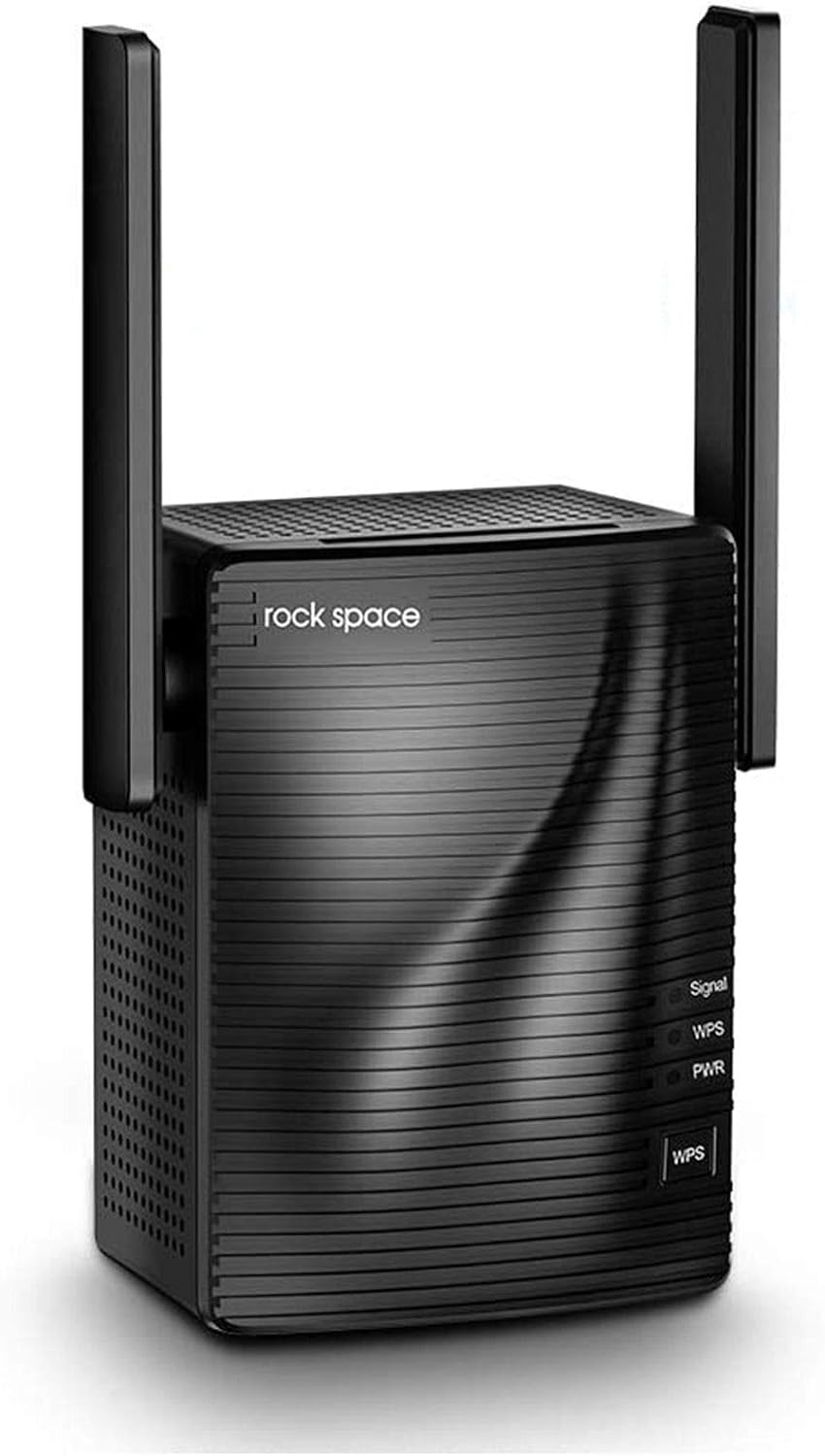
rockspace WiFi Extender - Dual Band Signal Booster (AC1200)
The rockspace WiFi Extender is a powerful and reliable solution for extending your home network coverage and eliminating signal dead zones. With dual antennas and support for both…
Manual and instructions
Instruction-focused content generated from the current product data and source context.
rockspace AC1200 WiFi Extender User Manual
Package Contents
- 1 x rockspace AC1200 WiFi Extender
- 1 x Quick Installation Guide
Product Overview
The rockspace AC1200 WiFi Extender is designed to extend your home network coverage and eliminate signal dead zones. It supports dual-band frequencies (2.4GHz and 5GHz) and is compatible with 100% of WiFi 5 routers on the market. With an Ethernet port, it also supports a wired connection to your router for stable data transmission.
Installation and Setup
Method 1: WPS Setup
- Plug the WiFi extender into an outlet near your router.
- Press the WPS button on the extender, then press the WPS button on your router within 2 minutes.
- Wait for a solid blue light to appear on the extender (this should take about 30 seconds).
- Unplug the extender and move it closer to the area with weak WiFi signal (e.g., upstairs hallway). Plug it in.
- Wait for the solid blue light again (this should take about 10 seconds).
- On your devices (e.g., TV, smartphone, tablet), reconnect to your home network, but choose the new network with an "_EXT" suffix. This connects your device to the extender.
Method 2: Web-based Setup
- Plug the WiFi extender into an outlet near your router.
- Connect your device (e.g., smartphone, tablet, or computer) to the extender's default WiFi network, which is named "rockspace_EXT".
- Open a web browser and enter "http://re.rockspace.local" or "192.168.0.254" in the address bar. Press Enter.
- Log in using the default username and password, both of which are "admin". Click "Login".
- Follow the on-screen instructions to set up the extender and connect it to your router's WiFi network.
- After setup is complete, reconnect your devices to the new extended network with the "_EXT" suffix.
Troubleshooting Tips
- If the extender's signal light is blinking or yellow, it indicates a weak connection between the extender and router. Try moving the extender closer to the router.
- If you experience slow WiFi speeds or connection issues, try adjusting the extender's antennas or changing its location for better signal coverage.
- Make sure the extender is within the range of your router and has a stable power supply.
- Reset the extender by pressing and holding the reset button for 10 seconds if you encounter any issues during setup or usage.
Frequently Asked Questions
Does the WiFi extender increase the WiFi speed?
The WiFi extender is designed to extend the WiFi coverage, not to directly increase the speed of your original router. However, improving signal reliability can affect overall throughput in some cases.
Will the WPS light turn off after successful installation?
Yes, the WPS indicator will turn off after a successful connection if you use the WPS button for a quick installation. The signal and power light will be solid blue. If the signal light is not solid blue (blinking or yellow light), it means there is a weak connection between the extender and router.
Is the rockspace WiFi extender compatible with my router?
rockspace WiFi extender is compatible with 100% of WiFi 5 routers on the market and works with all standard routers or gateways. You don't need to worry about compatibility issues.
How do I connect my devices to the extended network?
After setting up the WiFi extender, go to your devices' WiFi settings and search for available networks. Connect to the new extended network with the "_EXT" suffix. This connects your device to the extender.
What is the range of the rockspace WiFi extender?
The rockspace WiFi extender can cover up to 3000 square feet, both indoors and outdoors. This range may vary depending on factors such as walls, appliances, and other obstructions in your home.
Frequently asked questions
Q: What is the coverage area of the rockspace WiFi extender?
A: The rockspace WiFi extender can cover up to 3000 square feet, both indoors and outdoors.
Q: How many devices can connect to the rockspace WiFi extender?
A: The rockspace WiFi extender can support up to 25 client devices.
Q: What is the WiFi security protocol used by the rockspace WiFi extender?
A: The rockspace WiFi extender uses USA WiFi security protocol and offers a 2.4GHz 300Mbps band for long-distance data transmission and an 897Mbps 5GHz band for fast internet speeds.
Q: Does the rockspace WiFi extender have an Ethernet port?
A: Yes, the rockspace WiFi extender has a Gigabit Ethernet port that provides a stable wired connection to your router.
Q: Is the rockspace WiFi extender compatible with all routers?
A: The rockspace WiFi extender is compatible with 100% of wifi 5 routers on the market and works with all standard routers or gateway.
Q: Can I use multiple rockspace WiFi extenders to improve coverage?
A: Yes, you can use multiple rockspace WiFi extenders to improve coverage.
Q: Will the rockspace WiFi extender increase my internet speed?
A: No, the rockspace WiFi extender only extends your existing Wi-Fi coverage and does not directly increase internet speed.
Q: How do I set up the rockspace WiFi extender?
A: The rockspace WiFi extender can be set up in just 8 seconds using the WPS button or through a web browser setup. Detailed instructions are provided in the user manual.
Q: What if I have technical issues or need support with my rockspace WiFi extender?
A: You can contact rock space customer support at phone number +1(833)816-6558 EST: 9:00-17:00 / PDT: 06:00-14:00 from Monday to Friday or email them at [email protected].
Specifications
Structured product details pulled from the latest available product data.
| Brand | rockspace |
|---|---|
| Manufacturer | ROCK SPACE |
| Model Number | AC1200 |
| Category | Electronics > Computers & Accessories > Networking Products > Repeaters |
| Color | Black |
| Weight | 6.1 ounces |
| Dimensions | 2.95 x 2.95 x 3.15 inches |
| First Available | September 20, 2018 |
| Wireless Type | 802.11a, 802.11b, 802.11g, 802.11n |
| Item model number | AC1200 |
| Item Weight | 6.1 ounces |
| Product Dimensions | 2.95 x 2.95 x 3.15 inches |
| Item Dimensions LxWxH | 2.95 x 2.95 x 3.15 inches |
| ASIN | B07GT37484 |
| Is Discontinued By Manufacturer | No |
| Date First Available | September 20, 2018 |
| Customer Reviews | 3.8 3.8 out of 5 stars (18,850) 3.8 out of 5 stars |
| Best Sellers Rank | #662 in Repeaters |
| Brand | rockspace |
| Wireless Communication Standard | 802.11a, 802.11b, 802.11g, 802.11n |
| Data Transfer Rate | 1200 Megabits Per Second |
| Frequency Band Class | Dual-Band |
| Color | Black |
Use this page carefully
ProductReviewGPT pages are AI-assisted summaries. When a source document is available, it should take priority over the generated summary for important operating, warranty, safety, or compliance details.