
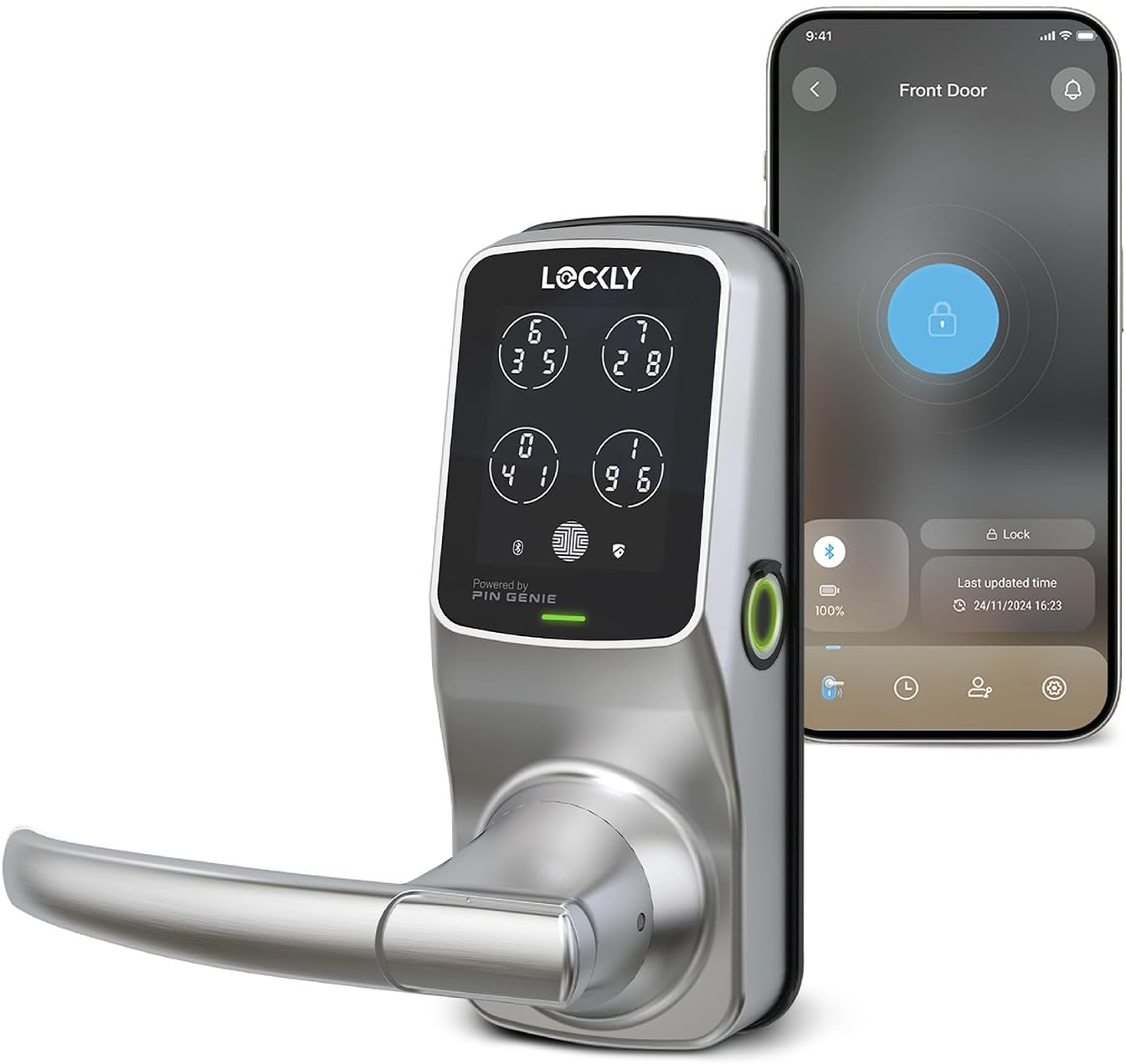
Lockly Secure Plus Latch - Smart Door Lock with Bluetooth & Fingerprint, Satin Nickel.
The LOCKLY PGD628FSN Secure Plus Latch is a smart door lock that offers advanced security features, making it an ideal choice for homeowners, smart rentals, builder/developers, an…
Manual and instructions
Instruction-focused content generated from the current product data and source context.
User Manual: Lockly PGD628FSN Secure Plus Latch - Smart Door Lock
Table of Contents
- Product Overview
- Package Contents
- Installation
- Setting Up the Lockly App
- Using the Smart Lock
- Troubleshooting
- Frequently Asked Questions
1. Product Overview
The Lockly PGD628FSN Secure Plus Latch is a smart door lock designed to provide enhanced security and convenience for your home. With its advanced 3D fingerprint sensor, hack-proof digital keypad, and compatibility with both iOS and Android smartphones, this lock offers a variety of keyless entry options. It also supports remote access and control via the Lockly app and voice assistants like Google Home and Alexa with the optional Secure Link WiFi Hub.
2. Package Contents
- Interior Assembly
- Interior Mounting Plate
- Exterior Assembly
- Sheet Metal
- Latch
- Strike
- Strike Screws
- Plate Screws
- Set Screws
- Protection cover
- VIP Card
- User Manual
- 3M Sticker
- Template
- 2 Backup keys
3. Installation
- Ensure your door is compatible with the lock by checking the dimensions and door thickness (1 3⁄8 in. to 2 in.)
- Use the provided template to mark and drill holes for the latch and strike.
- Install the latch and strike using the provided screws.
- Attach the exterior assembly to the door, threading the cable through the hole in the latch.
- Connect the cable from the exterior assembly to the interior mounting plate.
- Attach the interior mounting plate to the door using the provided screws.
- Install the interior assembly, securing it to the mounting plate with the set screws.
- Insert the provided AA batteries into the interior assembly.
4. Setting Up the Lockly App
- Download the Lockly app from the App Store or Google Play Store.
- Open the app and create an account.
- Select your lock from the list of available devices.
- Follow the in-app instructions to pair your lock with your smartphone.
5. Using the Smart Lock
You can unlock your door using any of the following methods:
- Fingerprint: Place your registered finger on the 3D fingerprint sensor.
- Digital Keypad: Enter your access code on the peek-proof digital keypad.
- Smartphone: Use the Lockly app to lock or unlock your door.
- Backup Key: Insert the provided key into the keyhole and turn to unlock.
6. Troubleshooting
If you encounter any issues with your smart lock, consult the user manual or contact Lockly customer support for assistance.
7. Frequently Asked Questions
- Is the lock compatible with Alexa?
- Yes, the lock is compatible with Alexa and Google Home when connected to the optional Secure Link WiFi Hub.
- Is the lock waterproof/weatherproof?
- The exterior panel is weatherproof and water-resistant but not recommended for use under direct rain.
- What is the battery life?
- Under normal use, the battery should last up to 9 months to a year.
- What is eBadge?
- An eBadge is a unique code that grants door access for a specific time frame or period, and requires the user to download the Lockly app.
- What is Family Mode?
- Family Mode allows Admin accounts to sync and monitor all locks via the Lockly app, ideal for homes with multiple Lockly door locks.
- Does the lock work with Ring?
- No, Lockly smart locks do not have direct integration with Ring doorbells.
- How do I generate an Offline Access Code (OAC)?
- Open the Lockly app, select your lock, go to Access, scroll to OAC Users, and follow the instructions.
- Is my information private?
- Yes, Lockly prioritizes your privacy. The included TF card serves as your private local storage, not shared with anyone else.
Source documents
Official manuals and related source files discovered for this product.


Specifications
Structured product details pulled from the latest available product data.
| Brand | Lockly |
|---|---|
| Manufacturer | Lockly |
| Model Number | PGD628F |
| Category | Tools & Home Improvement > Hardware > Door Hardware & Locks > Deadbolts |
| Color | Satin Nickel |
| Material | Zinc Alloy |
| Weight | 6.48 pounds |
| Dimensions | 7.8 x 2.9 x 7.2 inches |
| First Available | October 6, 2018 |
| Special Feature | Biometric, Touchscreen, Patented PIN Genie Technology, Bluetooth, Smartphone, eKeys & eBadges, Offline Access Codes™, Waterproof |
| Lock Type | Smart Lock |
| Item dimensions L x W x H | 7.8 x 2.9 x 7.2 inches |
| Material | Zinc |
| Recommended Uses For Product | Security |
| Style | Bluetooth |
| Number of Pieces | 1 |
| Finish Type | Satin Nickel |
| Included Components | Smart lock, 4*AA Battery, 2 Backup keys |
| Controller Type | Android, Vera, iOS |
| Shape | Rectangular |
| Item Weight | 6.48 Pounds |
| Control Method | App, Remote, Touch, Voice |
| Connectivity Protocol | Bluetooth, Wi-Fi |
| UPC | 850003895062 |
| Model Name | Lockly Secure Plus |
| Part Number | PGD628FSN |
| Product Dimensions | 7.8 x 2.9 x 7.2 inches |
| Item model number | PGD628F |
| Batteries | 4 AA batteries required. (included) |
| Is Discontinued By Manufacturer | No |
| Size | Latch |
| Finish | Satin Nickel |
| Pattern | Door Lock |
| Item Package Quantity | 1 |
| Head Style | Key-Free Touchscreen |
| Handle Material | Zinc Alloy |
| Special Features | Biometric, Touchscreen, Patented PIN Genie Technology, Bluetooth, Smartphone, eKeys & eBadges, Offline Access Codes™, Waterproof |
| Usage | Fingerprint , Voice Control, Passcode, Key |
| Batteries Included? | Yes |
| Batteries Required? | Yes |
| Battery Cell Type | Alkaline |
| ASIN | B07J2DVLND |
| Customer Reviews | 4.2 4.2 out of 5 stars 1,286 ratings 4.2 out of 5 stars |
| Best Sellers Rank | #88,838 in Tools & Home Improvement (See Top 100 in Tools & Home Improvement) #382 in Deadbolts |
| Date First Available | October 6, 2018 |
| Brand | Lockly |
| Special Feature | (function(f) {var _np=(window.P._namespace("DetailPageProductOverviewTemplatesJava"));if(_np.guardFatal){_np.guardFatal(f)(_np);}else{f(_np);}}(function(P) { P.when('A').execute(function(A){ A.on('a:truncate:po-attribute-truncate-1:updated', function(data) { var isTruncated = !data.truncateInstance.getIfTextFits(); var seeMoreElement = document.getElementById('po-attribute-see-more-id-1'); if(seeMoreElement) { seeMoreElement.style.display = isTruncated ? '' : 'none'; } }) });})); Biometric, Touchscreen, Patented PIN Genie Technology, Bluetooth, Smartphone, eKeys & eBadges, Offline Access Codes™, Waterproof See more |
| Lock Type | Smart Lock |
| Item dimensions L x W x H | 7.8 x 2.9 x 7.2 inches |
| Material | Zinc |
Use this page carefully
ProductReviewGPT pages are AI-assisted summaries. When a source document is available, it should take priority over the generated summary for important operating, warranty, safety, or compliance details.