
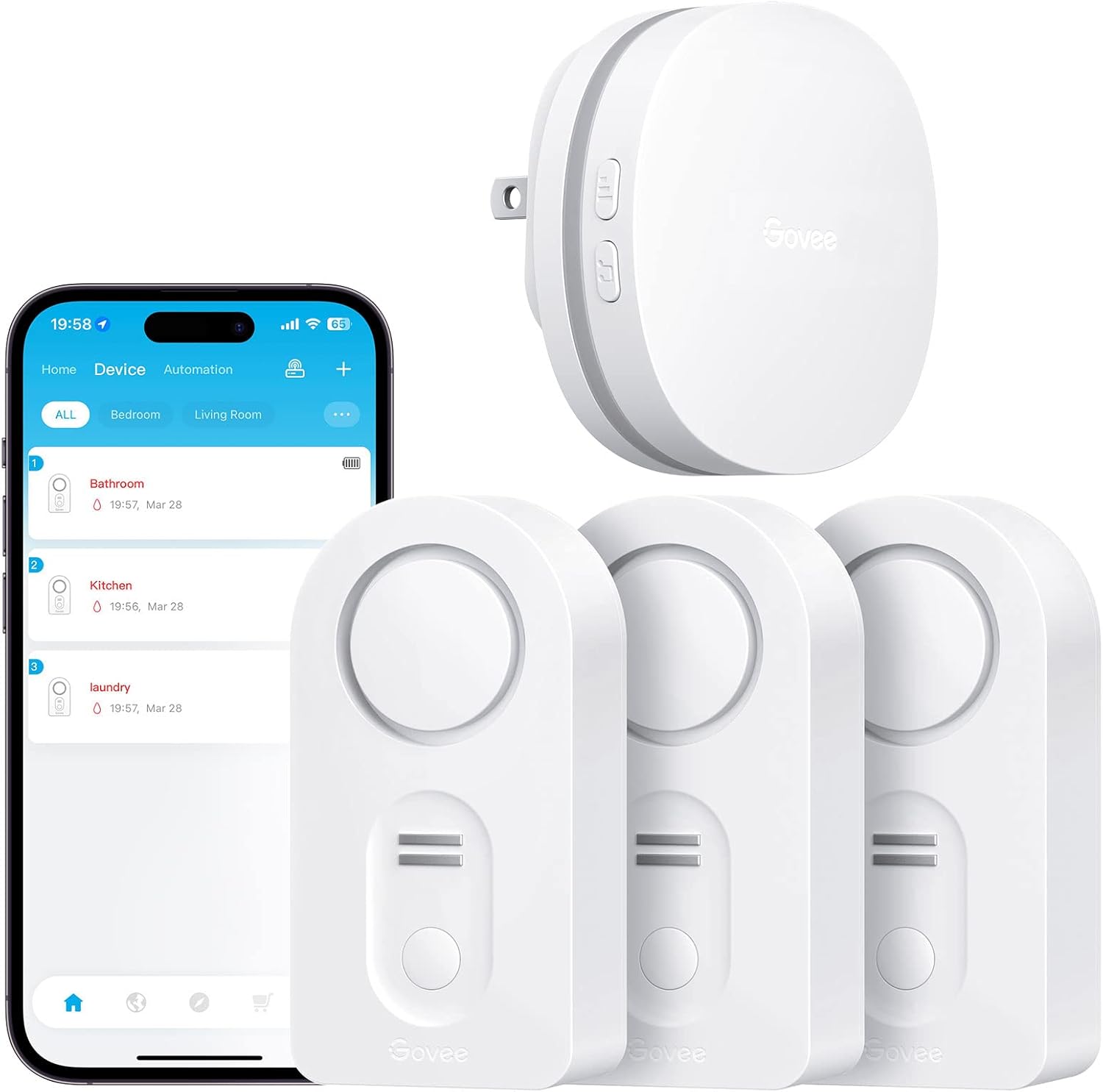
Govee WiFi Water Sensor 3 Pack
The Govee WiFi Water Sensor 3 Pack is a must-have tool for protecting your home from water leaks and potential damage. With its advanced technology and smart features, this water…
Manual and instructions
Instruction-focused content generated from the current product data and source context.
Govee WiFi Water Sensor User Manual
Product Overview
The Govee WiFi Water Sensor is designed to provide real-time monitoring and alerts for water leakages in your home. The system includes a WiFi gateway and multiple water sensors that can be placed in various locations to detect water leaks.
Package Contents
- 1 x WiFi Gateway
- 3 x Water Sensors
- 6 x AAA Batteries
- User Manual
Specifications
- Brand: Govee
- Model Number: B5040101
- Item Weight: 12.3 ounces
- Product Dimensions: 3.46 x 1.77 x 1.04 inches
- Sound Level: 100 dB
- WiFi Support: 2.4Ghz (does not support 5G WiFi)
- Waterproof Rating: IP66
Initial Setup
- Download the 'Govee Home' app from the App Store or Google Play.
- Open the app and sign up with your email account.
- Tap the '+' icon at the top right corner of the app and select the H5040 device.
- Insert the included batteries into each water sensor.
- Press the pairing button on the gateway for 3 seconds until the red and blue light flash alternately.
- Input your WiFi password, ensuring accuracy and noting any special characters or spaces.
- Follow the app prompts to connect your WiFi "Govee_Gateway_xxxx" with your router.
- Place the water sensors in the desired locations and name each sensor in the app (e.g., basement, kitchen).
Operation
Once the sensors are placed and connected, you can monitor water leakage through the Govee Home App. Ensure your app and phone settings permit "push" notifications to receive alerts. The gateway can support up to 10 leak detectors, providing wide coverage for your home.
Troubleshooting Tips
- Gateway Won't Connect to WiFi
- Ensure your router is set to 2.4Ghz and not 5Ghz. Place the gateway close to the router during the initial setup. If issues persist, restart your router and attempt the pairing process again.
- No Alerts or Notifications
- Check that the sensors are within range of the WiFi gateway and that your phone has a stable internet connection. Ensure that notifications are enabled in both your phone settings and the Govee Home App.
- Sensor Not Detecting Water
- Test the sensors by placing them on a damp surface. If there is no alert, check the battery levels and ensure the sensors are properly paired with the gateway.
- False Alarms
- Adjust the sensor feet to ensure they are not touching the surface directly, which could cause false alarms due to condensation.
Frequently Asked Questions (FAQs)
Can the Govee WiFi Water Sensor be used without WiFi?
Yes, the sensors will still sound a loud alarm even if WiFi is not available. However, you will not receive app or email notifications without a WiFi connection.
How do I silence the alarm?
Press the Mute button on the sensor to silence the alarm when a leak is detected.
How many sensors can be connected to one gateway?
The gateway supports up to 10 leak detectors.
Is the system waterproof?
The water sensors have an IP66 waterproof rating, allowing for use in high moisture areas.
What type of batteries do the sensors use?
The sensors require 6 AAA batteries, which are included in the package.
What should I do if a sensor keeps faulting out?
Try resetting the sensor and ensure it's within the range of the WiFi gateway. If the problem persists, contact Govee customer support for further assistance.
Can I receive alerts when I'm not at home?
Yes, as long as the gateway is connected to WiFi, you will receive email and app notifications on your phone regardless of your location.
Does the system support 5G WiFi?
No, the Govee WiFi Water Sensor only supports 2.4G WiFi networks.
How can I check the battery level of the sensors?
Battery levels can be monitored through the Govee Home App.
How do I update the firmware on my Govee WiFi Water Sensor?
Updates will be available through the Govee Home App. Follow the in-app instructions to upgrade your firmware when updates are released.
Frequently asked questions
Q: What is included in the Govee WiFi Water Sensor 3 Pack?
A: The Govee WiFi Water Sensor 3 Pack includes three water sensors and a WiFi gateway.
Q: Can I monitor water leakages on my phone with this product?
A: Yes, you can monitor any leakages on your phone using the Govee Home App. The connection between the gateway, water sensors, and app allows you to receive notifications and alerts on your phone.
Q: How do I connect the water leak detectors to my phone?
A: To connect the water leak detectors to your phone, you need to download the 'Govee Home' app from the App Store or Google Play. After signing up with your email account, open the app and click the '+' icon to add the H5040 device. Press the pairing button on the sensor for 3 seconds, enter your WiFi password, and follow the app prompts to connect your WiFi gateway.
Q: How many water sensors can I connect to the WiFi gateway?
A: The WiFi gateway supports connection to up to 10 water sensors simultaneously.
Q: Does the water leak detector have an audible alarm?
A: Yes, the water leak detector has an adjustable audible alarm with a sound level of 0-100 dB. You can choose a comfortable sound level to detect any water leakage when WiFi is not available.
Q: Is the water leak detector waterproof?
A: Yes, the water leak detector has a completely sealed IP66 waterproof design, allowing for extended use in high moisture areas.
Q: Does this product support 5G WiFi?
A: No, this product only supports 2.4G WiFi and does not support 5G WiFi.
Q: Are batteries included with the water leak detector?
A: Yes, 6 AAA batteries are required for operation and are included with the product.
Q: What is the weight and dimensions of the water leak detector?
A: The water leak detector weighs 12.3 ounces and has dimensions of 3.46 x 1.77 x 1.04 inches.
Q: Is there a warranty for this product?
A: The manufacturer does not specify a warranty for this product.
Source documents
Official manuals and related source files discovered for this product.
Specifications
Structured product details pulled from the latest available product data.
| Brand | Govee |
|---|---|
| Manufacturer | Govee |
| Model Number | H5040+H5054 |
| Category | Tools & Home Improvement > Safety & Security > Household Sensors & Alarms > Water Detectors & Alarms |
| Color | White |
| Weight | 12.3 ounces |
| Dimensions | 3.46 x 1.77 x 1.04 inches |
| First Available | October 10, 2018 |
| Battery Description | Alkaline |
| Number of Batteries | 6 AAA batteries required. (included) |
| Voltage | 9 Volts (DC) |
| Control Method | App |
| Noise Level | 100 dB |
| Mounting Type | Tabletop Mount |
| Sensor Technology | Contact Sensor |
| UPC | 799953927983 |
| Part Number | B5040101 |
| Item Weight | 12.3 ounces |
| Product Dimensions | 3.46 x 1.77 x 1.04 inches |
| Item model number | H5040+H5054 |
| Batteries | 6 AAA batteries required. (included) |
| Is Discontinued By Manufacturer | No |
| Style | 3 sensor + Gateway |
| Item Package Quantity | 1 |
| Batteries Included? | Yes |
| Batteries Required? | Yes |
| Battery Cell Type | Alkaline |
| Description Pile | Alkaline |
| ASIN | B07J9HZ5VN |
| Customer Reviews | 4.2 4.2 out of 5 stars 14,590 ratings 4.2 out of 5 stars |
| Best Sellers Rank | #3,191 in Tools & Home Improvement (See Top 100 in Tools & Home Improvement) #8 in Water Detectors & Alarms |
| Date First Available | October 10, 2018 |
| Power Source | Battery Powered |
| Compatible Devices | Smartphone |
| Product Dimensions | 3.46"L x 1.77"W x 1.04"H |
Use this page carefully
ProductReviewGPT pages are AI-assisted summaries. When a source document is available, it should take priority over the generated summary for important operating, warranty, safety, or compliance details.