
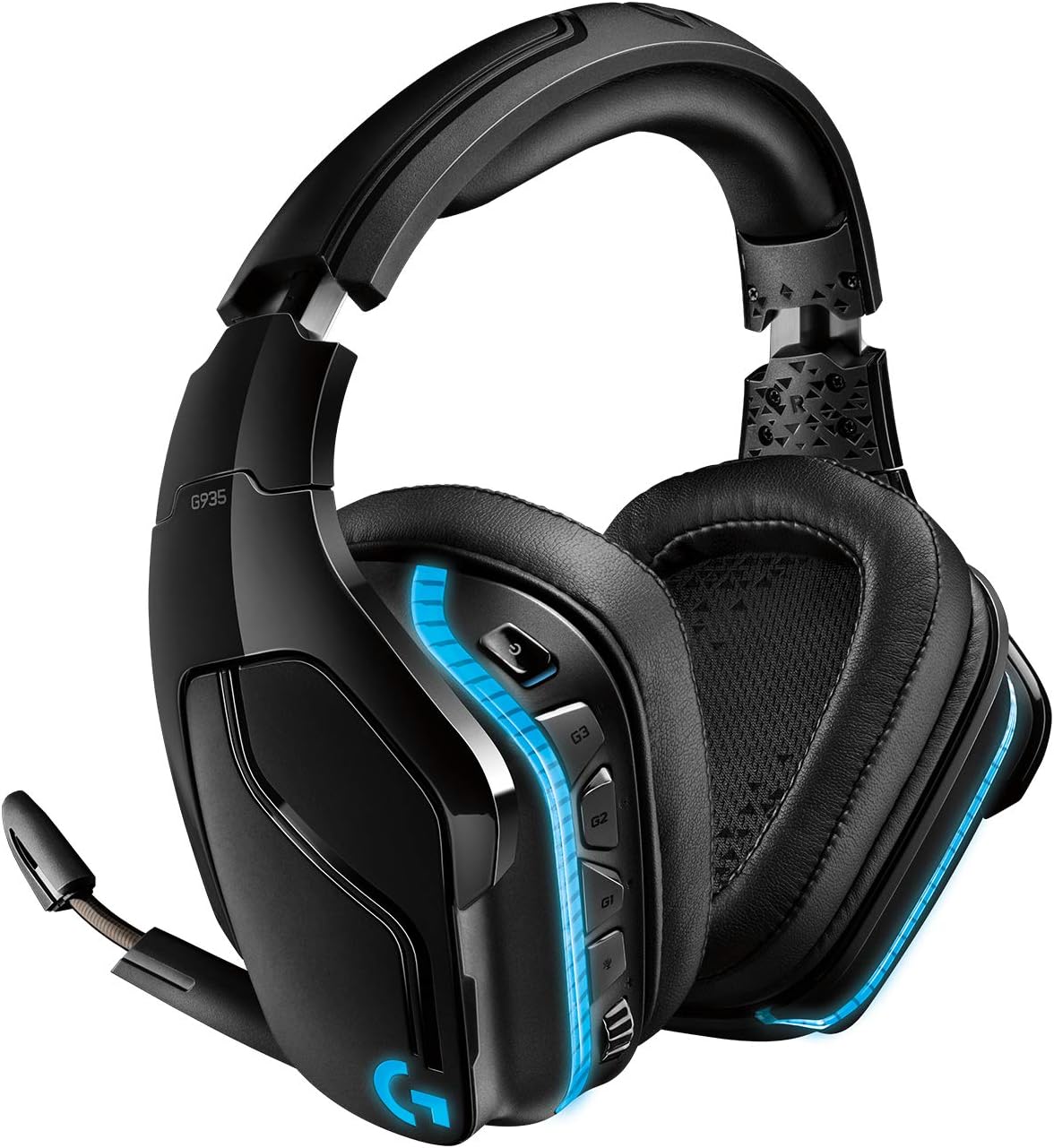
Logitech G935 Wireless Gaming Headset - 7.1 Surround Sound & RGB Lights
The Logitech G935 Wireless DTS:X 7.1 Surround Sound LIGHTSYNC RGB PC Gaming Headset is the ultimate gaming headset for gamers looking for an immersive and high-quality audio exper…
Manual and instructions
Instruction-focused content generated from the current product data and source context.
Logitech G935 Wireless DTS:X 7.1 Surround Sound LIGHTSYNC RGB PC Gaming Headset User Manual
Table of Contents
- Package Contents
- Setting Up Your Headset
- Using Your Headset
- Customizing Your Headset with Logitech G HUB Software
- Troubleshooting Tips
- Frequently Asked Questions
1. Package Contents
- Logitech G935 Wireless Gaming Headset
- USB Wireless Receiver
- USB Charging Cable
- 3.5mm Audio Cable
- User Documentation
2. Setting Up Your Headset
- Charge the headset using the provided USB charging cable. Connect the cable to a USB port on your computer or a USB wall charger. A full charge takes approximately 3.5 hours.
- Insert the USB wireless receiver into an available USB port on your computer.
- Power on the headset by sliding the power switch to the "On" position. The headset will automatically connect to the USB wireless receiver.
- Adjust the headband and earcups for a comfortable fit.
- For wired connections, use the included 3.5mm audio cable to connect the headset to your device.
3. Using Your Headset
- Volume Control: Use the volume wheel on the left earcup to adjust the volume.
- Mic Mute: Flip the boom mic up to mute it. A red light will indicate that the mic is muted.
- Programmable G-Keys: Use the three programmable G-keys on the left earcup to access customized functions, such as audio presets or macros, assigned through the Logitech G HUB software.
- Battery Life: The headset has up to 12 hours of battery life with no lighting, and up to 8 hours with default lighting. To conserve battery life, turn off the headset when not in use.
4. Customizing Your Headset with Logitech G HUB Software
- Download and install the Logitech G HUB software from the Logitech website. The software is compatible with Windows 7 or later, macOS 10.11 or later, and Chrome OS.
- Launch the Logitech G HUB software and follow the on-screen instructions to set up your headset.
- Use the software to customize the LIGHTSYNC RGB lighting, EQ settings, programmable G-keys, and other features.
5. Troubleshooting Tips
- No Sound: Make sure the headset is powered on, connected to the USB wireless receiver, and within range (15 meters indoors, 20 meters outdoors). Check the volume level on the headset and your device.
- Distorted Sound: Ensure the USB wireless receiver is not obstructed by other devices or objects. If using a wired connection, check the 3.5mm audio cable for damage.
- Headset Not Charging: Verify the USB charging cable is securely connected to the headset and a functioning USB port or wall charger. Try using a different USB port or charger if necessary.
- Unable to Customize Headset: Ensure the Logitech G HUB software is installed and up-to-date. Check that your computer meets the software's system requirements.
6. Frequently Asked Questions
- What is the wireless range of the headset?
- The wireless range is up to 15 meters indoors and 20 meters outdoors.
- How long does the battery last?
- The battery lasts up to 12 hours with no lighting and up to 8 hours with default lighting.
- Can I use the headset with gaming consoles?
- Yes, you can use the headset with gaming consoles by connecting it using the included 3.5mm audio cable.
- Is the headset compatible with my operating system?
- The headset is compatible with Windows 7 or later, macOS 10.11 or later, and Chrome OS. The Logitech G HUB software is also required for customization and is compatible with these operating systems.
- Can I customize the RGB lighting on the headset?
- Yes, you can customize the LIGHTSYNC RGB lighting using the Logitech G HUB software.
Frequently asked questions
Q: What is the difference between G933 and G935?
A: The G935 has 50mm Pro-G drivers while the G933 has 40mm speakers. The G935 also has DTS Headphone:X 2.0 surround sound while the G933 has Dolby Digital.
Q: Does the leatherette material breathe well?
A: In warm temperatures, some users have reported that their ears get sweaty with the leatherette material.
Q: Can the wireless receiver be connected to Xbox One for wireless use?
A: No, it must be used wired on Xbox One.
Q: Does the wireless version have an aux port for non-wireless use on Xbox?
A: Yes, it includes a USB-A port (for charging) and a 3.5mm aux port for console and mobile use.
Q: Is this a revamp of the G933?
A: Yes, it is an upgrade from the G933 with improved features such as larger drivers and Lightsync RGB lighting.
Q: Can the headset receive 7.1 surround sound when used wirelessly?
A: Yes, 7.1 surround sound is available in wireless mode with the Logitech software installed.
Q: Where can I order a new USB receiver if mine is broken?
A: Contact Logitech customer service directly, although spare parts may not be available in some regions.
Q: Will this headset work with Microsoft Teams?
A: Yes, it can be used for Microsoft Teams calls.
Q: Is this headset open or closed back?
A: It is closed back but has an option for mic monitoring.
Q: What is the audio frequency response range for this headset?
A: The frequency response range is 100 Hz-10 KHz according to Forbes.
Source documents
Official manuals and related source files discovered for this product.

Specifications
Structured product details pulled from the latest available product data.
| Brand | Logitech G |
|---|---|
| Manufacturer | Logitech |
| Model Number | 981-000742 |
| Category | Electronics > Video Games > PC > Accessories > Headsets |
| Color | Black, Blue |
| Weight | 1.54 pounds |
| First Available | February 5, 2019 |
| Frequency Response | 20000 Hz |
| Headphones Jack | 3.5 mm Jack |
| Model Name | Wireless 7.1 Surround Sound LIGHTSYNC Gaming Headset |
| Connectivity Technology | Wired, Wireless |
| Wireless Communication Technology | Wireless |
| Included Components | G935 headset, USB wireless receiver, Micro-USB charging cable, 3.5 mm audio cable. |
| Age Range (Description) | Adult |
| Charging Time | 2 Hours |
| Recommended Uses For Product | Gaming |
| Theme | Video Game |
| Control Type | Button Control |
| Cable Feature | Without Cable |
| Item Weight | 0.7 Kilograms |
| Water Resistance Level | Waterproof |
| Unit Count | 1.0 Count |
| Style | G935 Only |
| Control Method | Touch |
| Number of Items | 1 |
| Cable Length | 2 Meters |
| Battery Life | 12 Hour |
| Audio Driver Size | 5.1 Inches |
| Earpiece Shape | Over-the-head |
| Is Autographed | No |
| Series Number | 1 |
| UPC | 097855144508 |
| Global Trade Identification Number | 00097855144508 |
| Item Weight | 1.54 pounds |
| ASIN | B07MP4HT95 |
| Item model number | 981-000742 |
| Batteries | 1 Lithium Polymer batteries required. (included) |
| Customer Reviews | 4.0 4.0 out of 5 stars 6,458 ratings 4.0 out of 5 stars |
| Best Sellers Rank | #2,447 in Video Games (See Top 100 in Video Games) #153 in PC Game Headsets |
| Is Discontinued By Manufacturer | No |
| Date First Available | February 5, 2019 |
| Ear Placement | Over Ear |
| Form Factor | Over Ear |
| Impedance | 0.01 Ohm |
Use this page carefully
ProductReviewGPT pages are AI-assisted summaries. When a source document is available, it should take priority over the generated summary for important operating, warranty, safety, or compliance details.