
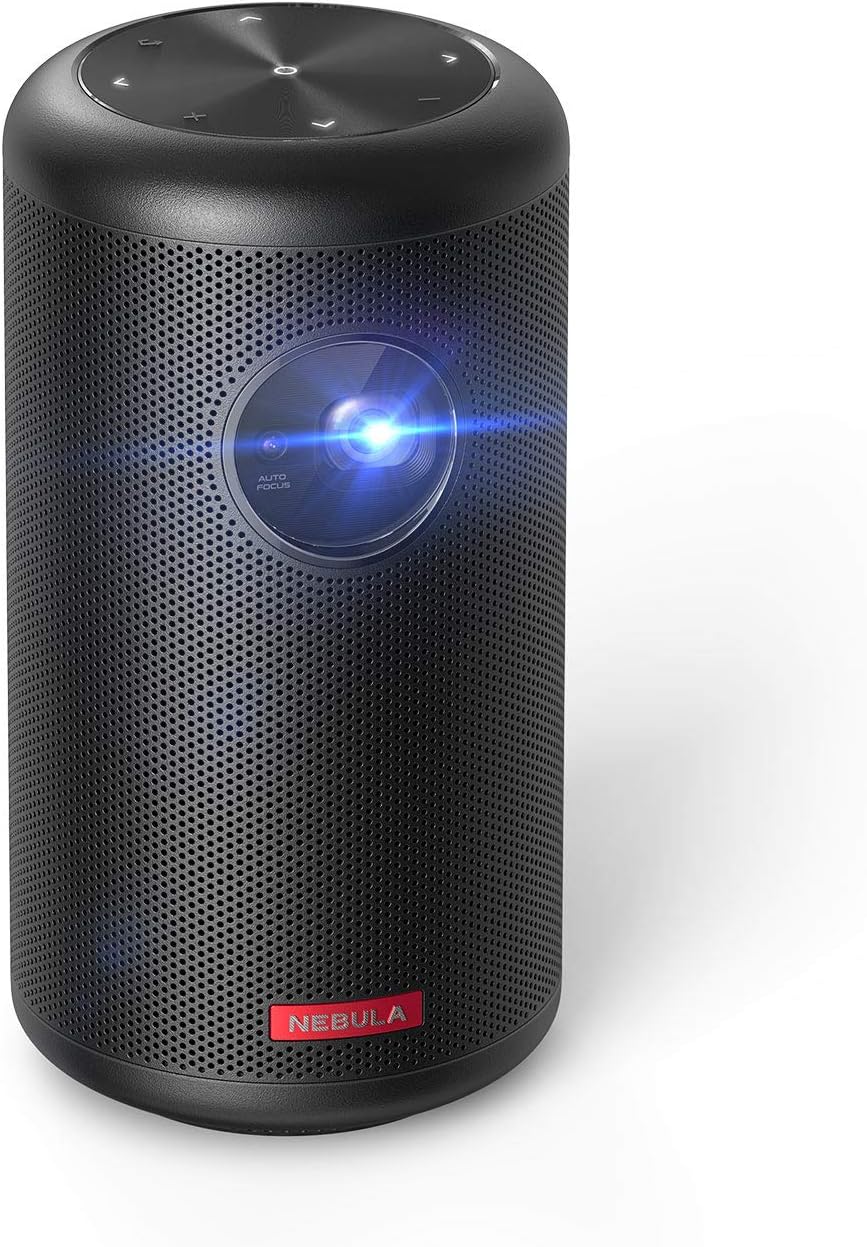
Anker Nebula Capsule II Smart Portable Projector
The Anker Nebula Capsule II Smart Portable Projector is a powerful and compact device that delivers an immersive home theater experience. With a 200 ANSI lumen brightness and 720p…
Manual and instructions
Instruction-focused content generated from the current product data and source context.
Anker Nebula Capsule II Smart Portable Projector User Manual
Getting Started
- Unpack the projector and all accessories from the box. The package should include the Nebula Capsule II projector, remote, quick start guide, PD charger, and Type-C cable.
- Place the projector on a stable surface or mount it onto a tripod using the screw hole at the bottom of the projector.
- Plug the PD charger into a power outlet and connect the Type-C cable to the charger and the projector.
- Press and hold the power button on the projector for 2 seconds to turn it on.
Remote Control Setup
- Open the battery compartment on the back of the remote and insert the provided AAA batteries.
- Point the remote towards the projector's IR sensor and press the power button to turn on the projector.
- Use the navigation buttons (up, down, left, right) and the select button to navigate through the projector's interface.
- Press the home button to access the main menu and the back button to return to the previous screen.
- Press the Google Assistant button to use voice commands with the projector.
- Adjust the volume using the plus and minus buttons on the remote.
Connecting to Wi-Fi
- From the main menu, navigate to the Settings icon and press the select button on the remote.
- Select "Network & Internet" and choose your Wi-Fi network from the list.
- Enter your Wi-Fi password using the on-screen keyboard and press the select button to connect.
Using Android TV 9.0 and Apps
- Once connected to Wi-Fi, access the main menu and navigate to the Google Play Store icon.
- Sign in with your Google account or create a new one if needed.
- Browse and install over 5,000 apps, including YouTube, Hulu, Twitch, and more.
- To use Netflix, download the Nebula Manager app from Google Play and use the Nebula Connect app on your phone to control Netflix on the projector.
Connecting Devices
- Connect devices to the projector using the HDMI, USB, Bluetooth, or Wi-Fi options available.
- For Chromecast, cast your favorite apps from your phone, tablet, or PC to the projector.
Troubleshooting Tips
- If the projector is not turning on, ensure that it is properly connected to the PD charger and the power outlet.
- If the remote is not working, check the batteries and ensure that the remote is pointed towards the projector's IR sensor.
- If the projector is not connecting to Wi-Fi, check your Wi-Fi password and ensure that the projector is within range of the router.
- If the image is blurry, use the 1-second autofocus feature to adjust the focus.
- If the audio is not playing, ensure that the volume is not muted and check the connection between the projector and the audio source.
Frequently Asked Questions
- What is the maximum projection size?
- The Nebula Capsule II can project an image up to 100 inches in size.
- How long does the battery last?
- The battery lasts up to 2.5 hours in battery mode.
- Can I use the projector outdoors?
- Yes, the Nebula Capsule II is suitable for outdoor use, but it is recommended to use it in low-light environments for the best image quality.
- Does the projector support 4K?
- No, the Nebula Capsule II has a maximum resolution of 1280 x 720 (720p HD).
- Can I connect my smartphone to the projector?
- Yes, you can connect your smartphone to the projector using Wi-Fi, Bluetooth, or Chromecast.
Frequently asked questions
Q: What is the resolution of the Anker Nebula Capsule II Smart Portable Projector?
A: The resolution of the Anker Nebula Capsule II Smart Portable Projector is 1280 x 720.
Q: What is the brightness of the projector?
A: The projector has a brightness of 200 ANSI lumens.
Q: Can I use Netflix on this projector?
A: Yes, you can use Netflix on this projector by downloading the Nebula Manager app from Google Play and using the Nebula Connect app on your phone to control Netflix.
Q: What are the connectivity options for this projector?
A: The connectivity options for this projector include HDMI, USB, Bluetooth, Wi-Fi, and Chromecast.
Q: How long does the battery last if fully charged?
A: The battery can last up to 2.5 hours in battery mode.
Q: Can I wirelessly connect my phone or PC if I am not home and do not have a Wi-Fi network?
A: No, you need to be on the same Wi-Fi network to connect wirelessly.
Q: Is it possible to replace the bulb?
A: No, it is not possible to replace the bulb.
Q: What is the recommended use for this product?
A: The recommended use for this product is home cinema.
Q: What is included in the box?
A: The box includes the Nebula Capsule II, remote, quick start guide, PD charger, and Type-C cable. Note that the remote is required to use the Google Assistant.
Source documents
Official manuals and related source files discovered for this product.
Specifications
Structured product details pulled from the latest available product data.
| Brand | NEBULA |
|---|---|
| Manufacturer | Anker |
| Model Number | D2421 |
| Category | Electronics > Video Projectors |
| Weight | 2.6 pounds |
| Dimensions | 3.15 x 3.15 x 5.91 inches |
| First Available | March 24, 2019 |
| Product Dimensions | 3.15 x 3.15 x 5.91 inches |
| Item Weight | 2.6 pounds |
| ASIN | B07Q2P5PH7 |
| Item model number | D2421 |
| Batteries | 1 Lithium Polymer batteries required. (included) |
| Customer Reviews | 4.3 4.3 out of 5 stars 1,206 ratings 4.3 out of 5 stars |
| Best Sellers Rank | #1,410 in Video Projectors |
| Date First Available | March 24, 2019 |
| Recommended Uses For Product | Education, Home Cinema, Gaming |
| Special Feature | (function(f) {var _np=(window.P._namespace("DetailPageProductOverviewTemplatesJava"));if(_np.guardFatal){_np.guardFatal(f)(_np);}else{f(_np);}}(function(P) { P.when('A').execute(function(A){ A.on('a:truncate:po-attribute-truncate-2:updated', function(data) { var isTruncated = !data.truncateInstance.getIfTextFits(); var seeMoreElement = document.getElementById('po-attribute-see-more-id-2'); if(seeMoreElement) { seeMoreElement.style.display = isTruncated ? '' : 'none'; } }) });})); Android TV 9.0, 8W Speaker, 100” Image, 5,000+ Apps, Outdoor Projector with wifi and bluetooth, portable See more |
| Connectivity Technology | HDMI, USB, Bluetooth, Wi-Fi, and Chromecast |
| Display resolution | 1280 x 720 |
Use this page carefully
ProductReviewGPT pages are AI-assisted summaries. When a source document is available, it should take priority over the generated summary for important operating, warranty, safety, or compliance details.