
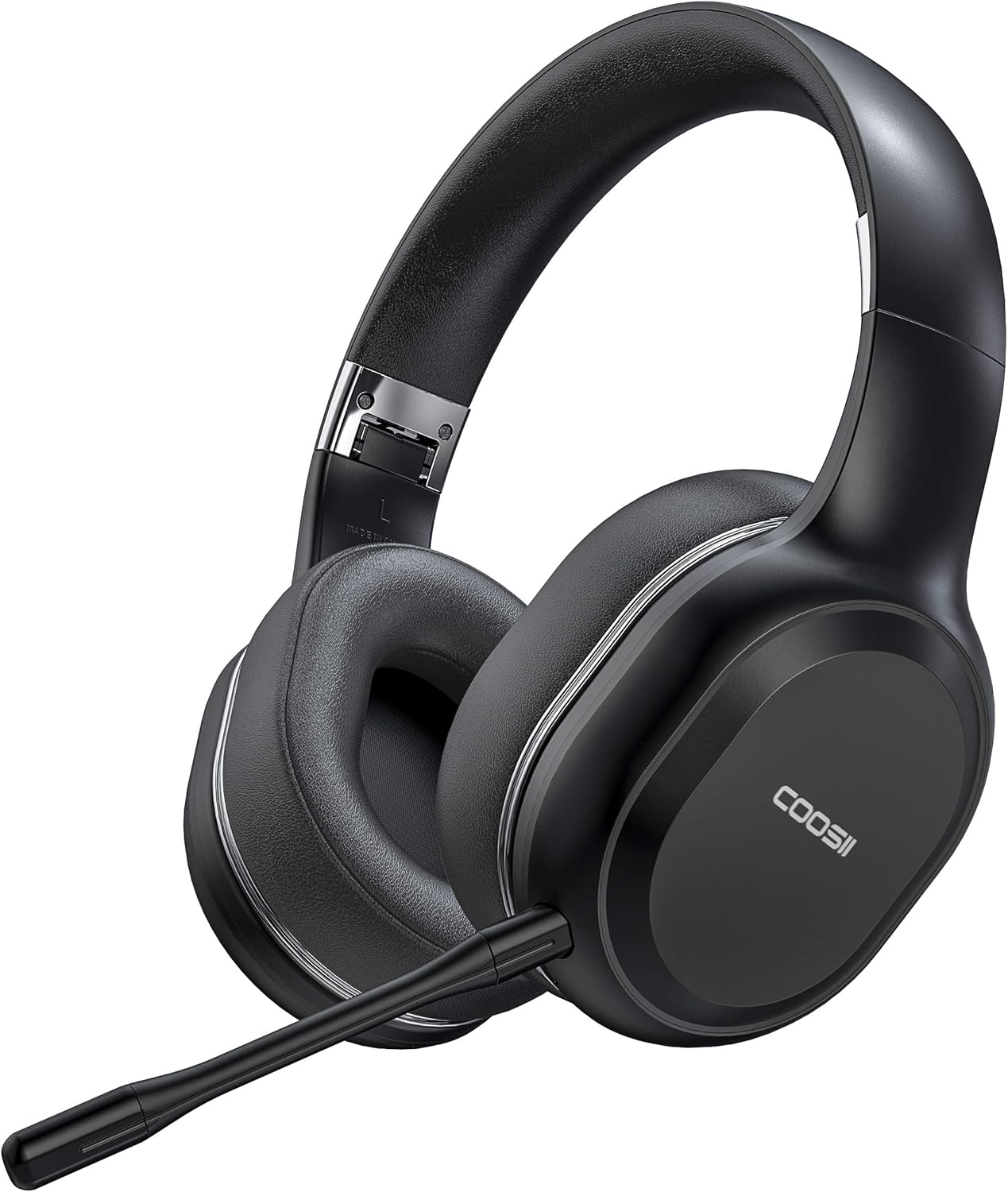
COOSII P80C Bluetooth Headphones - 40H Playtime, Dual Microphone, Over Ear Stereo Headsets
The COOSII P80C Bluetooth Headphones are a must-have for anyone working from home, attending online classes, or needing to make calls on the go. These headphones offer a comfortab…
Manual and instructions
Instruction-focused content generated from the current product data and source context.
COOSII P80C Bluetooth Headphones User Manual
Package Contents
- 1* COOSII Bluetooth Headphone
- 1* Detachable Pole Microphone
- 1* Micro USB Charging Connector
- 1* 3.5mm Audio Cable
- 1* User Manual
Getting Started
- Charge the headphones using the provided Micro USB Charging Connector. It takes approximately 4 hours to fully charge the headphones.
- Power on the headphones by pressing and holding the power button until you hear "Power On".
- Activate Bluetooth on your device (smartphone, tablet, laptop, etc.) and search for available devices.
- Select "COOSII P80C" from the list of available devices and wait for the connection to be established. You will hear "Connected" once the connection is successful.
- If you prefer a wired connection, use the provided 3.5mm audio cable to connect the headphones to your device.
- Attach the detachable pole microphone by fully plugging it into the hole on the headphones.
- Adjust the headband for a comfortable fit and ensure the ear pads cover your ears properly.
Controls
| Function | Button |
|---|---|
| Power On/Off | Press and hold the power button |
| Answer/End Call | Press the multifunction button |
| Reject Call | Press and hold the multifunction button |
| Transfer Call | Double press the multifunction button |
| Redial Last Number | Double press the multifunction button in standby mode |
| Volume Up/Down | Press the "+" or "-" button |
| Mute (only available for cellphones) | Press the mute button |
Troubleshooting
Unable to connect to Bluetooth
- Ensure the headphones are powered on and in pairing mode.
- Check that your device's Bluetooth is activated and within range (up to 50ft/15m).
- Try restarting your device and headphones, then attempt to reconnect.
Microphone not working
- Ensure the detachable pole microphone is fully plugged into the hole on the headphones.
- Check that the microphone is not muted (if using a cellphone).
- For calling software, ensure the microphone is not muted within the software settings.
Low sound quality or interruptions
- Make sure the headphones are within range of your device.
- Check for any obstructions or interference between the headphones and your device.
- Ensure the headphones are fully charged.
Frequently Asked Questions
Can I use the headphones while charging?
No, the headphones will shut down when connected to the USB charging cable. You cannot use them while charging.
How long does the battery last on a full charge?
The headphones have a battery life of up to 40 hours in wireless mode.
Are these headphones compatible with my device?
COOSII P80C headphones are compatible with any Bluetooth-enabled device, such as smartphones, cellphones, tablets, Chromebooks, laptops, and more. They also come with a 3.5mm audio cable for wired connections.
Can I use the mute button on calling software like Zoom or Skype?
The mute button on the headphones only works for cellphones. To mute the microphone on calling software, you will need to adjust the settings within the software itself.
What is the range of the Bluetooth connection?
The Bluetooth connection has a range of up to 50ft/15m.
Frequently asked questions
Q: Does this model come with a dongle?
A: No, this model does not come with a dongle. If you need one, please check the (P80C PLUS) under this link.
Q: What is the battery life of these headphones?
A: The headphones have a 40-hour battery life in wireless lifestyle mode and take only 2 hours to fully charge.
Q: Is there noise cancellation technology in these headphones?
A: The headphones have adopted microphone noise reduction technology, which can eliminate most of the external noise during a call.
Q: Can I use these headphones while they are charging?
A: You can use the 3.5mm wired cable while charging, but the Bluetooth function cannot be used when charging.
Q: Is it possible to use these headphones with dictation software like Dragon Naturally Speaking?
A: Yes, the headphone can be used with Bluetooth-enabled devices, and the microphone works only in Bluetooth mode.
Q: Can I use these headphones for conference calls on Windows 10 Enterprise?
A: Yes, you can use the headphone on Win10 system, but it may require special settings. We have attached an operating video for your reference.
Q: Can I move the microphone to the right side of the headset?
A: No, the detachable microphone can only plug into the left side of the headphones.
Q: Are these headphones comfortable to wear for extended periods?
A: Yes, these headphones are designed for maximum comfort with high-quality soft memory-protein memory foam earpads that block out background noise and make the headset pleasant to wear for hours-long stints without feeling any burden on your head and ears.
Q: Can I connect two devices to these headphones at the same time?
A: Yes, thanks to CSR Bluetooth chipset technology that provides a fast, efficient, and stable signal and low-latency, you can connect two devices at the same time for calls and music.
Q: What comes in the package with these headphones?
A: The package includes 1 COOSII Bluetooth Headphone, 1 Detachable Pole Microphone, 1 Micro USB Charging Connector, 1 3.5mm Audio Cable, and 1 User Manual.
Specifications
Structured product details pulled from the latest available product data.
| Brand | COOSII |
|---|---|
| Manufacturer | COOSII |
| Model Number | 43191609 |
| Color | Black |
| Weight | 8.8 ounces |
| Dimensions | 7.32 x 7.28 x 3 inches |
| First Available | October 14, 2020 |
| Product Dimensions | 7.32 x 7.28 x 3 inches |
| Item Weight | 8.8 ounces |
| ASIN | B08L5Z951F |
| Item model number | 43191609 |
| Batteries | 1 Lithium Polymer batteries required. |
| Customer Reviews | 3.9 out of 5 stars 1,616 ratings 3.9 out of 5 stars |
| Best Sellers Rank | #594 in Over-Ear Headphones |
| Date First Available | October 14, 2020 |
| Department | Womens |
| Ear Placement | On Ear |
| Connectivity Technology | Wireless |
| Form Factor | Over Ear |
Use this page carefully
ProductReviewGPT pages are AI-assisted summaries. When a source document is available, it should take priority over the generated summary for important operating, warranty, safety, or compliance details.