
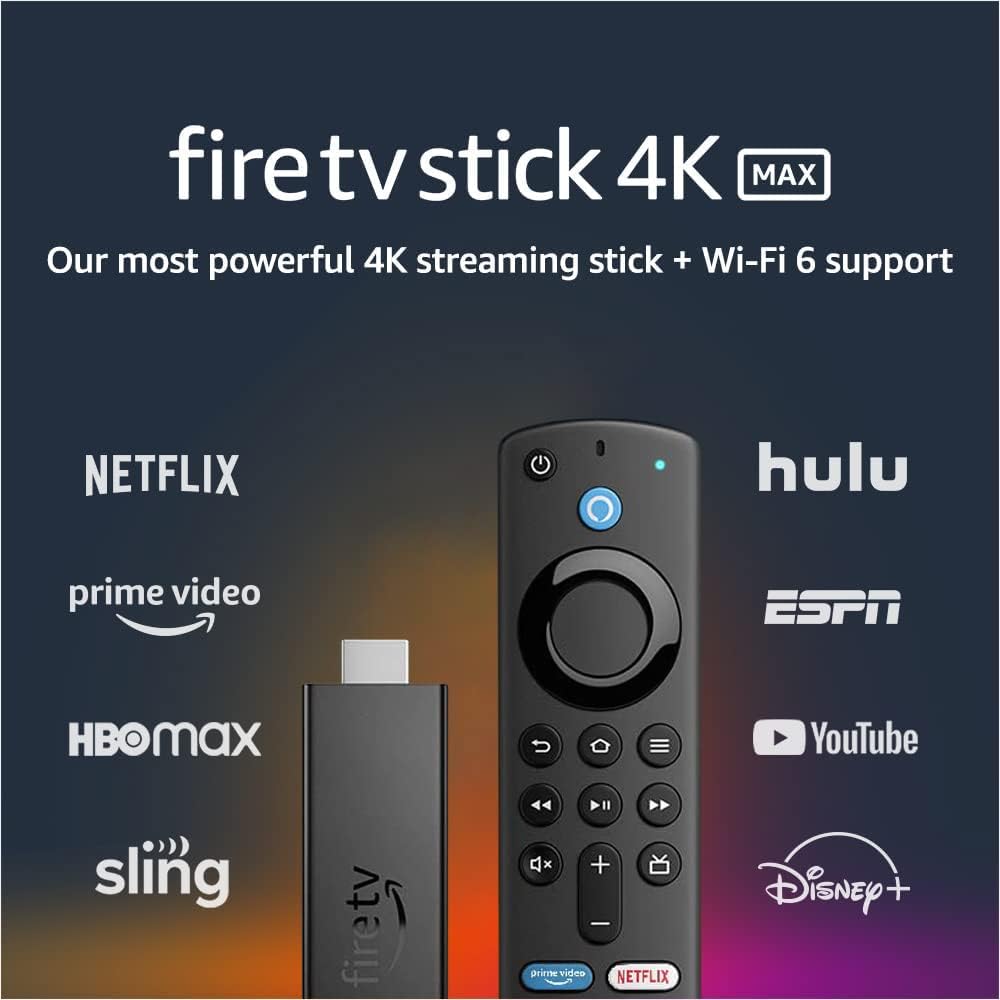
Amazon Fire TV Stick 4K Max - Streaming Device with Wi-Fi 6 and Alexa Voice Remote.
The Fire TV Stick 4K Max is Amazon's most powerful streaming stick yet, boasting 40% more power than its predecessor, the Fire TV Stick 4K. This means faster app starts and more f…
Manual and instructions
Instruction-focused content generated from the current product data and source context.
Fire TV Stick 4K Max User Manual
Table of Contents
- Package Contents
- Setting Up Your Fire TV Stick 4K Max
- Using the Alexa Voice Remote
- Streaming Content
- Playing Games
- Using Your Fire TV Stick 4K Max with a Smart Home
- Troubleshooting
- FAQs
1. Package Contents
- Fire TV Stick 4K Max
- Alexa Voice Remote (includes TV controls)
- Power adapter
- USB cable
- HDMI extender (optional)
- 2 AAA batteries
- Quick Start Guide
2. Setting Up Your Fire TV Stick 4K Max
- Insert the provided batteries into the Alexa Voice Remote.
- Plug the Fire TV Stick 4K Max into an available HDMI port on your TV. If needed, use the HDMI extender to improve fit or Wi-Fi connectivity.
- Connect the USB cable to the Fire TV Stick 4K Max and the power adapter, then plug the adapter into a power outlet.
- Turn on your TV and switch to the HDMI input where the Fire TV Stick 4K Max is connected.
- Follow the on-screen instructions to pair your Alexa Voice Remote and connect your Fire TV Stick 4K Max to your Wi-Fi network.
- Sign in to your Amazon account or create a new one if needed.
- Once signed in, your Fire TV Stick 4K Max will be ready to use.
3. Using the Alexa Voice Remote
Press and hold the microphone button on the remote and speak into it to use voice commands. You can search for content, launch apps, and control playback using your voice. The remote also has preset buttons for quick access to popular apps like Netflix and Disney+.
4. Streaming Content
Use the main menu to browse and access content from various streaming services, such as Netflix, Prime Video, Disney+, Peacock, and more. Subscription fees may apply. You can also watch live TV, news, and sports with subscriptions to SLING TV, YouTube TV, and others. Stream for free with IMDb TV, Pluto TV, Tubi, and more.
5. Playing Games
Enjoy fluid gameplay and fast-rendering graphics with the 750Mhz GPU. Access popular games with a Luna cloud gaming subscription.
6. Using Your Fire TV Stick 4K Max with a Smart Home
View your front door camera without stopping your show using Live View Picture-in-Picture. Ask Alexa to check the weather or dim the lights by pressing the microphone button on your remote and speaking your command.
7. Troubleshooting
If you experience issues with your Fire TV Stick 4K Max, try the following:
- Restart your device by unplugging it from the power source and plugging it back in.
- Check your Wi-Fi connection and ensure it is stable.
- Perform a software update by going to Settings > My Fire TV > About > Check for Updates.
- Clear app cache or data by going to Settings > Applications > Manage Installed Applications, then select the app and choose Clear Cache or Clear Data.
8. FAQs
- Q: Can you reprogram the “Disney plus” button to open an alternative app?
- A: Yes, you can reprogram the button using a workaround. You will need to sideload a 3rd party app (such as Button Remapper) using the Downloader app from the app store. This process is fairly simple and there are many tutorials available online to guide you through the process.
- Q: Do you need to have a 4k TV to use the Fire TV Stick 4K Max?
- A: No, you do not need a 4K TV to use the Fire TV Stick 4K Max. The device will work with a 1080p TV, and when you upgrade to a 4K TV in the future, you will not need to purchase another streaming device.
- Q: How much available space is there for apps and other content?
- A: The Fire TV Stick 4K Max has 8GB of storage, but only about 5GB is available for apps and other content after accounting for the operating system. You can expand the storage by using an OTG cable and a USB stick, but be aware that some users have reported issues with running out of space due to pre-installed apps and content.
- Q: Can I watch Paramount TV on the Fire TV Stick 4K Max?
- A: Yes, you can watch Paramount TV on the Fire TV Stick 4K Max by subscribing to a service like YouTube TV or by using the Paramount+ app.
- Q: Does the Fire TV Stick 4K Max come with an Ethernet adapter, or do I have to buy it separately?
- A: The Fire TV Stick 4K Max does not come with an Ethernet adapter, but you can purchase one separately. Make sure to buy a 1Gbps Ethernet adapter for the best performance.
- Q: Can I reprogram one of the hot buttons like Hulu to something else?
- A: You can reprogram the hot buttons using a workaround with a 3rd party app, such as Button Remapper, which you can sideload using the Downloader app from the app store. This process is fairly simple and there are many tutorials available online to guide you through the process.
Frequently asked questions
Product: Fire TV Stick 4K Max streaming device, Wi-Fi 6, Alexa Voice Remote (includes TV controls) - Electronics
Specifications:
- Brand: Amazon
- Supports next-gen Wi-Fi 6
- 40% more powerful than Fire TV Stick 4K
- Supports Dolby Vision, HDR, HDR10+ and immersive Dolby Atmos audio
- Access to more than 1 million movies and TV episodes
- Supports subscriptions to SLING TV, YouTube TV, and others
- Alexa Voice Remote for easy content search and launching
- Can be used to control smart home devices
- Supports Luna cloud gaming subscription
- 750Mhz GPU for fluid gameplay and fast-rendering graphics
FAQ:
Q: Can you reprogram the “Disney plus” button to open an alternative app?
A: Yes, you can reprogram the “Disney plus” button to open an alternative app by sideloading a 3rd party app (apk) using downloader from the appstore.
Q: Do you need to have a 4k tv to use fire tv stick 4k max?
A: No, you do not need to have a 4k TV to use Fire TV Stick 4K Max. It will work with a 1080p TV as well.
Q: How much available space for apps and whatever?
A: The Fire TV Stick 4K Max comes with 8GB of storage, but after the OS partition, it has about 5GB of available space. You can expand the storage by using an OTG cable and a USB stick.
Q: Can I see Paramount TV? I am interested in watching Yellowstone.
A: Yes, you can watch Paramount TV through streaming services like YouTube TV, which has the Paramount channel. You can also watch Yellowstone's new season and record it.
Q: I replaced my previous 4k stick with the 4k max because Disney+ and Paramount Plus would not load, same for the new 4k max. What is the problem?
A: The issue with Disney+ and Paramount Plus not loading could be due to an app/connectivity issue through another source. It's recommended to check the connectivity and troubleshoot the issue.
Q: Is this product really as good as advertised?
A: Yes, the Fire TV Stick 4K Max is a powerful streaming device with faster app starts, smoother 4K streaming, and a cinematic experience with vibrant 4K Ultra HD and immersive Dolby Atmos audio.
Q: ¿Se puede en español?
A: Sí, el Fire TV Stick 4K Max se puede usar en español.
Q: Do I need a 4K Max if I already have a 4K Firestick?
A: It depends on your needs. The 4K Max is 40% more powerful than the Fire TV Stick 4K and supports next-gen Wi-Fi 6. However, some users have reported issues with certain apps on the 4K Max, so it's recommended to research and compare before upgrading.
Q: Does it come with an Ethernet adapter, or do I have to buy it separately?
A: The Fire TV Stick 4K Max does not come with an Ethernet adapter, but you can purchase one separately. It's recommended to get a 1Gbps adapter for faster connectivity.
Q: Can I reprogram one of the hot buttons like Hulu to something else?
A: The remote that comes with the Fire TV Stick 4K Max does not have programmable buttons, but you can use other remotes with the device.
Specifications
Structured product details pulled from the latest available product data.
| Brand | Amazon |
|---|---|
| Size | 99 mm x 30 mm x 14 mm (only housing) | 108 mm x 30 mm x 14 mm (including the connector) |
| Weight | 48.4 g |
| Processor | Quad-core 1.8GHz MT8696 |
| GPU | IMG GE9215, 750MHz |
| Storage | 8 GB |
| Wifi | MT7921LS. Supports 802.11a/b/g/n/ac/ax (Wi-Fi 6) networks. |
| Bluetooth | Bluetooth 5.0 + LE. Pair with compatible Bluetooth speakers, headphones, video game controllers, and more. |
| Voice support | Yes, with the Alexa Voice Remote (included) or free Fire TV app (available for download on Fire OS, Android, and iOS) |
| IR device control with included Alexa Voice Remote | The included Alexa Voice Remote can control Fire TV Stick 4K Max and certain functions (such as power and volume) on a wide range of compatible IR-enabled devices, including TVs, soundbars and A/V receivers. Note: Certain functions may not be available on some IR-enabled devices. |
| Cloud storage | Free cloud storage for digital content purchased from Amazon |
| Ports | HDMI ARC output, micro USB for power only |
| Audio support | Dolby Atmos, 7.1 surround sound, 2-channel stereo, and HDMI audio pass through up to 5.1. Dolby Atmos is available on select Netflix, Prime Video, and Disney+ titles when connected to compatible equipment. |
| 4K Support | To watch movies and TV shows in 4K Ultra HD, you need a compatible Ultra HD TV. All services may not be available in 4K/HDR. Certain services are subject to change at any time, may not be available in all areas, or in 4K/HDR, and may require separate subscriptions. Learn more about services. |
| Content formats supported | Video: Dolby Vision, HDR 10, HDR10+, HLG, H.265, H.264, VP9, AV1 Audio: AAC-LC, AC3, eAC3 (Dolby Digital Plus), FLAC, MP3, PCM/Wave, Vorbis, Dolby Atmos (EC3_JOC), Photo: JPEG, PNG, GIF, BMP |
| Output resolution supported | 2160p, 1080p and 720p up to 60 fps |
| System requirements | High-definition television with available high-speed HDMI input, high-speed internet connection via Wi-Fi. Wi-Fi 6 router needed for Wi-Fi 6 support. Auto-Low Latency Mode is included in the HDMI 2.1 standard. |
| TV compatibility | TV must support minimum HDCP requirements for protected content playback. Compatible with 1) 4K UHD TVs with HDMI capable of 2160p at 24/25/30/50/60 Hz and HDCP 2.2 or 2) high-definition TVs with HDMI capable of 1080p or 720p at 50/60 Hz. Learn more about high-definition. |
| Warranty and service | 1-year limited warranty and service included. Optional 2-year and 3-year extended warranty available for U.S. customers sold separately. Use of Fire TV is subject to the terms found here. |
| Content availability | Certain apps and services are subject to change or withdrawal at any time, may not be available in all areas and languages, and may require separate subscriptions. |
| Accessibility features | VoiceView screen reader enables access to the vast majority of Fire TV features for users who are blind or visually impaired. Watch videos and TV shows with closed captioning displayed. Captions are not available for all content. You can also listen to Fire TV with compatible Bluetooth headphones. Learn more about compatibility. |
| Included in the box | Fire TV Stick 4K Max, Alexa Voice Remote (3rd Gen), USB cable and power adapter, HDMI extender cable for Fire TV Stick 4K Max, 2 AAA batteries, Quick Start Guide |
| Software Security Updates | This device receives guaranteed software security updates until at least four years after the device is last available for purchase as a new unit on our websites. Learn more about these software security updates. If you already own a Fire TV, visit Manage Your Content and Devices for information specific to your device. |
| Size | 38 mm x 142 mm x 16 mm |
| Weight | 43.4 g (without batteries) |
| Batteries | 2 AAA (included) |
| Technology | Bluetooth |
| Compatibility | Fire TV Stick (3rd Gen), Fire TV Stick 4K, Fire TV Stick 4K Max |
Use this page carefully
ProductReviewGPT pages are AI-assisted summaries. When a source document is available, it should take priority over the generated summary for important operating, warranty, safety, or compliance details.