
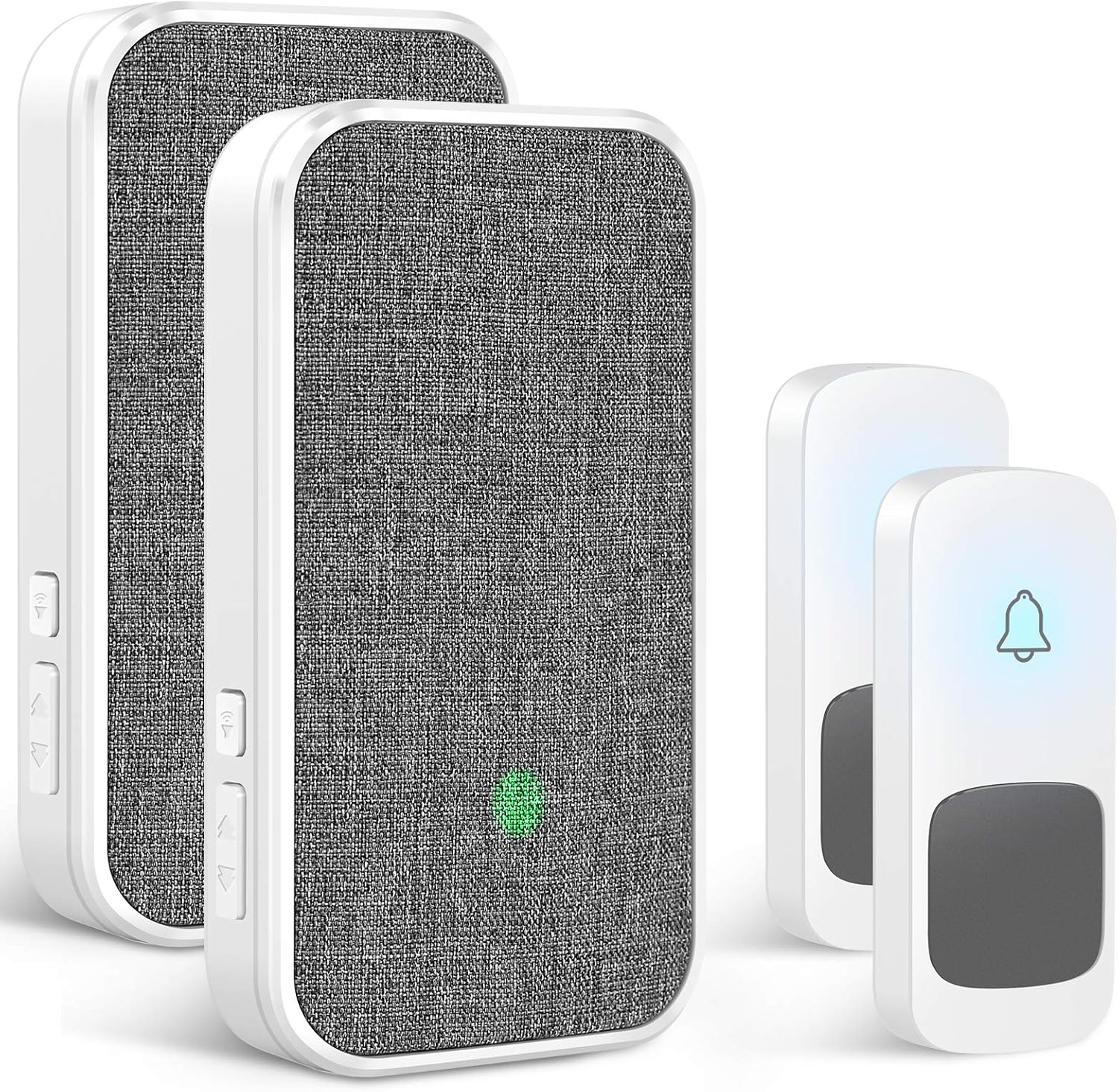
Coolqiya Wireless Doorbell: Pairing & Setup Guide for 2 Transmitters + 2 Plug-in Receivers
This manual provides detailed instructions for pairing Coolqiya wireless doorbell transmitters and receivers, setting different ringtones for multiple doors, and troubleshooting.…
Manual and instructions
Instruction-focused content generated from the current product data and source context.
Coolqiya Wireless Doorbell User Manual
Welcome to your new Coolqiya Wireless Doorbell system! This manual will guide you through the setup, operation, and maintenance of your doorbell to ensure a seamless experience. Your doorbell features a unique fabric finish, long-range transmission, multiple ringtones, and easy installation.
Setup and Installation
Before you begin: It is highly recommended to pair the transmitters with the receivers and select your desired doorbell sound before permanently installing the transmitter buttons.
Pairing Transmitters with Receivers
You can pair transmitters with receivers one by one for a new code to get a ring tone or to expand your system with additional buttons/receivers.
- Plug in the Receiver: Plug one receiver into a standard electrical socket.
- Select Ringtone: On this receiver, choose the sound you want for the paired transmitter.
- Initiate Pairing Mode: Press and hold the Volume button on the receiver for approximately 5 seconds. The receiver will blink and emit a "ding" sound, indicating it's in pairing mode.
- Activate Transmitter: Within 5 seconds of the receiver entering pairing mode, push the transmitter button you wish to pair.
- Confirmation: You will hear the music you set, confirming successful pairing.
- Repeat for Other Devices: Follow the same steps to pair other transmitter buttons with your receivers.
Installing Transmitters
The transmitter buttons are IP55 waterproof and designed for outdoor use.
- Method 1 (Adhesive): Use the included sticky pad to attach the transmitter to your desired location.
- Method 2 (Screws): For a more secure installation, use the provided anchors and screws.
Setting Different Ringtones for Multiple Doors
If you have two transmitters (e.g., for a front door and a back door), you can set different ringtones for each.
- Front Door (Transmitter A): Pair Transmitter A to all your receivers one by one, selecting your desired ringtone for the front door (e.g., Ringtone #A). When Transmitter A is activated, all receivers will ring with Ringtone #A.
- Back Door (Transmitter B): Similarly, pair Transmitter B to all your receivers one by one, selecting a different ringtone for the back door (e.g., Ringtone #B). When Transmitter B is activated, all receivers will ring with Ringtone #B.
Operation
Ringtones and Volume
- Your doorbell offers 58 different ringtones.
- There are 5 levels of volume adjustment, ranging from 0-110 dB.
Mute Mode
You can set the receivers to mute mode. In this mode, only the indicator light will flash when the doorbell is pressed, which is ideal for not disturbing sleeping babies or during quiet times.
Memory Function
The doorbell has a memory function, meaning it will retain your chosen ringtone and volume settings even if power is removed from the receiver.
Maintenance and Troubleshooting
Random Ringing / Interference
If your doorbell rings randomly, it's likely due to interference from another doorbell operating on the same frequency. To resolve this, you need to clear the existing code and re-pair your devices.
- Clear Receiver Code: Press and hold the Forward Button on the receiver for approximately 5 seconds until it blinks and emits a "ding" sound. This clears the current code.
- Re-pair Transmitters: Re-pair each transmitter that needs to control the receiver, one by one, to establish a new code. Refer to the "Pairing Transmitters with Receivers" section (steps 1-3) for detailed instructions.
Transmitter Battery Replacement
If a transmitter stops working, the battery may need replacement. Use the small screwdriver (included) to open the transmitter, remove the front cover, and replace the Lithium Metal battery.
Practical FAQ
Q: Can I expand my doorbell system?
A: Yes, you can expand your system with up to 20+ additional receivers and remote door buttons (transmitters).
Q: How far can the doorbell transmit its signal?
A: The doorbell has a super long operating range of up to 1300ft, even through various materials like glass, metal, and wood.
Q: Is the doorbell button waterproof?
A: Yes, the doorbell push buttons have an IP55 rating, making them water-resistant and suitable for outdoor use.
Q: Will the doorbell settings be lost if I unplug the receiver?
A: No, the doorbell has a memory function that retains your chosen ringtone and volume settings even after being unplugged.
Q: What if I've already installed the transmitter and need to pair it?
A: If your transmitter is already installed, use the small screwdriver (included) to open it and remove the front cover. Then, bring it close to the receiver to pair, following the pairing instructions.
Q: My doorbell is ringing randomly. What should I do?
A: This usually indicates interference. Clear the code on the receiver and re-pair your transmitters as described in the "Random Ringing / Interference" troubleshooting section.
Q: Is the doorbell loud enough for a large house?
A: Yes, with 5 volume levels and a maximum of 110 dB, it's loud enough to be heard throughout a large house, office, classroom, warehouse, or hospital.
Q: Is there a visual indicator for the hearing impaired?
A: Yes, the receiver features an LED flash indicator that is perfect for the hearing impaired or deaf, or when the doorbell is in mute mode.
Frequently asked questions
Frequently Asked Questions
Q: How do I pair the transmitters with the receivers? A: Plug a receiver into a socket and select your desired chime. Press and hold the volume button on the receiver for about 5 seconds until it blinks and makes a "ding" sound. Within 5 seconds, press the transmitter button you want to pair. You should then hear the selected chime, confirming successful pairing. Repeat for other transmitters and receivers. Q: What should I do if the doorbell rings randomly? A: Random ringing can be caused by interference. To fix this, clear the code on the receiver by pressing and holding the 'Forward' button for about 5 seconds until it blinks and dings. Then, re-pair all your transmitters with the receivers one by one to establish new codes. Q: Can I set different ringtones for different doors? A: Yes, you can! Pair each transmitter (e.g., front door, back door) to your receivers individually, selecting a different ringtone for each transmitter during the pairing process. This allows you to distinguish which door a visitor is at. Q: Is the doorbell waterproof for outdoor use? A: The doorbell push buttons (transmitters) are IP55 waterproof rated, meaning they are resistant to dust and water splashes, making them suitable for outdoor installation in various weather conditions. Q: Does the doorbell remember my settings if it's unplugged? A: Yes, the Coolqiya doorbell features a memory function. It will retain your chosen ringtone and volume settings even if the receiver is unplugged or loses power. Q: How far can the doorbell transmitters and receivers communicate? A: The advertised range is up to 1300 feet (1000 feet according to some sources) in an open area. However, obstacles like walls, electrical devices, and other wireless signals can reduce this range. Even with interference, it typically provides ample range for most homes. Q: Can I add more receivers or transmitters to this system? A: Yes, the system is expandable. You can purchase additional Coolqiya receivers and transmitters separately and easily pair them with your existing system to cover more areas of your home or add more entry points.Specifications
Structured product details pulled from the latest available product data.
| Brand | Coolqiya |
|---|---|
| Manufacturer | Fuyingxing |
| Category | Tools & Home Improvement > Electrical > Door Chimes & Bells > Kits |
| Weight | 10.3 ounces |
| First Available | December 24, 2020 |
| Item Weight | 10.3 ounces |
| Package Dimensions | 5.71 x 4.96 x 2.6 inches |
| Batteries | 4 Lithium Metal batteries required. |
| Pattern | 2 Transmitters+2 plug-in Receivers |
| Batteries Included? | Yes |
| Batteries Required? | Yes |
| Battery Cell Type | Lithium Metal |
| ASIN | B08R8M9YSR |
| Customer Reviews | 4.6 out of 5 stars 326 ratings 4.6 out of 5 stars |
| Best Sellers Rank | #94,260 in Tools & Home Improvement |
| Date First Available | December 24, 2020 |
Use this page carefully
ProductReviewGPT pages are AI-assisted summaries. When a source document is available, it should take priority over the generated summary for important operating, warranty, safety, or compliance details.