
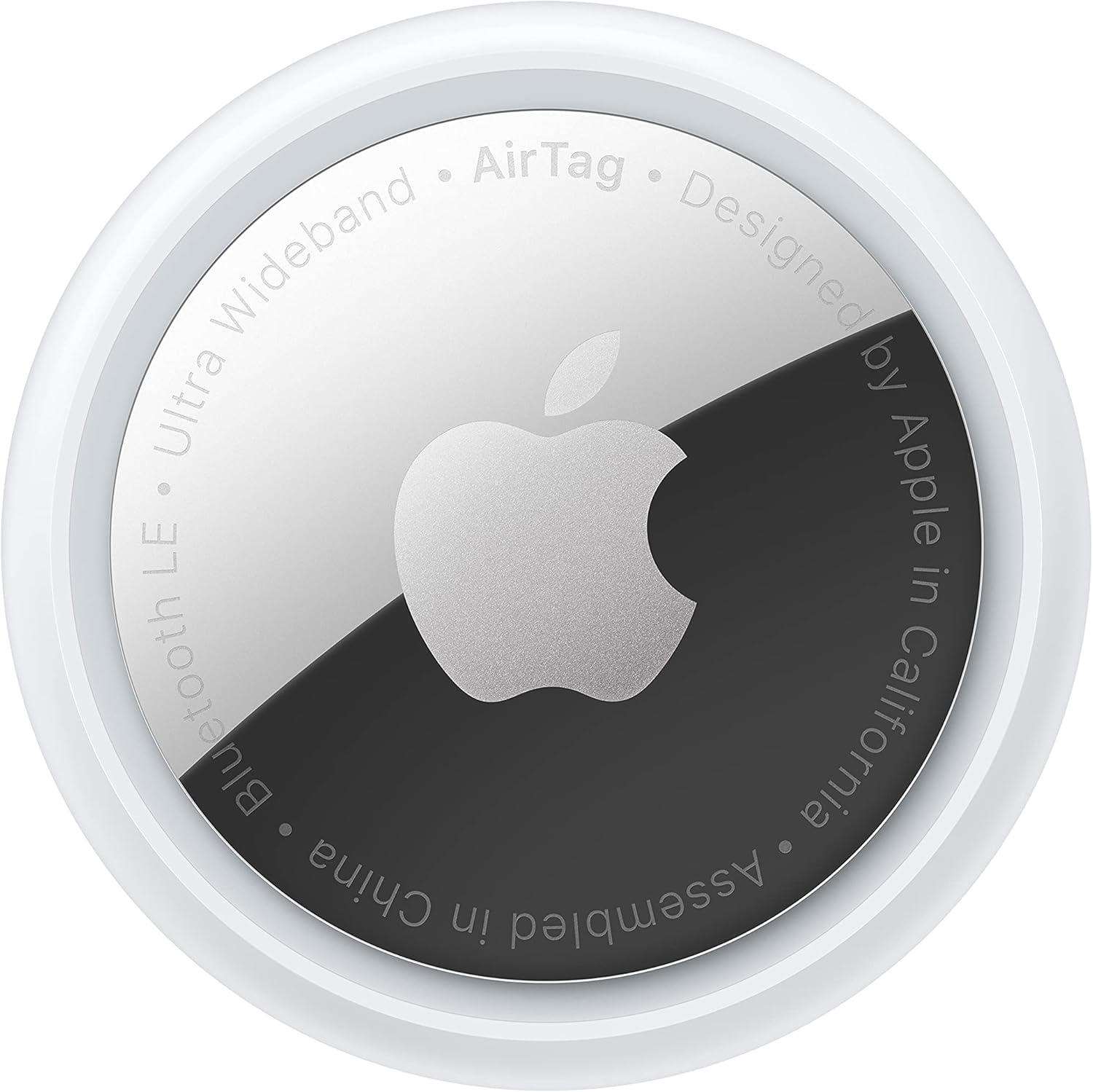
Apple AirTag - Item Tracker
The Apple AirTag is a revolutionary device designed to help you keep track of your belongings. With its cutting-edge technology, you can easily locate your lost items using your i…
Manual and instructions
Instruction-focused content generated from the current product data and source context.
Apple AirTag User Manual
Getting Started
- Unbox your Apple AirTag.
- Remove the plastic tab to activate the battery.
- Make sure your iPhone or iPad is running iOS 14.5 or later.
Setting up your AirTag
- Turn on Bluetooth on your iPhone or iPad.
- Bring the AirTag close to your device.
- A setup window will appear on your device. Tap "Connect."
- Select a name for your AirTag, or add a custom name.
- Tap "Continue" and follow the on-screen instructions to complete the setup.
Finding your AirTag
- Open the Find My app on your iPhone or iPad.
- Select the "Items" tab.
- Choose your AirTag from the list of items.
- Tap "Find" to get directions to your AirTag, or tap "Play Sound" to make the AirTag play a sound.
Replacing the battery
- Press down on the back of the AirTag and twist counterclockwise.
- Remove the old battery and insert a new CR2032 battery with the positive side facing up.
- Place the back cover on the AirTag and twist clockwise to secure it.
Using Lost Mode
- Open the Find My app and select the "Items" tab.
- Choose your AirTag and tap "Activate" under Lost Mode.
- Follow the on-screen instructions to enable notifications and add a phone number or message if desired.
Apple AirTag FAQ
Q: What is the farthest distance to be active?
A: The Bluetooth range is about 10 ft. However, the AirTag can be detected by other Apple devices with Find My enabled, which can help locate it when it's farther away. It's most effective as a reminder that you left something behind.
Q: Can you leave one in your car for those of us who can't remember where we parked?
A: Yes, you can leave an AirTag in your car. It can help you locate your car in large parking lots or even underground lots. While it requires an iPhone to pass within range to update its location, there are many iPhones out there, making it an effective tracking solution.
Q: Which iPhones have the U1 chip this product requires?
A: iPhone 11-13 have the U1 chip, but the AirTag can also work with other Apple phones running iOS 14.5 or later. The U1 chip provides precise tracking, while older iPhones may not have as accurate tracking capabilities.
Q: How far can you travel with this? Also, how long does the battery last?
A: The battery can last over a year. As for the range, the AirTag relies on other Apple devices with Find My enabled to update its location, so its range depends on the density of iPhones in the area.
Q: How does this connect to Wi-Fi or the internet for tracking to be possible?
A: The AirTag does not connect to Wi-Fi. It broadcasts its ID over Bluetooth, and nearby iPhones with Find My enabled transmit the AirTag's location to Apple, which then notifies the owner of the last known location.
Q: What is the oldest iPhone with which this is compatible?
A: The AirTag is compatible with any iPhone running iOS 14.5 or later. However, for full functionality, you need an iPhone 11 or newer.
Q: Can it be paired with more than one iPhone?
A: The AirTag can only be paired with one iPhone. Family members can silence the AirTag of another family member, but they cannot track it.
Q: Can it be attached to a TV remote control? If so, how?
A: You can attach the AirTag to a TV remote control by using a remote cover and placing the AirTag in between.
Q: Is there a distance range on it?
A: The Bluetooth range is approximately 30 feet. However, its location can be updated by other iPhones with Find My enabled that come within range, extending its effective range.
Q: How far is the range? For example, if I'm home but I left my bag at my office, would the tag locate it?
A: If someone at your office has the Find My app enabled or if your Find My app pinged the AirTag while you were at the office, you should have a record of where the AirTag was last known to be. If someone moves your bag, and another iPhone with Find My enabled comes within range, you should be able to see an updated location.
Frequently asked questions
Product: Apple AirTag
Category: All Departments
Specifications:
- Brand: Apple
- Color: White
- Item Dimensions LxWxH: 1.6 x 1.6 x 0.31 inches
- Item Weight: 0.39 Ounces
- Connectivity Technology: Bluetooth
- Control Method: App
- Battery Life: 1 year
- Number of Batteries: 1 Lithium Metal batteries required. (included)
- Compatible Devices: Smartphone
- Are Batteries Included: Yes
- IP67 water and dust resistant
Features:
- Keep track of and find your items alongside friends and devices in the Find My app
- Simple one-tap setup instantly connects AirTag with your iPhone or iPad
- Play a sound on the built-in speaker to help find your things, or just ask Siri for help
- Precision Finding with Ultra Wideband technology leads you right to your nearby AirTag (on select iPhone models)
- Find items further away with the help of hundreds of millions of Apple devices in the Find My network
- Put AirTag into Lost Mode to be automatically notified when it’s detected in the Find My network
- All communication with the Find My network is anonymous and encrypted for privacy, Location data and history are never stored on AirTag
- Replaceable battery lasts over a year
- Make AirTag yours with a range of colorful accessories, sold separately
FAQ:
Q: What is the fartest distance to be active?
A: About 10 ft. It’s worthless. When I first got it, it would give directions to where it was. An update has taken that feature away. If lost the tag needs to be moving on the area of another apple product with find my active for your gage to even long it’s location. About all it’s worth for is a reminder you left something behind. When I get about 40 Feet away from the tag my phone sends me an alert I left it behind. From that point the tag longs nothing and I can’t see it on my Find My app until I’m back in the house! It’s a $45 reminder -that’s it. I bought it to put on my dog and the first few months I had it it worked well. But between illegal stalking use and launching the network location sharing nation wide -updates have made it worthless. And that’s coming from Apple.
Q: Can you leave one in your car, for those of us who can’t remember where we parked?
Specifications
Structured product details pulled from the latest available product data.
| Brand | Apple |
|---|---|
| Manufacturer | Apple |
| Model Number | MX532AM/A |
| Material | Stainless Steel |
| Weight | 0.39 ounces |
| Dimensions | 0.47 x 4.09 x 3.27 inches |
| First Available | April 20, 2021 |
| Product Dimensions | 0.47 x 4.09 x 3.27 inches |
| Item Weight | 0.39 ounces |
| ASIN | B0933BVK6T |
| Country of Origin | China |
| Item model number | MX532AM/A |
| Batteries | 1 Lithium Metal batteries required. (included) |
| Date First Available | April 20, 2021 |
| Are Batteries Included | Yes |
| Number of Batteries | 1 Lithium Metal batteries required. (included) |
| Compatible Devices | Smartphone |
Use this page carefully
ProductReviewGPT pages are AI-assisted summaries. When a source document is available, it should take priority over the generated summary for important operating, warranty, safety, or compliance details.