
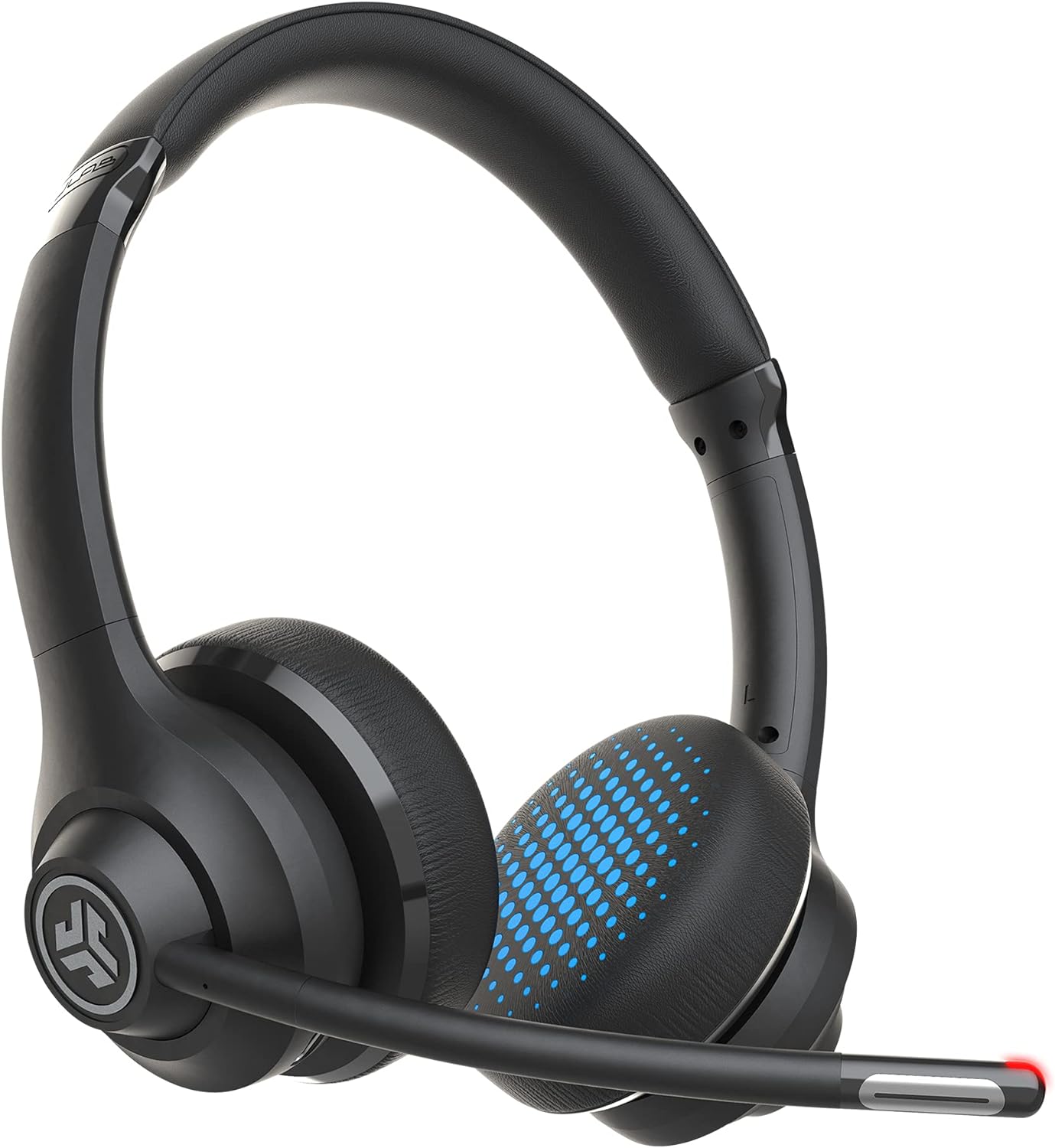
JLab Go Work Wireless On-Ear Headphones with Boom Mic.
The JLab Go Work Wireless On-Ear Headphones with Boom Mic is a versatile and comfortable headset that is perfect for both work and play. With its dual connectivity feature, you ca…
Manual and instructions
Instruction-focused content generated from the current product data and source context.
JLab Go Work Wireless On-Ear Headphones User Manual
Package Contents
- GO Work Wireless On-Ear Headset
- Type-C Charging Cable
- Type-C to 3.5mm AUX Cable for Wired Use
- JLab Two Year Warranty
Getting Started
- Charge the headset using the included Type-C charging cable. Connect the cable to the charging port on the headset and a USB power source.
- Power on the headset by pressing and holding the power button for 3 seconds. The LED indicator will turn blue, and you will hear a voice prompt saying "Power on."
- Activate Bluetooth on your device (PC, Mac, mobile, etc.) and search for available devices. Select "JLab GO Work" from the list of devices to pair.
- Once connected, you will hear a voice prompt saying "Connected." You are now ready to use your JLab Go Work Wireless On-Ear Headphones.
Using the Headset
The headset features multi-functional buttons for easy control:
- Play/Pause: Press the play/pause button.
- Answer/Reject Call: Press the play/pause button to answer, press and hold for 2 seconds to reject.
- Volume: Press the volume up/down buttons to adjust the volume.
- Mute: Press the mute button to toggle mute on/off. The LED at the end of the boom mic will turn red when mute is on.
- Track Control: Press and hold the volume up/down buttons for 2 seconds to skip tracks forward/backward.
- EQ Settings: Press the EQ button to switch between Work and Music mode.
To use the headset in wired mode, connect the included Type-C to 3.5mm AUX cable to your device and the headset.
Charging and Battery Life
The JLab Go Work Wireless On-Ear Headphones have a battery life of over 45 hours. To charge the headset, connect the included Type-C charging cable to the charging port on the headset and a USB power source. The LED indicator will turn red while charging and turn off when fully charged.
FAQ
How do I connect the JLab Go Work Wireless On-Ear Headphones to my device?
Power on the headset and activate Bluetooth on your device. Search for available devices and select "JLab GO Work" from the list to pair.
Can I connect the headset to multiple devices at once?
Yes, the headset supports Bluetooth multipoint technology, allowing you to connect to two devices simultaneously. Transition between devices without changing any settings.
How do I use the headset in wired mode?
Connect the included Type-C to 3.5mm AUX cable to your device and the headset to use in wired mode.
How do I know if the mute function is on?
The LED at the end of the boom mic will turn red when mute is on.
How long does the battery last on the JLab Go Work Wireless On-Ear Headphones?
The battery lasts for over 45 hours of playtime on a single charge.
How do I charge the JLab Go Work Wireless On-Ear Headphones?
Connect the included Type-C charging cable to the charging port on the headset and a USB power source. The LED indicator will turn red while charging and turn off when fully charged.
Frequently asked questions
Q: What is the connectivity technology of the JLab Go Work Wireless On-Ear Headphones?
A: The JLab Go Work Wireless On-Ear Headphones have both wireless and wired connectivity technology.
Q: Can I connect to multiple devices simultaneously with these headphones?
A: Yes, you can connect to any two devices simultaneously using Bluetooth multipoint technology.
Q: How is the call quality on these headphones?
A: The C3 Calling feature uses dual microphones to ensure crystal clear voice quality even in noisy environments.
Q: What is the battery life of these headphones?
A: You can enjoy up to 45+ hours of playtime on a single charge.
Q: Is there a mute function on these headphones?
A: Yes, you can quickly toggle the mute function via the controls on the headset. A red LED at the end of the boom mic easily indicates whether mute is on.
Q: Are the earpads changeable?
A: The earpads are not removable.
Q: Can these headphones be used with Windows 11 and Apple laptops?
A: Yes, they are compatible with Windows 11 and Apple laptops.
Q: Is there a blinking light on these headphones and can it be turned off?
A: There is a blue blinking light that cannot be turned off, but you can cover it with tape if it's bothersome.
Q: Are there any hard cases available for these headphones?
A: There are various hard cases available on Amazon that will fit these headphones.
Q: Do these headphones fit larger heads?
A: Yes, they fit larger heads comfortably.
Specifications
Structured product details pulled from the latest available product data.
| Brand | JLab |
|---|---|
| Manufacturer | JLAB |
| Model Number | gowork |
| Category | Electronics > Headphones, Earbuds & Accessories > Headphones & Earbuds > On-Ear Headphones |
| Color | Black |
| Material | Plastic |
| Weight | 9.6 ounces |
| First Available | May 30, 2021 |
| Model Name | Go Work |
| Connectivity Technology | Bluetooth, 3.5mm AUX |
| Wireless Communication Technology | Bluetooth |
| Included Components | GO Work Wireless On-Ear Headset, Type-C Charging Cable, Type-C to 3.5mm AUX Cable for Wired Use, JLab Two Year Warranty. |
| Age Range (Description) | Adult |
| Specific Uses For Product | Professional |
| Charging Time | 45 Hours |
| Compatible Devices | Tablets, Telephones, Laptops, Desktops, Smart Speaker |
| Control Type | Volume Control |
| Cable Feature | Without Cable |
| Item Weight | 9.6 ounces |
| Water Resistance Level | Not Water Resistant |
| Frequency Range | 20 Hz - 20 kHz |
| Unit Count | 1 Count |
| Style | Go Work |
| Control Method | Touch |
| Number of Items | 1 |
| Cable Length | 3.5 Millimeters |
| Battery Life | 45 Hours |
| Audio Driver Type | Dynamic Driver |
| Earpiece Shape | On-ear |
| Is Autographed | No |
| Series Number | 1 |
| UPC | 812887019569 |
| Global Trade Identification Number | 00812887019569 |
| ASIN | B09674F2X6 |
| Item model number | gowork |
| Batteries | 1 Lithium Polymer batteries required. |
| Customer Reviews | 3.9 3.9 out of 5 stars 10,250 ratings 3.9 out of 5 stars |
| Best Sellers Rank | #4,949 in Electronics (See Top 100 in Electronics) #95 in On-Ear Headphones |
| Is Discontinued By Manufacturer | No |
| Date First Available | May 30, 2021 |
| Department | unisex-adult |
| Ear Placement | On Ear |
| Form Factor | On Ear |
| Headphones Jack | 3.5 mm Jack |
Use this page carefully
ProductReviewGPT pages are AI-assisted summaries. When a source document is available, it should take priority over the generated summary for important operating, warranty, safety, or compliance details.