
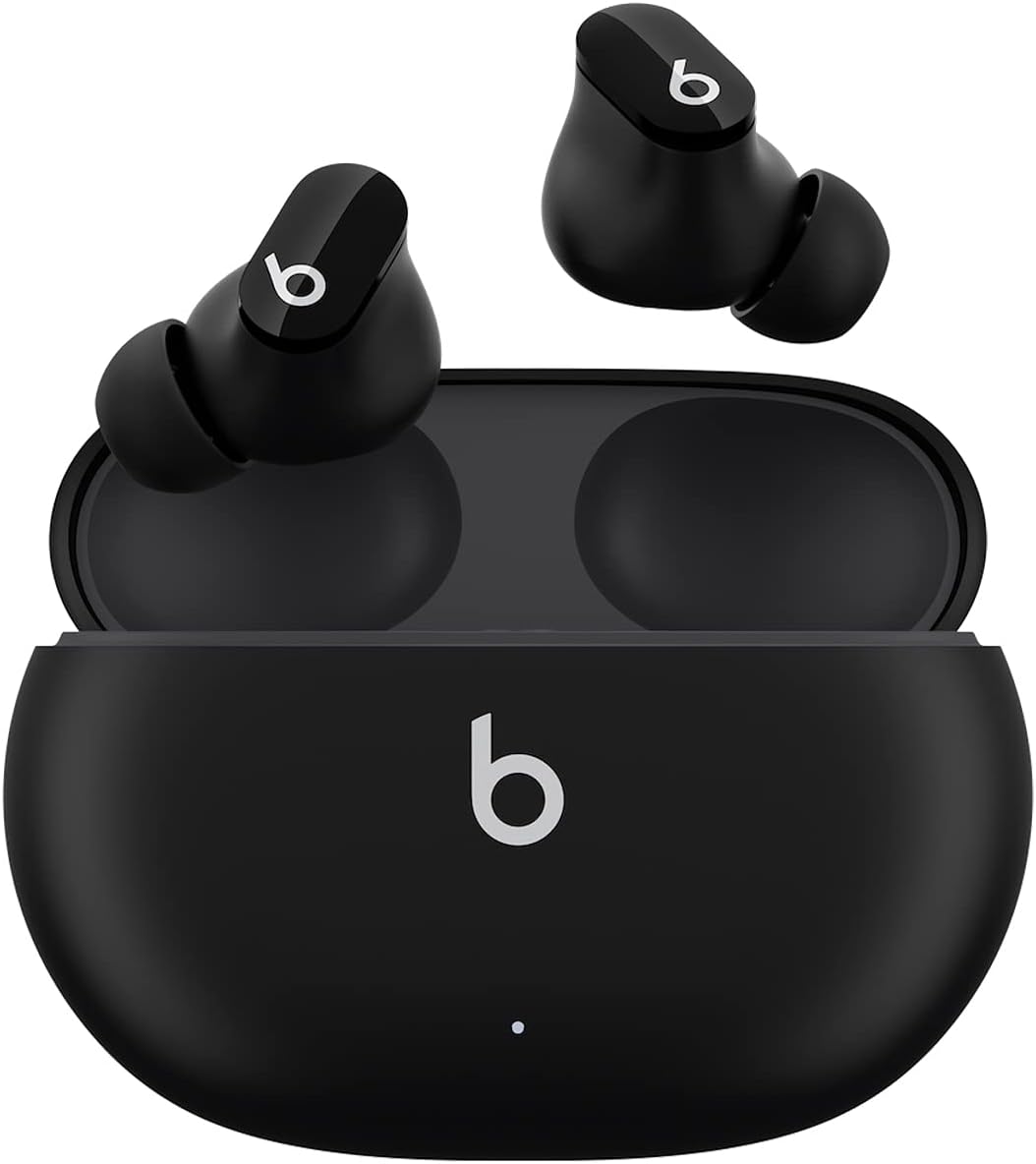
Beats Studio Buds - True Wireless Earbuds (Black)
Introducing the new Beats Studio Buds, the ultimate true wireless noise-canceling earbuds that are compatible with both Apple and Android devices. These sleek and stylish earbuds…
Manual and instructions
Instruction-focused content generated from the current product data and source context.
Beats Studio Buds User Manual
Getting Started
- Open the box and remove the Beats Studio Buds and the charging case.
- Choose the eartip size that best fits your ears for a comfortable fit and optimal sound experience.
- Place the earbuds in your ears.
- To turn on the earbuds, simply remove them from the charging case. They will automatically power on.
Pairing Your Device
- Enable Bluetooth on your device (Apple or Android).
- Place the earbuds in the charging case with the lid open.
- Hold the system button on the case until the LED indicator flashes white.
- Select "Beats Studio Buds" from the list of Bluetooth devices on your phone or tablet to connect.
Charging Your Earbuds
- Place the earbuds in the charging case.
- Connect the case to a power source using the included USB-C to USB-C charging cable.
- The LED indicator on the front of the case will show the charging status.
Using Active Noise Cancelling (ANC) and Transparency Mode
- Press and hold the Beats logo button on either earbud to switch between ANC and Transparency mode.
- ANC mode blocks external noise, while Transparency mode allows you to hear your surroundings.
Making Calls and Using Voice Assistant
- To answer or end a call, press the Beats logo button once.
- To activate your device’s voice assistant, press and hold the Beats logo button.
Troubleshooting Tips
- Earbuds Not Charging: Ensure the charging case is connected to a power source and the earbuds are correctly seated in the case.
- Bluetooth Connection Issues: Make sure the earbuds are within range of your device and that Bluetooth is enabled. If problems persist, try forgetting the device in your Bluetooth settings and re-pairing.
- Audio Quality Issues: Check if the eartips are properly attached and that you are using the correct size for your ears. Also, ensure there is no debris on the earbuds.
- ANC/Transparency Mode Not Working: Press and hold the Beats logo button to switch modes. If this does not work, reset your earbuds.
Frequently Asked Questions (FAQ)
How long does the battery last on a single charge?
Beats Studio Buds provide up to 8 hours of listening time, with an additional 16 hours provided by the charging case for a total of 24 hours.
Are the Beats Studio Buds waterproof?
The earbuds are IPX4-rated, meaning they are sweat and water resistant, but not waterproof. They should not be submerged in water or exposed to heavy rain.
Can I use just one earbud at a time?
Yes, you can use one earbud independently if you prefer.
Do the earbuds come with a warranty?
Yes, the Beats Studio Buds come with a warranty card in the box. Please refer to the card for warranty details.
Is there an app to control the Beats Studio Buds?
While there is no dedicated app, you can control the earbuds’ features directly through the Bluetooth settings on your device or by using the built-in controls on the earbuds.
Frequently asked questions
Q: What is the color of the Beats Studio Buds?
A: The Beats Studio Buds are available in black color.
Q: Are the Beats Studio Buds compatible with both Apple and Android devices?
A: Yes, the Beats Studio Buds are compatible with Apple and Android devices.
Q: What are the two distinct listening modes available on the Beats Studio Buds?
A: The Beats Studio Buds offer two distinct listening modes: Active Noise Cancelling (ANC) and Transparency mode.
Q: How many eartip sizes are included with the Beats Studio Buds?
A: The Beats Studio Buds come with three soft eartip sizes to ensure a stable and comfortable fit.
Q: How long is the listening time on the Beats Studio Buds?
A: The Beats Studio Buds provide up to 8 hours of listening time. When combined with the pocket-sized charging case, it can provide up to 24 hours of listening time.
Q: What is the Bluetooth technology used in the Beats Studio Buds?
A: The Beats Studio Buds feature industry-leading Class 1 Bluetooth for extended range and fewer dropouts.
Q: Can I make calls and interact with voice assistants using the Beats Studio Buds?
A: Yes, the built-in microphones on the Beats Studio Buds ensure high-quality call performance and voice assistant interaction.
Q: Are the Beats Studio Buds sweat and water-resistant?
A: Yes, the Beats Studio Buds have an IPX4 rating, making them sweat and water-resistant.
Q: What accessories are included with the Beats Studio Buds?
A: The package includes the following items - Beats Studio Buds True Wireless Noise Cancelling Earphones, charging case, eartips with three size options, USB-C to USB-C charging cable, Quick Start Guide, Warranty card (USB-C power adapter sold separately).
Q: What is the warranty period for the Beats Studio Buds?
A: The warranty period for the Beats Studio Buds is mentioned in the included Warranty card.
Specifications
Structured product details pulled from the latest available product data.
| Brand | Beats |
|---|---|
| Manufacturer | Beats |
| Model Number | MJ4X3LL/A |
| Color | Black |
| Material | Plastic |
| Weight | 0.176 ounces |
| Dimensions | 2.83 x 2.01 x 1 inches |
| First Available | June 14, 2021 |
| Headphones Jack | USB |
| Model Name | Beats Studio Buds |
| Connectivity Technology | Wireless |
| Included Components | Eartip, Wireless Charging Case, Cable, User Manual, Warranty Card, Wireless Earbuds |
| Age Range (Description) | Adult, Teen |
| Specific Uses For Product | Travel, Entertainment, Fitness |
| Charging Time | 8 Hours |
| Recommended Uses For Product | Cycling, Office Meetings, Calling, Exercising, Gaming |
| Compatible Devices | Cellphones, Gaming Consoles, Tablets, Laptops, Desktops |
| Control Type | Media Control, Volume Control, Voice Control, Call Control, Noise Control |
| Cable Feature | Without Cable |
| Item Weight | 5 Grams |
| Water Resistance Level | Water Resistant |
| Frequency Range | 20 - 20000 hertz |
| Unit Count | 1.0 Count |
| Style | Studio Buds |
| Control Method | App, Touch, Voice |
| Number of Items | 1 |
| Controller Type | Button, Siri, Touch |
| Battery Life | 8 Hours |
| Audio Driver Type | Dynamic Driver |
| Bluetooth Range | 100 Meters |
| Bluetooth Version | 5.2 |
| Carrying Case Battery Average Life | 24 Hours |
| Carrying Case Material | Plastic |
| Carrying Case Color | Black |
| Earpiece Shape | Bud |
| Is Autographed | No |
| UPC | 194252388297 |
| Global Trade Identification Number | 30194252388298 |
| Product Dimensions | 2.83 x 2.01 x 1 inches |
| Item Weight | 0.176 ounces |
| Department | Unisex-Adult |
| ASIN | B096SV8SJG |
| Country of Origin | China |
| Item model number | MJ4X3LL/A |
| Batteries | 3 Lithium Ion batteries required. (included) |
| Date First Available | June 14, 2021 |
| Color | Black |
| Ear Placement | In Ear |
| Form Factor | In Ear, True Wireless |
| Noise Control | Active Noise Cancellation, Sound Isolation |
| Weight | Studio Buds (each): 5g, Case: 48g, Total: 58g |
| Dimensions | Length: (case) 7.2cm / 2.83in (bud) 2.05cm / 0.81in, Width: (case) 5.1cm / 2in (bud) 1.85cm / 0.73in, Height: (case) 2.55cm / 1in (bud) 1.5cm / 0.59in |
| Power and Battery | Beats Studio Buds (single charge): up to 8 hours of listening time. Fast Fuel: a 5-minute charge provides up to 1 hour of playback. |
| Release Date | 6/25/2021 |
Use this page carefully
ProductReviewGPT pages are AI-assisted summaries. When a source document is available, it should take priority over the generated summary for important operating, warranty, safety, or compliance details.