
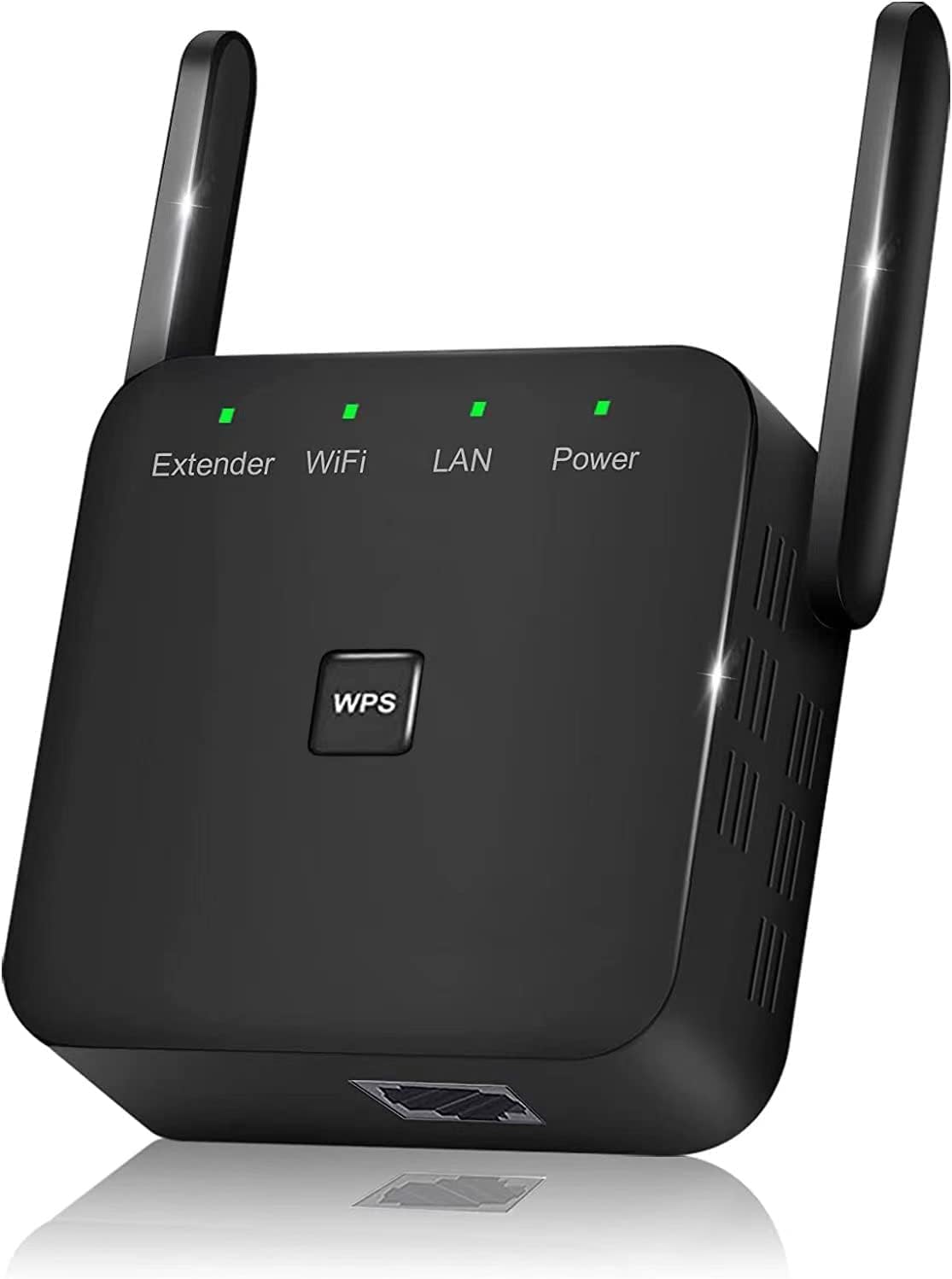
JEXDZ WiFi Extender - Boost Your Internet Signal!
The 2022 Newest WiFi Extender, WiFi Repeater, WiFi Booster is the perfect solution for anyone experiencing weak WiFi signals or dead zones in their home or office. This device is…
Manual and instructions
Instruction-focused content generated from the current product data and source context.
WiFi Extender User Manual
Package Contents
- WiFi Extender
- User Manual
Product Features
- Extended wireless coverage
- Connects up to 40 devices
- Eliminates Wi-Fi dead zones
- Universal compatibility
- Long range: Covers up to 7860 Sq.ft
- One touch connection (WPS)
- Easy setup with smart indicator light
Setup
- Plug the WiFi Extender into an electrical outlet close to your router.
- Wait for the power LED on the extender to turn solid green.
- Press the WPS button on your router.
- Within 2 minutes, press the WPS button on the WiFi Extender.
- Once connected, the extender's LED will turn solid green.
- Unplug the extender and move it to your desired location. The location should be within the range of your router and the area where you need better Wi-Fi coverage.
- Plug the extender back into the electrical outlet and wait for the power LED to turn solid green.
- Check the signal strength LED on the extender. A solid green LED indicates a strong connection. If the LED is red or not lit, move the extender closer to the router and try again.
- Connect your devices to the extended Wi-Fi network. The network name will be the same as your router's network name with "_EXT" added at the end.
Troubleshooting Tips
- If the extender is not connecting to your router, try resetting both devices and repeating the setup process.
- If the signal strength LED is red or not lit, move the extender closer to the router.
- Ensure that the extender is within the range of your router and the area where you need better Wi-Fi coverage.
- If you experience connection issues with your devices, try reconnecting them to the extended Wi-Fi network.
- For any further issues, consult the manufacturer's customer support.
FAQ
How do I set up the WiFi Extender?
Follow the step-by-step setup instructions provided in the user manual. The process involves plugging the extender into an electrical outlet, pressing the WPS buttons on both the router and extender, and moving the extender to your desired location.
What is the range of the WiFi Extender?
The WiFi Extender covers up to 7860 Sq.ft and can connect up to 40 devices.
Is the WiFi Extender compatible with my router?
The WiFi Extender is universally compatible with any router, gateway, or access point.
How do I know if the extender is connected to my router?
When the extender is connected to your router, the LED on the extender will turn solid green.
What should I do if my devices are not connecting to the extended Wi-Fi network?
If your devices are not connecting to the extended Wi-Fi network, try reconnecting them to the network. If the issue persists, try resetting the extender and repeating the setup process.
Frequently asked questions
Q: What devices can this WiFi extender connect to?
A: This WiFi extender can connect to up to 40 devices, including smartphones, laptops, tablets, speakers, IP cameras, IoT devices, and Alexa devices.
Q: Can this WiFi extender eliminate dead zones in my home?
A: Yes, this WiFi extender can eliminate dead zones and provide extended wireless coverage.
Q: Is this WiFi extender compatible with any router or access point?
A: Yes, this WiFi extender is universally compatible with any router, gateway, or access point.
Q: What is the range of this WiFi extender?
A: This WiFi extender covers up to 7860 square feet.
Q: Is the setup process easy?
A: Yes, the setup process is quick and easy. It takes only a few minutes and is aided by a smart indicator light.
Q: Does this WiFi extender have an Ethernet port?
A: Yes, this WiFi extender has a Fast Ethernet port for wired device connections.
Q: How do I connect the WiFi extender to my router?
A: You can press the WPS button on your router and then press the WPS button on the WiFi extender for a fast and easy connection.
Q: Where is this product manufactured?
A: This product is manufactured in China.
Q: What is the weight and dimensions of this product?
A: The weight of this product is 3.52 ounces and its dimensions are 3 x 3 x 3 inches.
Q: What is the ASIN of this product?
A: The ASIN of this product is B0B5P9KJ2G.
Specifications
Structured product details pulled from the latest available product data.
| Brand | JEXDZ |
|---|---|
| Manufacturer | JEXDZ |
| Category | Electronics > Computers & Accessories > Networking Products > Repeaters |
| Weight | 3.52 ounces |
| Dimensions | 3 x 3 x 3 inches |
| First Available | July 3, 2022 |
| Product Dimensions | 3 x 3 x 3 inches |
| Item Weight | 3.52 ounces |
| ASIN | B0B5P9KJ2G |
| Customer Reviews | 4.4 out of 5 stars 403 ratings 4.4 out of 5 stars |
| Best Sellers Rank | #6 in Repeaters |
| Date First Available | July 3, 2022 |
| Country of Origin | China |
| Item Dimensions LxWxH | 3 x 3 x 3 inches |
| Range | 4000 Square Feet |
Use this page carefully
ProductReviewGPT pages are AI-assisted summaries. When a source document is available, it should take priority over the generated summary for important operating, warranty, safety, or compliance details.