
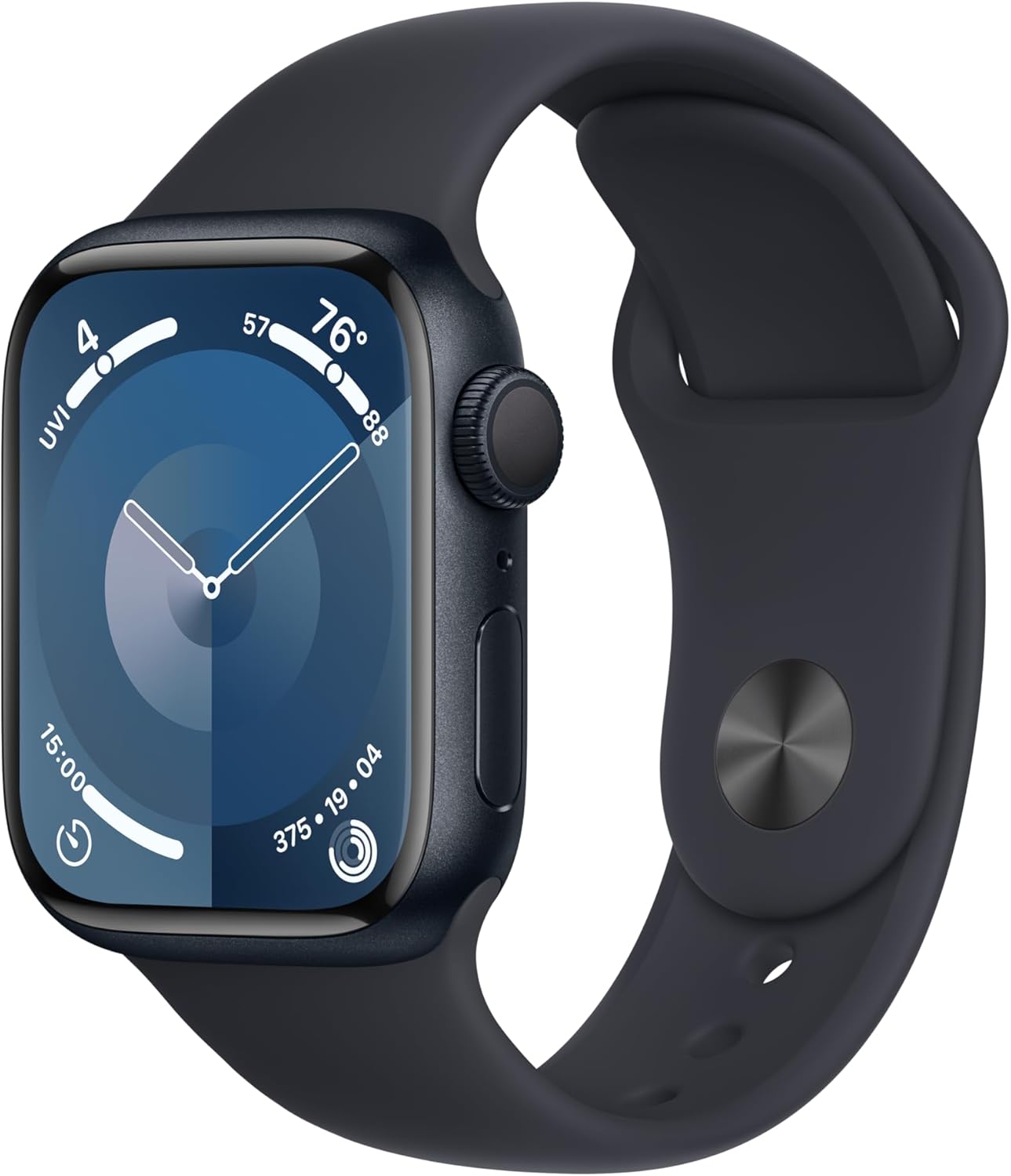
Apple Watch Series 9 GPS 41mm Midnight Aluminum Case with Midnight Sport Band
The Apple Watch Series 9 GPS is your ultimate companion for a healthy and connected lifestyle. With its powerful S9 chip, this watch offers a superbright display and a new touchle…
Manual and instructions
Instruction-focused content generated from the current product data and source context.
Apple Watch Series 9 User Manual
Getting Started
- Unbox your Apple Watch Series 9 and locate the Midnight Aluminum Case with the Midnight Sport Band.
- Place the Apple Watch on your wrist and adjust the band so that it fits comfortably. Ensure it's not too tight or too loose.
- Press and hold the side button to turn on your Apple Watch.
- Bring your iPhone close to the Apple Watch and wait for the pairing screen to appear on your iPhone.
- Follow the instructions on your iPhone to complete the pairing process.
- Once paired, you can set up features such as Apple Pay, unlock with iPhone, and more.
Basic Functions
- Checking Time: Raise your wrist or tap the screen to wake the Apple Watch and see the time.
- Changing Watch Faces: Press and hold the watch face, then swipe to choose a new one.
- Accessing Notifications: Swipe down from the top of the watch face to view notifications.
- Using Siri: Press and hold the Digital Crown or say "Hey Siri" followed by your command.
- Tracking Workouts: Open the Workout app and select the activity you wish to track.
- Responding to Messages: Tap a message notification and use dictation, Scribble, or quick replies to respond.
Charging Your Apple Watch
Place the magnetic charger on the back of your Apple Watch. A charging icon will appear on the watch face indicating that it is charging. It is recommended to charge your Apple Watch nightly to ensure it is ready for the next day.
Troubleshooting Tips
- Apple Watch Not Turning On: Ensure the watch is charged. If it doesn't turn on, try a forced restart by pressing and holding both the side button and Digital Crown for at least 10 seconds, until the Apple logo appears.
- Apple Watch Not Pairing: Make sure Bluetooth is enabled on your iPhone and that it is close to your Apple Watch. Restart both devices if necessary.
- Unresponsive Touch Screen: Clean the screen with a soft, lint-free cloth. If it's still unresponsive, restart your Apple Watch.
- Apps Not Working: Open the Watch app on your iPhone, go to the My Watch tab, and tap on the app that's not working. Make sure it's installed and updated.
- Poor Battery Life: Check for energy-draining apps and complications. Use the Watch app on iPhone to review and remove them if necessary.
Frequently Asked Questions (FAQs)
- Q: Can the Apple Watch Series 9 track my sleep?
- A: Yes, the Apple Watch Series 9 can track your REM, Core, and Deep sleep stages with sleep tracking features.
- Q: Is the Apple Watch Series 9 waterproof?
- A: The Apple Watch Series 9 is water-resistant to 50 meters, making it suitable for swimming and water sports.
- Q: How do I take an ECG with my Apple Watch Series 9?
- A: Open the ECG app on your Apple Watch and hold your finger on the Digital Crown to start the reading. Ensure the watch is snug on your wrist.
- Q: How long does the battery last on the Apple Watch Series 9?
- A: The battery life of the Apple Watch Series 9 typically lasts up to 18 hours with normal use.
- Q: Can I use my Apple Watch Series 9 without an iPhone?
- A: While you need an iPhone to set up and manage your Apple Watch, some features such as music playback, Apple Pay, and emergency calls can be used without the iPhone nearby.
Frequently asked questions
Q: What are the main features of the Apple Watch Series 9?
A: The Apple Watch Series 9 comes with a range of advanced health, safety, and activity features. It has a superbright display and a new way to interact with the watch without touching the screen. It offers features such as blood oxygen monitoring, ECG measurements, irregular heart rhythm notifications, sleep tracking, temperature sensing, and cycle tracking. It also includes advanced fitness metrics and comes with three months of Apple Fitness+ for free. Safety features include Fall Detection, Crash Detection, and Emergency SOS. The watch is compatible with iPhone devices and offers seamless integration with Apple services such as Apple Pay.
Q: Is the Apple Watch Series 9 environmentally friendly?
A: Yes, the Apple Watch Series 9 in Midnight Aluminum Case with Midnight Sport Band is carbon neutral. Apple has made a commitment to environmental sustainability, and you can learn more about their efforts at apple.com/2030.
Q: What are the customization options for the Apple Watch Series 9?
A: The Apple Watch Series 9 is easily customizable. It comes with a range of watch bands in different styles, materials, and colors to suit your preferences. You can also fully customize the watch faces to match your mood or the moment.
Q: Is the Apple Watch Series 9 durable?
A: Yes, the Apple Watch Series 9 is designed to be tough and durable. It is crack resistant, IP6X-certified dust resistant, and swimproof with 50m water resistance. This means you can wear it during activities such as swimming without worrying about damage.
Q: Can I stay connected with the Apple Watch Series 9?
A: Yes, the Apple Watch Series 9 allows you to stay connected on the go. You can send texts, take calls, listen to music and podcasts, use Siri, and receive notifications directly on your wrist. The watch works with your iPhone or Wi-Fi to keep you connected.
Q: What are the compatible devices for the Apple Watch Series 9?
A: The Apple Watch Series 9 requires an iPhone XS or later with the latest iOS version. It works seamlessly with your Apple devices and services, allowing you to unlock your Mac automatically, get approximate distance and directions to your iPhone with Precision Finding (on supported iPhone models), and use Apple Pay to make payments and send money.
Q: What is included in the Apple Watch Series 9 package?
A: The package includes the Apple Watch Series 9 GPS 41mm Midnight Aluminum Case with Midnight Sport Band - M/L, which fits wrists measuring 150-200mm. Please note that AppleCare+ is not included in this package.
Specifications
Structured product details pulled from the latest available product data.
| Brand | Apple |
|---|---|
| Category | All Departments |
| Color | Midnight Aluminum Case with Midnight Sport Band |
| Model Name | Apple Watch Series 9 |
| Style | M/L - fits 150–200mm wrists |
| Screen Size | 41 Millimeters |
| Special Feature | Cycle Tracking, Activity Tracker, GPS, Voice Control, Heart Rate Monitor |
| Shape | Rectangular |
| Target Audience | Unisex Adults |
| Age Range (Description) | Adult |
| Compatible Devices | iPhone |
Use this page carefully
ProductReviewGPT pages are AI-assisted summaries. When a source document is available, it should take priority over the generated summary for important operating, warranty, safety, or compliance details.