
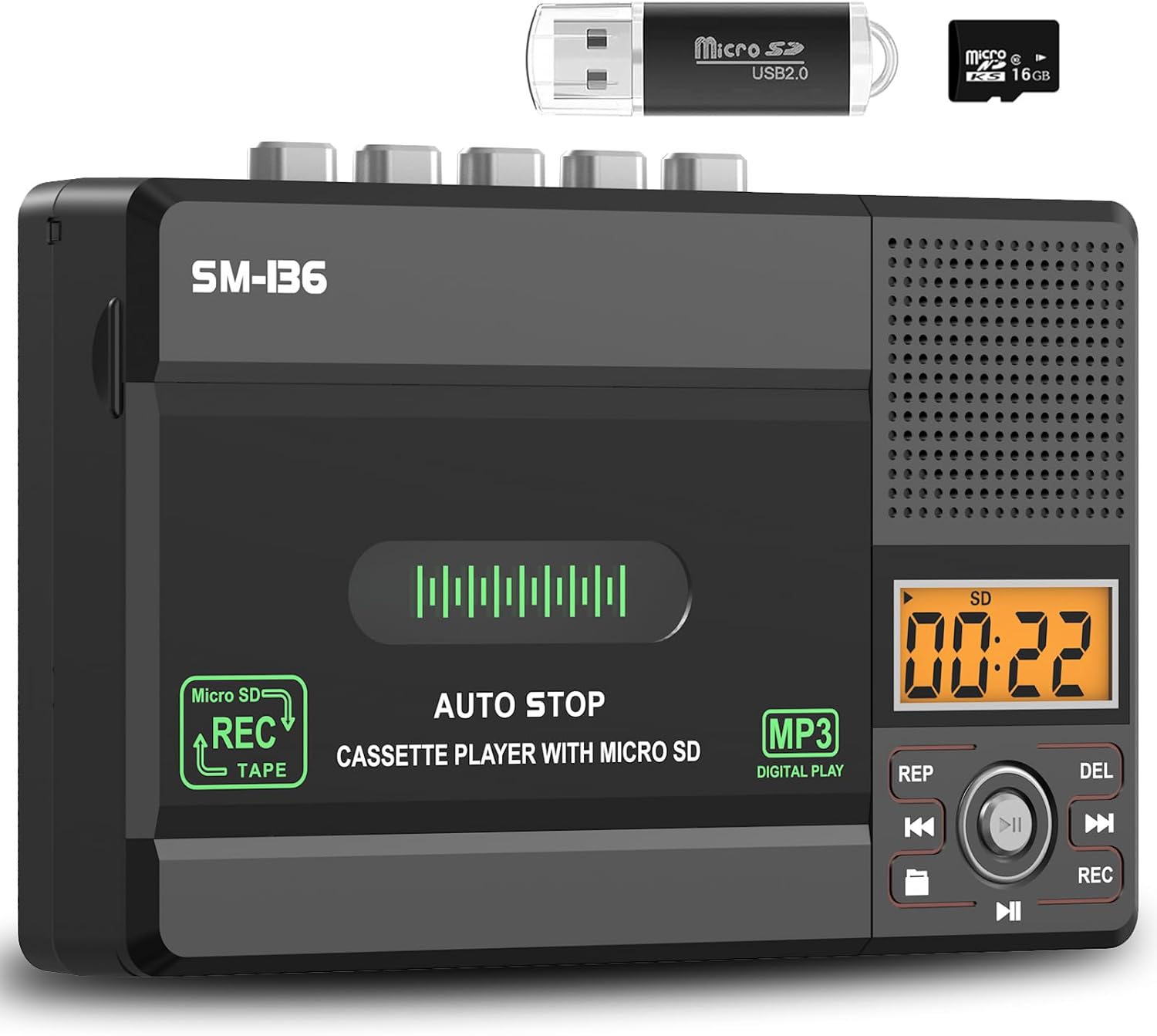
SEMIER Cassette Tape Player & MP3 Converter - Black
The Small Cassette Tape Player by SEMIER is a versatile device that allows you to play and record audio cassettes, convert them to MP3 format, and enjoy music playback from an SD…
Manual and instructions
Instruction-focused content generated from the current product data and source context.
User Manual for SEMIER Cassette Player Recorder Converter
Getting Started
- Unpack your SEMIER Cassette Player Recorder Converter and ensure the following items are included: the cassette player, a 16GB SD card, USB reader, converter software, user manual, and a 5V DC USB power cord.
- Insert four AA batteries into the battery compartment or connect the device to a power source using the included USB-C cable.
- To listen to cassette tapes, slide the mode switch to 'Tape' and insert your cassette. Press 'Play' to start listening through the built-in speaker or connect headphones to the 3.5mm jack for private listening.
- To record using the built-in microphone, slide the mode switch to 'SD Card' and ensure the SD card is inserted. Press and hold the 'Rec' button, and then press 'Play' to start recording.
- To convert cassette tapes to MP3, you can either record directly to the SD card as described above or use the included USB cable to connect the device to a computer and use the Audacity software for the conversion process.
Recording to Cassette/Computer/SD Card
- To record to a cassette, insert a blank cassette tape, press the 'Rec' button, and then 'Play' while speaking into the built-in microphone.
- To record to a computer, connect the device to your computer with the USB cable, open Audacity, and select the cassette player as the recording device. Press 'Play' on the cassette and 'Record' on Audacity.
- To record to an SD card, follow the instructions in the 'Getting Started' section.
Troubleshooting Tips
If you encounter issues with your SEMIER Cassette Player Recorder Converter, try the following:
- Ensure the device is properly powered either by USB-C cable or AA batteries.
- Check that the SD card is not full and is properly inserted into the slot.
- If the device is not recognized by your computer, try reconnecting the USB cable or restarting both the device and the computer.
- If recording quality is poor, check the volume levels and ensure there is no background noise while recording.
- For playback issues, ensure the tape is not damaged and that the mode switch is in the correct position.
Frequently Asked Questions (FAQ)
Can the SEMIER Cassette Player convert tapes directly to digital without a computer?
Yes, the device can record directly to an SD card. Hold the 'Rec' button and press 'Play' on the tape to start the conversion.
What is the maximum size of the SD card that the device supports?
The manual states that the device supports SD cards up to 32GB.
How can I ensure I don't lose the first few seconds of the tape when converting?
Set the player output selection to 'MicroSD' without an SD card inserted. This allows you to record from the very beginning of the tape.
Why does the screen display 'no SD' when an SD card is inserted?
This message indicates that the SD card is not being read for playback. Ensure the SD card is properly inserted and formatted correctly.
Can I use headphones with this device?
Yes, the device has a 3.5mm headphone jack for private listening.
Why can't I see the tape through the cassette housing?
The device has a dark plastic cover over the cassette housing. For visibility, it is recommended that the manufacturer consider a clear plastic design in future models.
Frequently asked questions
**Product FAQ**
**Q: What are the main features of this Small Cassette Tape Player/Converter?**
A: This device allows you to play and record audio cassette tapes, convert them to MP3 format via USB or SD card, has a built-in microphone, supports SD card playback and recording, features an LCD display for easy navigation, and comes with a 16GB SD card.
**Q: How can I convert my cassette tapes to digital MP3 files using this product?**
A: You can convert your cassette tapes to MP3 format in two ways - either by recording directly onto the included SD card or by connecting the device to your computer via USB and using the Audacity software provided.
**Q: What power options does this cassette player/recorder converter offer?**
A: This device can be powered either by a USB-C cable (included) or by four AA batteries for added convenience.
**Q: What type of audio output options does this product offer for listening to recordings?**
A: The cassette recorder converter features a built-in 2W speaker for good sound quality, as well as a 3.5mm earphone jack for private listening with headphones.
**Q: Is customer support available for this product?**
A: Yes, dedicated customer support is provided to address any queries or concerns you may have, ensuring a smooth experience from setup to daily use.
**Q: What accessories are included with this product?**
A: The package includes a 16GB SD card, USB reader, converter software, user manual, and a 5V DC USB power cord for converting digital MP3 files.
**Q: Can I use this device to play music from an SD card as well?**
A: Yes, you can enjoy music playback from an SD card on this cassette player/recorder converter in addition to converting and recording audio cassette tapes.
Specifications
Structured product details pulled from the latest available product data.
| Brand | SEMIER |
|---|---|
| Manufacturer | SEMIER |
| Category | Electronics > Portable Audio & Video > Cassette Players & Recorders |
| Weight | 13.7 ounces |
| Dimensions | 6.3 x 3.9 x 1.2 inches |
| First Available | March 31, 2025 |
| Product Dimensions | 6.3 x 3.9 x 1.2 inches |
| Item Weight | 13.7 ounces |
| ASIN | B0F3377C75 |
| Customer Reviews | 4.4 4.4 out of 5 stars 47 ratings 4.4 out of 5 stars |
| Best Sellers Rank | #6,719 in Electronics (See Top 100 in Electronics) #8 in Portable Cassette Players & Recorders |
| Date First Available | March 31, 2025 |
| Country of Origin | China |
Use this page carefully
ProductReviewGPT pages are AI-assisted summaries. When a source document is available, it should take priority over the generated summary for important operating, warranty, safety, or compliance details.