
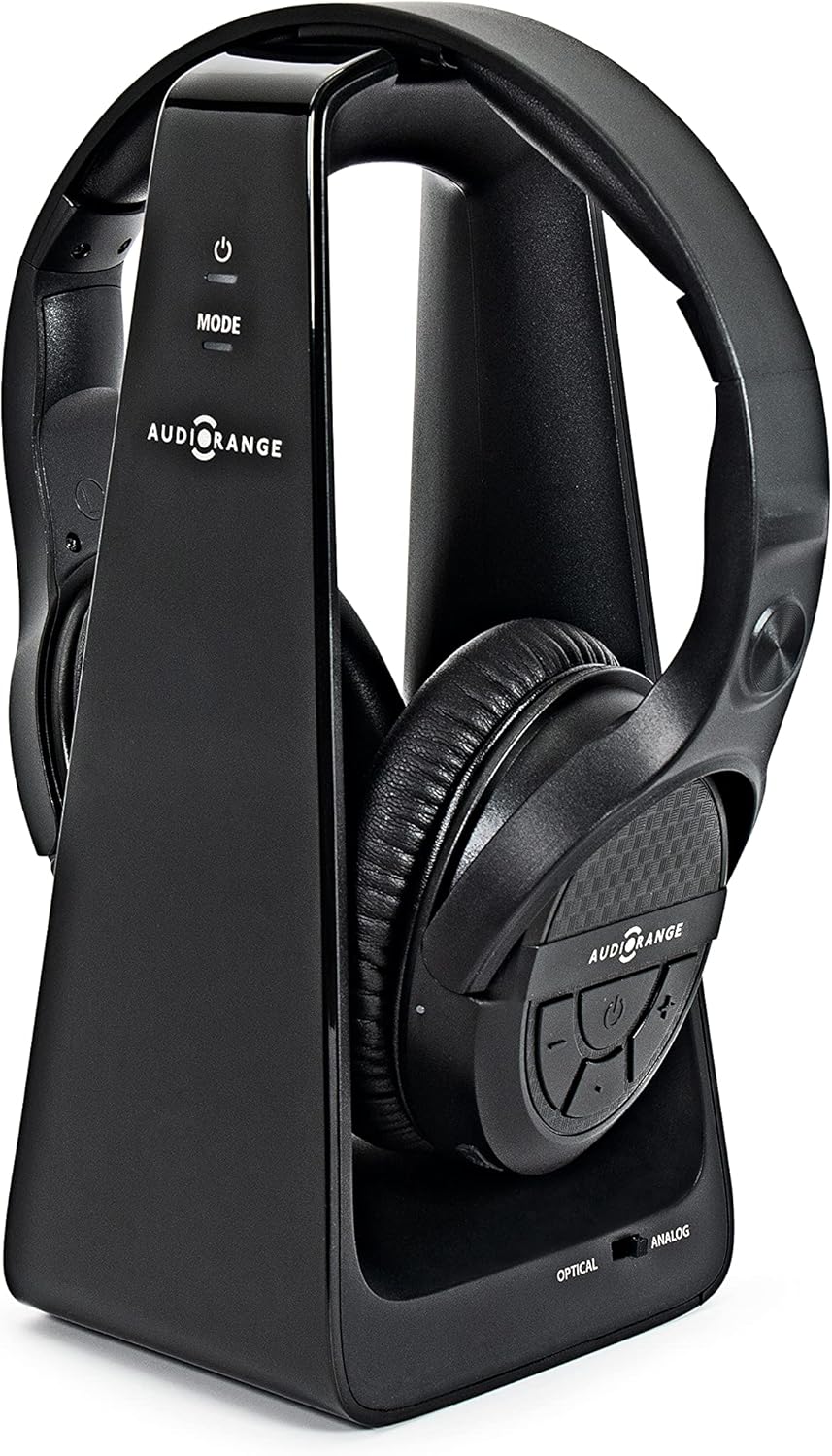
AudioRange OTE-1000 Wireless TV Headphones.
The AudioRange OTE-1000 Wireless TV Headphones are an excellent solution for seniors, the hard of hearing, and hearing-impaired individuals who want to enjoy their favorite TV sho…
Manual and instructions
Instruction-focused content generated from the current product data and source context.
AudioRange OTE-1000 Wireless TV Headphones User Manual
Table of Contents
- Package Contents
- Setting Up Your Headphones
- Using Your Headphones
- Charging Your Headphones
- Troubleshooting Tips
- Frequently Asked Questions
1. Package Contents
- AudioRange OTE-1000 Wireless TV Headphones
- Transmitter
- Charging Stand
- Audio Cable (3.5mm to RCA)
- Optical Audio Cable
- Power Adapter
- User Manual
2. Setting Up Your Headphones
- Connect the included power adapter to the transmitter and plug it into a power outlet.
- Choose the appropriate audio cable for your TV (optical or 3.5mm to RCA) and connect it from the output jack on your TV to the input jack on the transmitter.
- Turn on your TV and adjust the volume to a comfortable level.
- Power on the headphones by pressing and holding the power button for a few seconds.
- Wait a few seconds for the sound to start playing directly to your headphones. No pairing, no passwords, no headaches. Just plug and play.
3. Using Your Headphones
- Adjust the volume using the dedicated volume buttons on the headset.
- Enjoy clear, delay-free audio up to 100 feet away from your TV.
- Remember to turn off the headphones when not in use by pressing and holding the power button for a few seconds.
4. Charging Your Headphones
- Make sure the headphones are turned off.
- Place the headphones on the charging stand, ensuring they are properly aligned.
- Look for the red charging indicator light on the dock to confirm the device is recharging.
- Once fully charged, the indicator light will turn green. A full charge provides up to 10 hours of battery life.
5. Troubleshooting Tips
- If you experience poor audio quality or static, ensure that the transmitter and headphones are within the 100-foot range.
- Check the audio cable connections between your TV and the transmitter.
- Make sure the headphones are fully charged.
- Ensure the headphones are turned off before placing them on the charging stand.
- Contact AudioRange customer support if you continue to experience issues.
6. Frequently Asked Questions
- Q: Can I use the headphones while they are charging?
- A: No, the headphones should be turned off and placed on the charging stand to recharge.
- Q: What is the range of the headphones?
- A: The headphones have a range of up to 100 feet from the transmitter, providing delay-free audio.
- Q: Are these headphones compatible with all TVs?
- A: The AudioRange OTE-1000 comes with both digital optical and analog RCA auxiliary audio cables, making them compatible with virtually every TV, cable/satellite box, audio receiver, and more.
- Q: How long does the battery last on a single charge?
- A: On a single full charge, you can experience up to 10 hours of battery life.
- Q: How do I know if the headphones are charging?
- A: When the headphones are placed correctly on the charging stand, a red charging indicator light will be visible on the dock. The light will turn green once the headphones are fully charged.
Frequently asked questions
Q: What is the AudioRange OTE-1000 Wireless TV Headphones?
A: The AudioRange OTE-1000 Wireless TV Headphones are a set of headphones designed for seniors and those who are hard of hearing. They allow you to hear your television loud and clear with crystal clear audio when and where you want it.
Q: What are the features of the AudioRange OTE-1000 Wireless TV Headphones?
A: The features of the AudioRange OTE-1000 Wireless TV Headphones include large volume buttons on the headset for easy loudness adjustment, a lightweight form factor, foam padding on the headband to ensure comfortability, easy setup, compatibility with most devices, long-range connectivity, and a long-lasting, rechargeable battery.
Q: How do I set up the AudioRange OTE-1000 Wireless TV Headphones?
A: To set up the AudioRange OTE-1000 Wireless TV Headphones, simply plug the included audio cable from the output jack on your TV and into the transmitter, power on the headphones, and wait a few seconds for sound to start playing directly to your device. No pairing, no passwords, no headaches. Just plug and play.
Q: Can I use these headphones with other devices besides my TV?
A: Yes, the wireless headphone system is compatible with virtually every TV, cable/satellite box, audio receiver, and more.
Q: How far away can I be from my TV while using these headphones?
A: With these tv wireless headphones with charger and transmitter, you can transmit delay-free sound from your TV directly to your wireless headphones up to 100 feet away.
Q: How long does the battery last on a single charge?
A: On a single full charge, you can experience up to 10 hours of battery life.
Q: Are these headphones adjustable?
A: Yes, they are adjustable to fit various head sizes.
Q: Do I need to remove the headphones from the dock once they are fully charged?
A: No, you do not need to remove them from the dock. There is internal circuitry that will prevent overcharging of the headphones.
Q: Can I use these headphones to amplify sounds around me without connecting to anything?
A: No, the OTE-1000 Wireless TV Headphones are intended to be connected to your TV to listen to the TV audio. They do not have any ability to amplify sounds around you.
Q: Is there a mute button on the headphones?
A: No, there is no mute button on the headphones. You can have whatever volume you want on the headphones while everyone else in the room listens to the TV at a different volume.
Q: Can I use these headphones simultaneously with my TV speakers?
A: Yes, plugging the headphone system into the digital output (optical) will allow for simultaneous output of the TV speakers and headphones with independent volume controls.
Q: Is this product compatible with my Samsung TV model?
A: Generally, with Samsung TVs, the preferred method of connection is the Digital Audio Out (Optical) connection on the rear of the TV and make sure it's free/available. It looks likes a square connection covered with a plastic hinged door. About 5% of the time TVs are not configured properly for headphones so you may need to go into the TV's sound/audio menu setting and change the Digital Audio Out format to "PCM" or "Stereo". Other formats such as Auto, Dolby, DTS, and bitstream will not function. In Samsung TVs, you may need to go into the expert setting under the sound menu to find this.
Q: What should I do if my headphones won't work even though they are fully charged?
A: Based on the light sequence you described, it seems that the headphones are operating as expected. We suspect that the headphone base is not receiving audio or correct audio format from the TV. Please consult the manual, our support page, or our customer service team at (866) 462-1588.
Specifications
Structured product details pulled from the latest available product data.
| Brand | AudioRange |
|---|---|
| Manufacturer | AudioRange |
| Model Number | OTE-1000 |
| Category | Electronics > Headphones, Earbuds & Accessories > Headphones & Earbuds > Over-Ear Headphones |
| Color | Black |
| Weight | 1.7 pounds |
| First Available | June 2, 2021 |
| Model Name | OTE-1000 |
| Connectivity Technology | Wireless |
| Wireless Communication Technology | RF |
| Included Components | Headset Stand, Cables |
| Age Range (Description) | Adult |
| Specific Uses For Product | Improving Television Audio for Elderly and Hard of Hearing |
| Charging Time | 2 Hours |
| Compatible Devices | Most TVs and streaming services, but specific brands or models not specified |
| Theme | TV Series |
| Cable Feature | Retractable |
| Item Weight | 27.19 Ounces |
| Water Resistance Level | Not Water Resistant |
| Frequency Range | 20 Hz - 20,000 Hz |
| Unit Count | 1 Count |
| Control Method | Touch |
| Number of Items | 2 |
| Battery Life | 10 Hours |
| Audio Driver Type | Dynamic Driver |
| Carrying Case Color | Black |
| Earpiece Shape | Over Ear |
| Is Autographed | No |
| Package Dimensions | 10.08 x 7.68 x 5.28 inches |
| Item Weight | 1.7 pounds |
| ASIN | B08V5LHLCZ |
| Item model number | OTE-1000 |
| Batteries | 1 Lithium Ion batteries required. (included) |
| Customer Reviews | 3.8 3.8 out of 5 stars 868 ratings 3.8 out of 5 stars |
| Best Sellers Rank | #427,925 in Electronics (See Top 100 in Electronics) #7,235 in Over-Ear Headphones |
| Date First Available | June 2, 2021 |
| Ear Placement | Over Ear |
| Form Factor | Over Ear |
| Headphones Jack | 3.5 mm Jack |
Use this page carefully
ProductReviewGPT pages are AI-assisted summaries. When a source document is available, it should take priority over the generated summary for important operating, warranty, safety, or compliance details.